Tag: EOS

  • Eos Positioning Systems improves mapping and asset management

    Eos Positioning Systems improves mapping and asset management

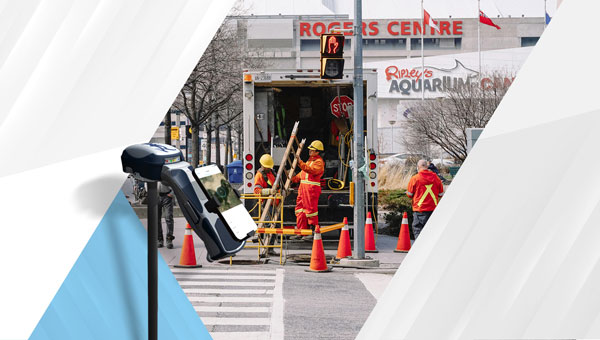
    Eos Positioning Systems (Eos) has become a member of the Municipal Information Systems Association (MISA) Canada’s National Partner Program (NPP). This collaboration aims to enhance the capabilities of Canadian municipalities in utilizing GNSS technology for improved mapping and asset management.

    The partnership between Eos and MISA Canada facilitates the digital transformation of Canadian cities and towns by bringing together municipal leaders and technology innovators. Eos specializes in providing high-accuracy GNSS technology to local governments, enabling them to maintain critical infrastructure and public services more effectively.

    Eos manufactures GNSS receivers in Canada that offer submeter to centimeter-level accuracy for GIS and mapping applications. These tools are particularly useful for utility and infrastructure mapping, public works asset management, environmental monitoring and planning and emergency response coordination.

    The GNSS receivers from Eos are designed to integrate with existing GIS software and mobile devices, allowing field teams to efficiently collect, update, and manage spatial data with high precision. As part of MISA’s NPP, Eos will provide members with access to specialized solutions, training resources, and ongoing technical support to maximize the benefits of GNSS technology in municipal operations.

  • EOS platform offers worldwide satellite imagery

    EOS has partnered with four high-resolution imagery providers — Airbus Defense and Space, SI Imaging Services, SpaceWill and 21AT — so users can purchase the latest images directly from LandViewer, the official high-resolution data reseller, or view the images of an area of interest in high resolution on the map.

    LandViewer collects the latest up-to-date satellite imagery from commercial satellite providers and incorporates it into an easy-to-use platform. The collection is constantly being improved with new sensors.

    LandViewer offers two data sources of commercial imagery:

    • High-resolution imagery (for analytics), to find and purchase high-resolution images for further in-depth analysis. In this case, the price is based on the size of the area of intersection between the selected image and your area of interest (AOI).

    Image from Landviewer for analytics. (Image: EOS)
    Image from Landviewer for analytics. (Image: EOS)

    • High-resolution imagery (view only) to view high-resolution images for your area of interest (AOI). In this case, the price is based on the number of tiles within your AOI. The view only  option is designed as a stand-alone data source for the everyday business user.

    Image from Landviewer (view only). (Image: EOS)
    Image from Landviewer (view only). (Image: EOS)

    The EOS platform uses commercial imagery from LandViewer with a resolution between 0.3 meter and 1.5 meters, enabling a close look at  assets of interest, anywhere in the world.

  • LandViewer’s change-detection tool runs in a browser

    A major use of remote sensing data is to compare images of an area taken at different times and identify the changes it underwent. With a wealth of long-term satellite imagery in open use, detecting such changes manually would be time-consuming and most likely inaccurate.

    To address this, EOS Data Analytics has introduced an automated Change Detection tool to its flagship product LandViewer, a cloud tool for satellite imagery search and analysis in today’s market.

    Unlike the methods involving neural networks that identify changes in the previously extracted features, the change detection algorithm implemented by EOS is using a pixel-based strategy, meaning that changes between two raster multi-band images are mathematically calculated by subtracting the pixel values for one date from the pixel values of the same coordinates for another date.

    This new signature feature is designed to automate a change detection task and deliver accurate results in fewer steps and in a fraction of the time needed for change detection in most image-processing software.

    Change detection interface: Images of Beirut city coastline selected for tracing the developments of the past years. (Image: LandViewer)
    Change detection interface: Images of Beirut city coastline selected for tracing the developments of the past years. (Image: LandViewer)

    Change detection interface: Images of Beirut city coastline selected for tracing the developments of the past years. (Image: LandViewer)
    Change detection interface: Images of Beirut city coastline selected for tracing the developments of the past years. (Image: LandViewer)

    Applications from farming to environmental monitoring

    One of the main goals set by EOS team was to make the complex process of change detection in remote sensing data equally accessible and easy for non-expert users coming from non-GIS industries.

    With Land Viewer’s change detection tool, farmers can quickly identify the areas on their fields that were damaged by hail, storm or flooding. In forest management, satellite image detection of changes will come in handy for estimation of the burned areas following the wildfire and spotting the illegal logging or encroachment on forest lands.

    Observing the rate and extent of climate changes occurring to the planet (such as polar ice melt, air and water pollution, natural habitat loss due to urban expansion) is an ongoing task of environmental scientists, who may now have it done online in a matter of minutes. By studying the differences between the past and present using the change detection tool and years of satellite data in Land Viewer, all these industries can also forecast future changes.

    Top change detection use cases: Flood damage and deforestation

    A picture is worth a thousand words, and the capabilities of satellite image change detection in Land Viewer can be best demonstrated on real-life examples.

    Forests that still cover around a third of the world’s area are disappearing at an alarming rate, mostly due to human activities such as farming, mining, grazing of livestock, logging, and also the natural factors like wildfires. Instead of massive ground surveying of thousands of forest acres, a forestry technician can regularly monitor the forest safety with a pair of satellite images and the automated change detection based on NDVI (Normalized Difference Vegetation Index).

    How does it work? NDVI is a known means of determining vegetation health. By comparing the satellite image of the intact forest with the recent one acquired after the trees were cut down, Land Viewer will detect the changes and generate a difference image highlighting the deforestation spots, which can further be downloaded by users in JPG, PNG or TIFF format. The surviving forest cover will have positive values, while the cleared areas will have negative ones and be shown in red hues indicating there’s no vegetation present.

    A difference image showing the extent of deforestation in Madagascar between 2016 and 2018; generated from two Sentinel-2 satellite images. (Image: LandViewer)
    A difference image showing the extent of deforestation in Madagascar between 2016 and 2018; generated from two Sentinel-2 satellite images. (Image: LandViewer)

    Another widespread use case for change detection would be agricultural flood damage assessment, which is of most interest to crop growers and insurance companies. Whenever flooding has taken a heavy toll on your harvest, the damage can be quickly mapped and measured with the help of NDWI-based change detection algorithms.

    Results of Sentinel-2 scene change detection: The red and orange areas represent the flooded part of the field,; the surrounding fields are green, meaning they avoided the damage. California flooding, February 2017. (Image: LandViewer)
    Results of Sentinel-2 scene change detection: The red and orange areas represent the flooded part of the field,; the surrounding fields are green, meaning they avoided the damage. California flooding, February 2017. (Image: LandViewer)

    How to run change detection in Land Viewer

    There are two ways you can launch the tool and start finding differences on multi-temporal satellite images: by clicking the right menu icon “Analysis tools” or from the Comparison slider ‒ whichever is more convenient. Currently, change detection is performed on optical (passive) satellite data only; addition of the algorithms for active remote sensing data is scheduled for future updates.

    A guide to Land Viewer is available here.

  • EOS Platform provides toolbox for processing Earth observations

    Most image analysis tasks that required ENVI or Erdas Imagine software are now available online with EOS Platform, a new cloud service launched by Earth Observing System (EOS). It provides GIS professionals with a one-stop solution for search, analysis, storing and visualization of large amounts of geospatial data.

    EOS Platform is an ecosystem of four mutually integrated EOS products, which together provide a powerful toolset for geospatial analysts, according to the company. Image data obtained from LandViewer or uploaded from a user’s computer is stored in cloud-based EOS Storage and is instantly available for remote sensing analysis or image processing.

    EOS Processing offers 16 processing workflows that run online, including raster tools (merge, reprojection, pansharpening), remote sensing analytics, photogrammetry and proprietary feature extraction algorithms designed by EOS engineers and data scientists to address the main challenges of agriculture, forestry, oil, gas, retail, city planning, defense and other industries. Such pre-processing tasks as cloud detection or radiometric calibration refine raw data for further analysis. Images can be corrected for atmospheric effects to obtain the real ground radiance or reflectance values.

    Users can also use the cartographic features of EOS Vision for vector data visualization and analysis (analysis coming soon). Other features in upcoming updates include lidar analysis and 3D modeling.

    Data agnostic platform

    Users can work with a variety of satellite and airborne raster datasets in EOS Processing, EOS Storage and LandViewer, which enables quick and intuitive search of images within collections of Sentinel-1 and 2, Landsat 8 and 7, MODIS, NAIP, CBERS-4, Landsat 4 and 5. Besides downloading images from public datasets, users can also upload their own GeoTiff, JPEG, JPEG 2000 files and apply GIS data-processing algorithms via API or from the web interface. EOS Vision is a tool for vector data operations with multiple format support (ESRI Shapefile, GeoJSON, KML, KMZ).

    Object detection, change detection and classification

    The convolutional neural networks, pre-trained by EOS to extract features from imagery, allow users to apply state-of-art methods to detect objects and track changes from space.

    • Having only a set of multi-temporal images and change detection workflow, users can track how illegal deforestation progresses over time.
    • Edge detection can show the exact boundaries of agricultural lands down to the last pixel.
    • It is possible to estimate the parking lot traffic of the largest shopping centers with a car detection algorithm.

    Products within EOS Platform support almost all remote sensor types. Users can choose from numerous spectral indices to calculate on the fly.

    Aside from the complete set of vegetation indices (Normalized Difference Vegetation Index, NDVI; Red-Edge Chlorophyll Index, ReCI; etc.), there are also indices to outline landscape features (Normalized Difference Water Index, NDWI; Normalized Difference Snow Index, NDSI) and burned areas (Normalized Burn Ratio, NBR).

    One of the most useful features is the ability to experiment with spectral bands: users can create custom band combinations and indexes on top of the default ones.

    The user-friendly interface of EOS Processing makes it easy to manage processing workflows depending on the user’s business needs. Users can set the parameters for processing and repeatedly use customized workflows to automate high-frequency analytical tasks. Coming updates will add an ability to create custom algorithms from the available data-processing operations.

    Agriculture, forestry, oil and gas and more industries

    A tandem of EOS products form a comprehensive toolbox both for general use and for industry-specific cases, the company said. With vegetation indices and crop classification feature, agronomists can continuously monitor crop conditions to detect plant diseases, pests and droughts. Forestry specialists can classify forest types, assess fire damage, monitor forest health, and track and enforce logging restrictions.

    EOS Platform can also be used for regional and urban planning. It helps users identify land cover classes to generate a vegetation map and can also make a complete list of urban features such as buildings, roads or other major features in the region.

    The platform can tackle disaster management by measuring flood extent and finding fire boundaries. When it comes to oil and gas, it is capable of identifying oil rigs and assessing the environmental impact.