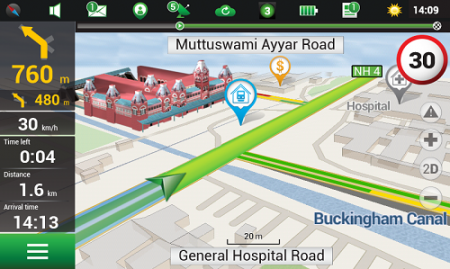
Navitel’s navigation map of India is now available for purchase, for use with the Navitel Navigator GPS & Maps app on Google Play. Navitel Navigator is a precise offline GPS navigation with free geosocial services and detailed maps of 59 countries, with 20 million downloads worldwide.
The map of India contains 2,092,013 km of road graph, 594 627 cities, towns, and other settlements, as well as 5,294,344 POI. Coupled with the address search in more than 6 000 residential and industrial areas of settlements, this map includes the detailed housing system data with due account for the number of floors, detailed road networks with all streets, roads, and indicated traffic direction, road interchanges, roundabouts, and other important road information.
The map contains 149 3D points of interest, including:
Gujarat – ISCON Mall, Satyam Centre, the Metropole Hotel, Kaizen Hospital.
Karnataka – Bangalore Palace, Software Technology Park of India, Jamia Masjid, Hotel Savannah Sarovar Premiere, Jawahar Bal Bhawan park.
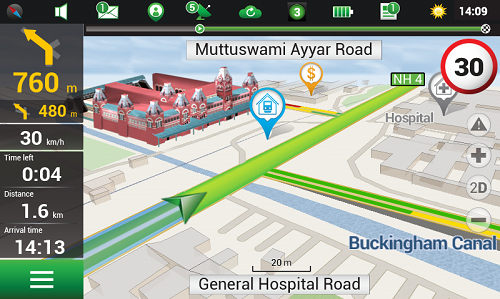
TamilNadu – Chennai International Airport, Chennai Railway Station, Manorama Hotel, Lemon Tree Hotel.
Haryana – Vardhman Star Mall, YMCA University of Science and Technology, Mini Secretariat, Sarvodaya Hospital, Gurgaon Centre.
Chandigarh – Panjab University, Chandigarh College of Engineering & Technology, Haryana and Punjab Secretariat, Hotel Royal Plaza.
Details for Map of India, Q1 2015:
2,092,013 km of road graph;
594,627 settlements on the map;
6,614 settlements allowing the address search;
8,217,526 addresses;
149 3D points of interest;
5,294,344
Android OS device users can purchase a license key to the new product at Google Play and from the program menu by selecting “My Navitel” > “Purchase maps”.
The Q1 2015 map of India is compatible only with 9.1.0.0 and later versions of Navitel Navigator.
Two new products have found ways to turn smartphones into personal protection devices. One of the two products includes a wearable monitor.
Photo: First Sign Technologies
Mace Wear Pod
The Mace Wear Pod uses a wearable device in conjunction with a smartphone app. First Sign Technologies, in partnership with Mace Wear, has launched the Mace Wear Pod, which acts as a personal security system against violent crimes. At the first sign of a violent attack, an assault alarm is activated and the speaker lets the attacker know that evidence has been collected and help is on the way. The device automatically begins to collect evidence, take photos, and call for help, which will help identify, apprehend, prosecute and deter attackers, the makers say.
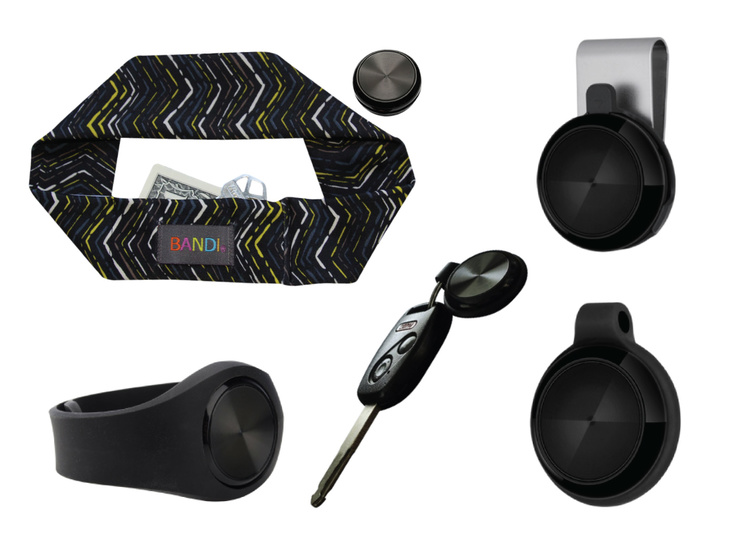
The Mace Wear Pod can be worn in five ways as a headband, wristband, key chain, belt clip and pendant. For those not wearing the pod, the mobile app, which can be downloaded on iPhone and Android, can also be activated in three ways, by hitting the alert button, by shaking your phone, or by setting a time to check-in — the alarm is activated if the check in doesn’t take place.
First Sign Technologies was launched in January 2014. Following a successful crowd-funding campaign, the product is now available with one year of monitoring service for $120.
“There is a demand for personal protection and with the advances in wearable technology, we want to create products that give peace of mind,” said First Sign President Rachel Emanuele. “Mace is an ideal partner to help us expand our product line and help promote safety to all who seek it.”
The products are expected to be available in more than 1,000 stores such as Dick’s Sporting Goods, Sports Authority and Sears. Demonstration videos are posted here.
Photo: STOP-ATTACK
STOP-ATTACK
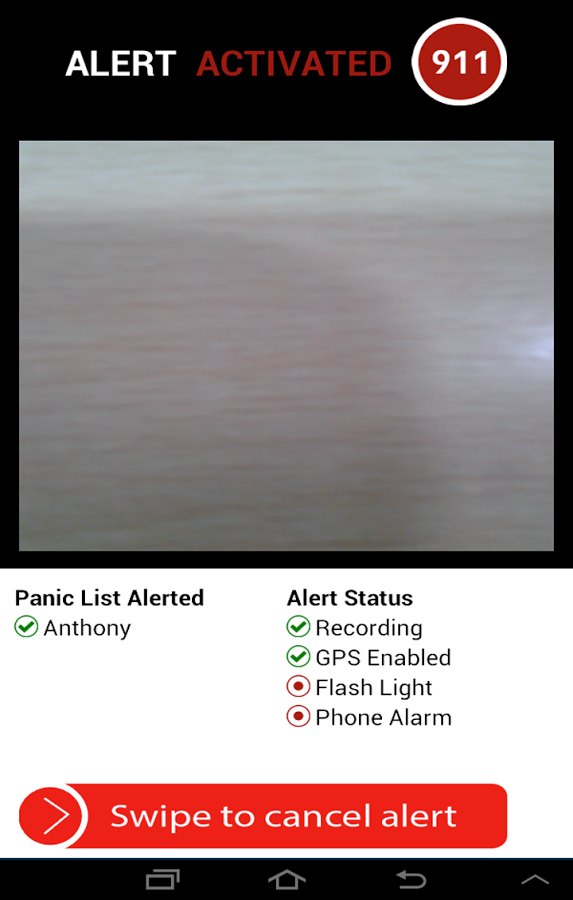
Another new app launching this month, STOP-ATTACK, uses smartphone technology to send alerts in case of bullying or harassment. STOP-ATTACK, available on both Android and Apple platforms, records audio and video evidence and alerts contacts of trouble in a matter of seconds, sending GPS coordinates to a designated Panic List and first responders.
“We need to stop the senseless violence and assaults in this world,” said Anthony “Tony” Bright, the creator of STOP-ATTACK. “Our hope is that STOP-ATTACK.com will be a powerful tool in this struggle. The app has been developed with simplicity as a core feature, so that even younger children can be protected, giving parents much-needed peace of mind.” The CEO will be presenting the STOP-ATTACK app at the Pre-Grammy Awards VIP Gift Lounge and The Oscars Gift Lounge hosted by GBK productions this February.
The app can be downloaded in the Google Play or iTunes store, and is available for free now until Feb. 8, 2015.
STOP-ATTACK users will be able to customize many aspects of the app, such as creating a “Panic List” of people for the app to contact in an emergency, from friends and family to local first responders. When a user activates STOP-ATTACK, the app instantly begins recording live audio and video and uploading the stream to the cloud. Panic List contacts and designated first responders are notified immediately or after a brief, user-determined delay. The app will send the contacts a link with the GPS location and the recording of the incident.
A hot key allows for quick and discrete activation of the STOP-ATTACK app. For instance, a bully need not know they’re being recorded until presented with the evidence by a school authority. On the other hand, it’s sometimes advantageous to let everyone know that STOP-ATTACK is recording; users can choose for the app to play an alarm sound and turn on the camera light when activated, a strong deterrent to a would-be attacker.
The developers of STOP-ATTACK have created a pair of explainer videos to showcase exactly how the app works in typical usage scenarios: “Always Be Prepared,” “Bullying.”
Avenza’ PDF Maps app is now available at the Google Play Store.
Avenza Systems Inc., producers of MAPublisher cartographic software for Adobe Illustrator and Geographic Imager geospatial tools for Adobe Photoshop, announce that PDF Maps app is now available on the Google Play Store. The first and only geospatial PDF and GeoTIFF reader for Android devices, Avenza said, the PDF Maps app is unique to the space due to its extensive collection of more than 100,000 detailed maps sourced from well-established publishers, cartographers, government agencies and aficionados of outdoor recreational activities, all of which are downloadable directly from within the app.
PDF Maps take advantage of geospatial technology that allows consumers to view maps and measure real world distances and areas. Paired together with mobile devices that use GPS such as Androids, the PDF Maps app provides constant access to geographic locations and even points of interest without the risk of losing reception due to cell tower proximity.
Designed with its audience of travelers and outdoor enthusiasts in mind, Avenza’s PDF Maps app has already garnered accolades from the International Map Industry Association (IMIA) and Geospatial World for its innovative use of technology on the iOS platform in 2011 and 2012. Since then, its versatility for recreational or business purposes out in the field has been recognized across several industries and it’s gaining momentum.
“The market is currently saturated with map apps that are limited in map data, or too simplified to be functional for offline navigating. We wanted to address those issues by providing a free navigational app that catered to a segment of users who needed something more substantial than the average turn-by-turn digital maps offered today, while providing map-publishers with an iTunes-like environment for distributing their maps direct to devices” said Ted Florence, President of Avenza Systems Inc.
“With Avenza’s PDF Maps app Android users can do more than just view their location. PDF Maps provides a meaningful interface to measure distances, drop placemarks and share personal recorded data in various formats. It’s more than just a viewing tool, but will provide the Android market the best of both worlds — access to maps from well-known paper map publishers that work in tandem with the functionality of GPS devices. We’re thrilled to finally make it available to a new market.”
Unlike other map apps that provide one view of a location using GPS coordinates as most maps do, Avenza’s PDF Maps app expands a traveler’s choices, allowing them to access detailed geography or points of interest created by specific map publishers for use on land, sea or air. PDF Maps app for Android allows consumers to access information while at a destination, providing users an opportunity to make the most of their time experiencing their environment rather than searching for cell reception to access directions.
Currently, Avenza’s vast PDF Maps app library covers maps for domestic and international travel organized by state and area. Android users will appreciate the breadth of tool management features available. All maps — free and purchased — are accessible through the in-app map store and offer the following capabilities:
Add maps from the file system, Dropbox, a URL, email, or Map Store
Browse, purchase, and download maps from the Avenza Map Store (existing iOS PDF Maps accounts are compatible)”
Show GPS position on maps
Add Placemarks
Import and export KML
Find Coordinates
Measure Distance or Area
Open current view in Google Maps
Avenza’s PDF Maps in-app Map Store features a variety of publishers that focus on recreational activities as well as all segments of the map-use market. Below is a small sampling of maps available:
Camping and hiking including National Park Service maps and other regions of the world
Nautical and marine navigation including NOAA and FAA charts for North America and other regions of the world
Topographic use including USGS and Canadian Topographic maps and other regions of the world
Maps for tourists, transit, travel, special events, historic and much more
PDF Maps is available now in the Google Play Store free of charge. For more information about PDF Maps, visit the Avenza website at www.avenza.com/pdf-maps. Pricing of each map is set by the publisher and free maps remain free to users through the PDF Maps app in-app store.
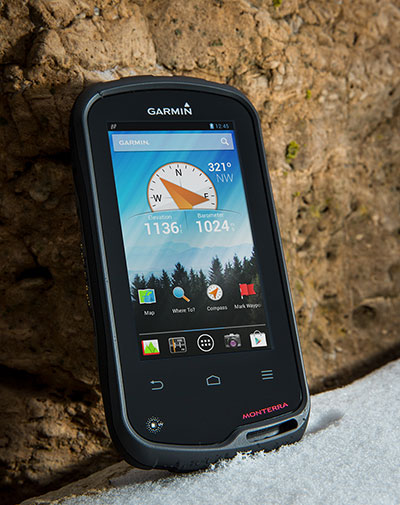
Garmin International Inc., a unit of Garmin Ltd., maker of popular GPS devices such as the nuvi, has announced its first Wi-Fi-enabled outdoor handheld GPS running the Android operating system, Monterra.
Monterra has a vivid, sunlight-readable touchscreen, and users can easily access the Google Play Store and download apps through an available Wi-Fi connection on the device. Developers can create new apps that are suited for the rugged, waterproof, and sensor-loaded handheld device.
“Monterra provides outdoor professionals and enthusiasts with the ultimate ability to customize their GPS device to perfectly suit their personal and professional needs,” said Dan Bartel, Garmin’s vice president of worldwide sales. “With a four-inch, color, multi-touch display, unique 3D MapMerge, and the ability to create new apps, Monterra takes the outdoor GPS to a whole new level, and users are able to take advantage of the features no matter how adverse the terrain may be.”
With the Android operating system, users are able to access popular outdoor-related Android apps, such as Peak Finder, as well as professional apps like construction estimators and ArcGIS to extend some office functions to the field. Monterra also has a built-in FM radio and NOAA weather radio with SAME alerts, so users can receive watches and warnings related to their location. Users can either listen with headphones or through the built-in speaker.
Monterra has a built-in 3-axis compass with accelerometer and gyro, which indicates the user’s direction even when standing still or not holding the device level. Its barometric altimeter has the ability to track changes in pressure to pinpoint precise altitude, and it can also plot barometric pressure over time to monitor weather conditions. It also has a built-in UV sensor so users can monitor the intensity of the sun, and reduce exposure if necessary. With its high-sensitivity, dual-band GPS and GLONASS receiver, Monterra finds its location quickly and maintains signal lock even in heavy cover and deep canyons.
New to the Monterra is a unique mapping feature: 3D MapMerge. With this feature, users can combine two maps — like TOPO, basemap, or BirdsEye Satellite Imagery — then view the new unique map in three dimensions. Hills, valleys, lakes, roads, and points of interest combine to give Monterra’s maps unequaled detail and richness. Combine BirdsEye with TOPO US 24K, or a GIS-based water table map with a shaded relief basemap, then zoom in, pan out, and rotate the 3D map using multi-touch.
Monterra has a built-in 8-megapixel autofocus digital camera that takes geotagged photos, plus a 1080p HD video camera with LED flash. Users can download photos and videos to their computer for either work or sharing using Garmin Adventures. Monterra has 8 GB of internal memory built-in plus a microSD slot for even more extra storage.
Monterra features a vivid and highly durable mineral glass display that uses sunlight in combination with the unit’s LED backlight to increase brightness and view-ability. It has an IPX7 waterproof rating and also uses a dual-battery system, which allows users the option of using the rechargeable Li-ion pack (included) or traditional AA batteries. It is also compatible with the same mounts as the Garmin Montana, so users can take Monterra anywhere.
Wireless sharing is easy with Monterra. It has WiFi, ANT+, Bluetooth 3.0 and NFC capabilities, which allows users to share data, maps, waypoints, tracks, routes, and geocaches with other wireless compatible devices. Additionally, Monterra is compatible with BaseCamp, a free software download that lets you view and organize maps, waypoints, routes and tracks.
The new Garmin Monterra will be available third quarter 2013 at a suggested retail price of $649.99 (Worldwide with preloaded worldwide basemap), and $699.99 (U.S. with preloaded TOPO U.S. 100K with Navteq roads).