Users can now install and test Touch GIS, a mobile field data mapping app, for as long as needed with a free license tier. Previously, users were able to install the app and sign up for a 14-day free trial period.
“We realized some users needed more time to evaluate the many features of Touch GIS,” said Joe Wilson, head of product for Touch GIS.
Touch GIS, a mobile app available on iPhones and iPads, can be used for geologic exploration, utility mapping, farming, real estate, search & rescue and other applications.
Touch GIS features point, line and polygon drawing features; an offline workflow; WMS/WMTS support; customizable attribute forms; custom feature class creation; SHP, KML, KMZ, GeoJSON, GPX support; and more.
“We’re really excited to be able to offer this new tier,” Wilson added. “We love working with our users to support their needs in the field. The free tier will allow us to do this better. We also hope this will encourage new users to jump in and really kick the tires. We’re proud of what we’ve built and are excited for more people from a variety of industries to discover the apps capabilities.”
Users who wish to unlock offline map caching and exporting capabilities can purchase an annual or monthly license, the company said. In addition, discounts are available for educational institutions, qualified non-profits and credentialed U.S. federal government employees.
Touch GIS has released the Touch GIS app for iPhone and iPad. Users can explore the app’s features with a free 14-day trial.
Touch GIS offers professional-grade field data collection and visualization. It takes advantage of devices already used by many people, making field data collection easy and convenient, the company said.
Features include:
an intuitive interface
offline capabilities
map caching
robust file support
customizable attribute forms
preloaded feature class templates
Users can collect point, line and polygon features, as well as create custom feature classes.
File types supported include Shapefile, KML/KMZ, GeoJSON, GPX and CSV (Export).
Custom Forms:
– Description
– Date & Time
– Photo
– List Of Values
– Checkbox
– Address
– Number
– Website
– Phone Number
Preloaded Feature Classes:
– Forestry
– Geology
– Real Estate
– Stream Surveys
– Water Infrastructure
– Wetlands
– Create Your Own!
Anyone who owns an older model Apple iPhone or iPad could experience a device-breaking problem on Nov. 3, according to Apple.
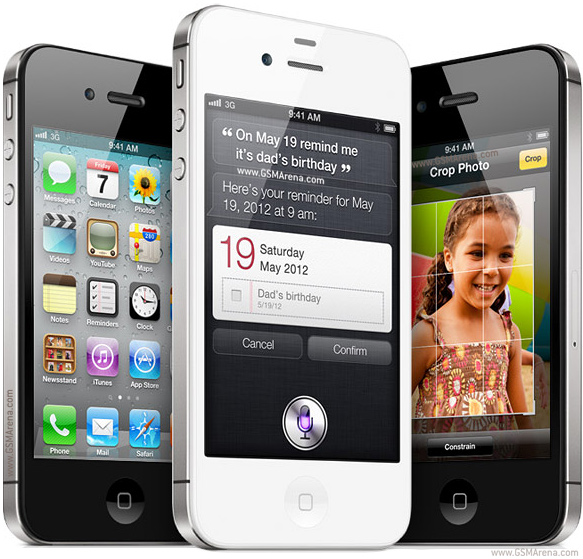
The issue could affect iPhone and iPad models introduced in 2012 and earlier.
“If you don’t update to the newest version of iOS available for your device before November 3, some models might not be able to maintain an accurate GPS position. And functions that rely on the correct date and time—such as syncing with iCloud and fetching email—might not work,” Apple said in a blog post.
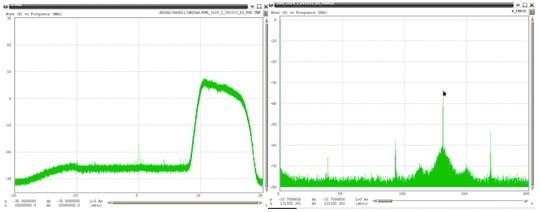
The problem is because of the GPS time rollover on April 6. Affected Apple devices won’t be impacted until just before 12 a.m. UTC on Nov 3.
The iOS update will solve the problem, enabling the device to maintain accurate GPS location and keep the correct date and time.
Devices affected include iPhone 4s and 5, third and fourth-generation iPad, iPad mini and iPad 2. Learn specifics of affected models and how to update the operating system on the Apple website.
If not updated, these devices might not be able to maintain accurate GPS position or perform functions that require accurate time, such as properly syncing with iCloud or fetching email. The devices also might not be able to receive over-the-air software updates. As a result, the only way to update the device will be to restore it via iTunes or Finder through a tethered connection.
Geneq has introduced a new NTRIP client app for iOS that works with iSXBlue receivers.
iSXBlue RTN is used alongside other geospatial information systems (GIS) and surveying apps to obtain real-time centimeter accuracy on an iPhone or iPad.
Key features include real-time kinematic (RTK) alarm configurations with NTRIP and DIP modes. The easy-to-use app allows users to update their receiver with the latest firmware, the company said.
Other features include real-time map location with accuracy and satellite skyplot for GPS, GLONASS and SBAS. The app supports all current and future constellations such as BeiDou and Galileo, the company said.iSXBlue and SXBlue GPS Receiver users include GIS and surveying professionals in industries such as agriculture, environmental, government, mining, natural resources, surveying and utilities.
A GPS World webinar on April 14 explores how five organizations made the switch to using their own tablets and smartphones for field data collection (also known as bring your own device, or BYOD).
Lance Fugate of Enmapp based in Calgary inspects pipelines using TerraGo Edge on iPads.
Webinar participants will learn about and benefit from the real-world challenges faced during the five deployments of BYOD GPS field data-collection solutions. These customers and projects span very different industries, working conditions and requirements for GPS field data collection. Each offers a unique perspective based on their requirements and ultimately their approach to using smartphones and tablets for GPS-powered asset inspections, surveys, field service and remote workforce management.
The City of Sebring Water Utility faced challenges with field crew use of CAD diagrams, as well as obtaining RTK accuracy on iPads. Read more about the Sebring project in this article from our March issue.
The State of Louisiana needed to complete more than 4,000 miles of annual levee inspections while syncing field data from tablets to the cloud. Read more about the project.
Kleinfelder engineers needed to shift to real-time GPS on tablets so they could eliminate four hours per day of post-field processing, and bring projects in faster and under budget.
Empire Electric needed a method for customers to approve GPS-tagged work orders in real-time from the job site to avoid delays and lower costs.
Enmapp needed to cut pipeline inspection hardware and labor costs in the face of the oil industry’s low-price and margin-challenged cost environment.
Like thousands of water utilities across the U.S., the City of Sebring, Fla., Utilities Department is tasked with providing a safe and reliable water supply, while managing all the dispersed assets of the water distribution and wastewater systems. This means regularly locating, mapping and inspecting assets to maintain service levels and operations.
This City of Sebring storm drain runs down the center of a street. (Photo: TerraGo)
When Sebring evaluated this approach, the city received a quote for geographic information system (GIS) software that was more than $30,000 and bids for surveying services that were as high as $300,000, which didn’t include the mobile tools to collect the data or integration with the existing CAD system.
“We could see the traditional GIS and GPS approach was going to eat us alive cost-wise,” said Mark Kretz, water plant operations, Sebring Utilities.
Sebring Utilities then researched mobile products to see if other organizations had field success using iPads and iPhones to do the work. Sebring still needed to achieve survey-grade accuracy — sub-meter, centimeter-level in some cases. This is impossible with an iPhone or iPad out of the box, which delivers 5 meters at best.
Installation of a storm drain in Sebring. (Photo: TerraGo)
Some tasks, such as mapping an underground valve, need sub-foot or better accuracy. Other tasks, such as locating an aboveground valve, could be seen within 3 to 5 meters, so just the iPad would work.
Mark Kretz, Water Plant Operations, City of Sebring, conducts water asset inspections and maintenance. (Photo: City of Sebring)
CAD integration. Sebring also needed to be able to utilize computer-aided design (CAD) diagrams on its mobile devices to identify and locate valves and other assets in the field. In the past, the utility relied on printed CAD drawings, a cumbersome and costly solution. Plus, with time of the essence when containing a leak, workers wanted on-demand access on their mobile devices.
With the multitude of assets from fire hydrants to valves to sewers, the data collection and maintenance work varied greatly. Sebring needed a way to create custom forms and workflow processes, and be able to modify them over time or create new ones when needed.
In the end, the city opted to deploy TerraGo Edge on iPads. With TerraGo Edge, Sebring was able to integrate with GPS receivers that pair to iPads or iPhones via Bluetooth because the product is fully integrated at the software level with Apple-certified GPS receivers. This enabled the city to cut costs, bring surveys in-house and improve response times for repairs. TerraGo Edge also delivers custom forms, CAD diagrams and survey-grade accuracy.
“On a day-to-day basis, the biggest benefit is that we get the ease of use of an iPad, and didn’t have to buy and use proprietary GPS handhelds, which are more complex and vastly more expensive,” Kretz said.
CAD on iPhone with TerraGo Edge. (Image: TerraGo)
Edge benefits
Cost savings of 90 percent over traditional GIS and GPS systems
Topcon Positioning Group’s DS-200i direct-aiming motorized imaging station is now compatible with the new Autodesk BIM 360 Layout app for the Apple iPad.
The DS-200i is the second total station solution that Autodesk and Topcon have collaborated on for contractors, following the Topcon LN-100 Layout Navigator.
The DS-200i has an electronic distance measurement (EDM) range of up to 1,000 meters (3,280 feet) without the need of a prism, and 5,000 meters (26,240 feet) with one. The built-in wireless WLAN connects the iPad with the BIM (building information modeling) 360 Layout app.
The collaboration provides contractors the ability to connect a coordinated model to the field layout process, helping to increase job-site productivity while improving the accuracy of staked or installed building components, according to a Topcon news release.
Additionally, the DS-200i offers an excellent reflectorless solution for quality assurance and quality control workflows — verifying items in the field are installed correctly as compared to models.
The DS-200i features real-time video imaging with a 5 MP camera. The controller’s touchscreen video and arrow keys are designed to let remote operators view what is being measured, Topcon said, similar to looking through the telescope.
The Autodesk BIM 360 Layout app is available through the Apple App Store.
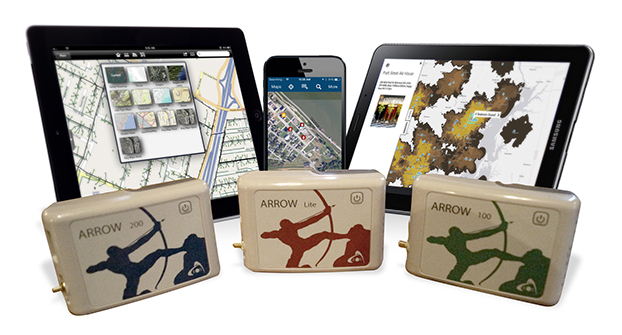
Eos Positioning Systems has introduced a new line of high-accuracy GNSS receivers for smartphones and tablet computers, including both sub-meter and RTK performance for all mobile platforms: iOS, Android, and Windows.
Eos’s entry-level product, the Arrow Lite, is Bluetooth compatible with all mobile devices.
The Arrow 100 is Eos’s advanced real-time, sub-meter GNSS receiver that utilizes both GPS and GLONASS, and is expandable to Galileo, Beidou and QZSS. It offers superior tracking under tree canopy, around buildings and in rugged terrain, the company said. In addition to supporting SBAS in North/Central America, Europe, Northern Africa, Japan, India and Russia, the Arrow 100 also supports OmniSTAR’s worldwide, real-time sub-meter service.
The most advanced Arrow receiver is the Arrow 200, a dual-frequency, multi-constellation RTK GNSS receiver capable of 1-cm accuracy in real time. The Arrow 200 is an iOS-compatible RTK and OmniSTAR receiver that works with all models of iPads and iPhones via wireless Bluetooth connection. An iOS NTRIP app that allows the user to log into any available RTK network. The Arrow 200 will provide quality RTK performance for years to come because it supports current and future satellite constellations: GPS, GLONASS, Galileo, BeiDou and QZSS, the company said. It also supports OmniSTAR’s G2, XP and HP real-time worldwide decimeter services.
“After spending more than 12 years designing high-accuracy Bluetooth GNSS receivers, I believe Eos has set the new standard for high- accuracy GNSS receivers that work across all mobile platforms, no matter if it’s iOS, Android or Windows,” said Chief Technology Officer Jean-Yves Lauture.
All Arrow receivers employ long-range (1-km) universal Bluetooth connectivity so the user can interface to any brand of smartphone or tablet, whether it’s iOS, Android, or Windows-based. A variable-power Bluetooth implementation allows the Arrow receivers to communicate up to one kilometer from the mobile device.
Arrow receivers have been optimized to run all day on battery power. The battery pack is field-replaceable and rechargeable separately. It contains smart charging logic so expensive battery chargers are not needed.
All Arrow receivers have been designed to meet IP-67 specifications for immersion in water and are completely dust-proof so they will survive in the harshest environments.
The Arrow receiver product line is targeted at high-accuracy applications like GIS, environmental, agriculture, electric/gas/water utilities, surveying, machine control, and federal/state/local government.
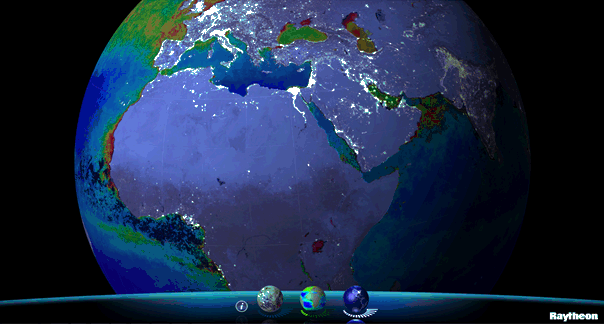
Available for iPhone, iPad and Android, VIIRS View provides mobile device users a look into the type of data meteorologists and climatologists use every day to track the weather and monitor Earth’s environment.
Based on data generated by the Visible Infrared Imaging Radiometer Suite aboard Suomi NPP, VIIRS View combines visible light imagery, low-light nighttime imagery and ocean chlorophyll concentration onto a full Earth globe, rotatable and zoomable on any location on the planet.
A desktop version of the VIIRS View app, launched in February, has been downloaded more than 90,000 times.
An original large format VIIRS View interactive tabletop display is being shown at Raytheon Booth #203 at the the 30th Space Symposium, being held this week in Colorado Springs, Colorado. GPS World Defense Editor Don Jewell is providing coverage from the symposium.
The app can be downloaded by searching VIIRS View at the Google Play and Android stores, or by clicking here:
It’s been two years since I wrote a column entitled Mobile Device Operating system wars: Android vs. iOS vs. Windows Mobile. After traveling and attending countless conferences and listening to a large number of mobile device users in the geospatial user community, I think it’s time to touch on this subject again, and what a crazy and confusing landscape it is. First of all, let’s frame the discussion in terms of the geospatial users, because that’s the soup we swim in.
At the end of the day, we are driven by the geospatial software we use, so this limits the type of mobile device we can select from. For example, Esri’s ArcPad runs on Windows Mobile and Windows desktop. If that’s the software you want to use, then you can’t use an Android device, an iPad, or a Windows Phone device. In another example, AutoCAD 360 for mobile, which I used a few weeks ago in the field, runs only on Android and iOS devices, not on Windows Mobile devices.
Chart Source: The Wall Street Journal, Gartner
While it appears Android is the dominant mobile operating system of the future, it depends on who you talk to. Right or wrong, some (maybe a lot of) enterprise organizations are scared of Android. They are scared because of one word: security, or more specifically, the perception of the lack of security. Android is open source, and it scares the heck out of enterprise IT (information technology) departments. It scares some to the point that they are shutting down projects that are proposing to deploy Android devices in the field. Is the fear justified? It’s probably more hyped up than it deserves, but IT folks are pretty conservative these days.
Where does that leave the enterprise organizations? iOS or Windows?
Some organizations are going with iOS, but the number of enterprise geospatial apps for iOS is very limited, and most of those that exist aren’t very powerful. They can’t even deal with datum transformations. That means the hardcore iOS enterprise users are left developing their own software, which some are doing. The other limitation of iOS is the hardware device selection. Since Apple doesn’t license iOS to anyone, you have the iPad and the iPhone and that’s about it. Not much selection.
That leaves us where we started…Microsoft Windows.
Dell Venue Tablet
My gut tells me that Windows is making a comeback among geospatial users, even though Windows operating system market share is minuscule compared to Android and iOS on mobile devices. Part of the reason is a plethora of high-quality, Windows-based tablets and pads. Recently, I’ve had the chance to handle some Windows-based tablets such as Dell Venue tablet and Panasonic ToughPad. They are nice tablets for field use. Thank Apple for driving manufacturers to produce good quality tablets at a reasonable price. The other part of the reason, and the major driver, is security. IT departments simply trust the security features that Microsoft provides more than iOS and Android. In the age of security breaches such as the recent Heartbleedbug, the emphasis on computer security is at an all-time high.
Panasonic ToughPad
Security may be the catalyst that pushes Windows back into the forefront of operating systems for the enterprise geospatial user. That’s good news for geospatial software developers. Pressure has been mounting for geospatial software manufacturers to introduce Android- and iOS-compatible versions of their software. Now, with the security issue at the forefront and the availability of high-quality Windows-based tablets at reasonable prices, developers may have some breathing space.
But wait: Which version of Windows?
Windows Mobile? Windows Phone? Windows Embedded Handheld? Windows Desktop? Windows RT?
They aren’t all the same, and they all don’t run the same software. For example, software built for Windows Mobile won’t run on Windows Phone or Windows Desktop.
Microsoft’s mobile operating system strategy has been confusing at best. In past years, it’s been clear that mobile devices run Windows Mobile. It’s not so clear any longer. Microsoft discontinued mainstream support for Windows Mobile 6.1 and 6.5 in January 2013. It’s not as bad as it sounds because in the three years I’ve owned a Win Mobile 6.5 Pro device, an update was never issued. But what it does say is that Microsoft is done with it. No new devices will be designed with Windows Mobile 6.5. However, that’s not to say that Windows Mobile devices are going away. Microsoft just renamed it to Windows Embedded Handheld 6.5, which Microsoft says it will provide extended support for until January 2020. So, all is well, just a different name.
Microsoft’s mobile strategy has turned off manufacturers, and it shows. Given that Microsoft has stopped supporting new devices running Windows Mobile since January 2013, how many devices have you seen introduced since then that support Windows Embedded Handheld? The answer is, not that many, and the ones that do support it are handhelds selling at a premium price, upwards of $1,500 or more. That’s tough to justify when you can buy a tablet or pad for equal or less. And…..the tablets and pads are running full Windows, not the mobile, handheld or phone version so they’re able to run a greater number of off-the-shelf software programs.
Given the above, I feel the tide is turning, at least for the geospatial user community. Windows is going to make a comeback and be the go-to operating system for mobile devices, at least for tablet and pad devices. Don’t misunderstand me though: Android and iOS will still dominate the market share numbers by far, but that’s the consumer user community, not the enterprise geospatial user community. Windows Mobile devices will still have a niche place in the geospatial user community, but I have to wonder if software makers will continue to support that environment if the sales aren’t significant enough.
Sidebar: For those of you who feel I’ve errantly left out the discussion about ruggedized devices vs. non-ruggedized or semi-rugged consumer devices, I’ll say this. Whenever I’ve encountered an enterprise that has deployed consumer mobile devices in an industrial environment (such as iPad), it invariably answers the question about device reliability with “We’ve had very few problems.” The reality seems to be that enterprise users are taking special care of these devices in the field. Program managers are saying, “Even if each person breaks one per year, it’s still half the price of industrial devices.” The reality is that small percentages are failing.
However, one can’t ignore the outdoor usability issue. The displays on some consumer devices don’t handle sunlight very well, and if the display isn’t sunlight readable, the device is severely limited in the field. The same can be said for wide temperature ranges. Both extreme heat and extreme cold can torture a mobile device that isn’t built to withstand that environment. Test before you deploy. Heat it up in your oven, cool it down in your freezer, and see how it behaves.
There’s certainly a niche market for ruggedized mobile devices, but the significant price difference between those devices and consumer devices are making enterprise organizations think twice about where to spend their money. Lastly, many consumer devices are trending towards semi-rugged as manufacturers are discovering this is one way to differentiate them from the ultra-price-competitive mobile device market.
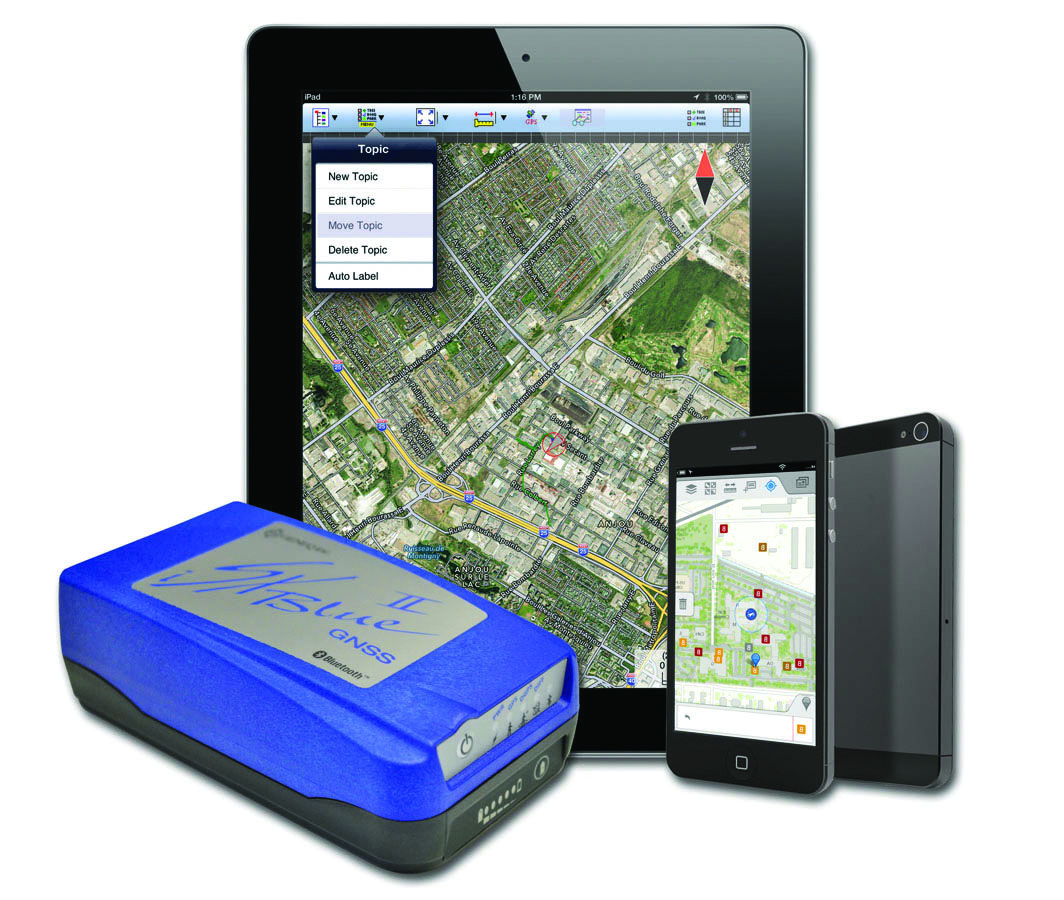
The iSXBlue II from Geneq works with the Apple iPad and iPhone.
Geneq Inc. announces the iSXBlue II GNSS, a sub-meter GNSS receiver that is Bluetooth-compatible with Apple iPads and iPhones.
Fully authorized and approved by Apple, the iSXBlue II GNSS implements an Apple proprietary Bluetooth authentication feature allowing the NMEA GNSS data to replace the internal GPS location of the iPad or iPhone. A free SDK (software development kit) is available from Geneq to further utilize all the features of the iSXBlue II GNSS.
The iSXBlue II GNSS uses both GPS and GLONASS with SBAS (WAAS/EGNOS/MSAS/GAGAN) to attain 30-cm/1-foot (RMS) accuracy in real time using free SBAS corrections. In addition to Apple iPads and iPhones, it connects wirelessly to any smartphone, handheld, tablet computer or notebook computer that is Bluetooth- compliant.
“The iSXBlue II GNSS is the first high-accuracy GNSS receiver in the world for the Apple iPad and iPhone,” said Jean-Yves Lauture, product engineer, “and by implementing both GPS and GLONASS with SBAS, it provides iPad and iPhone users real-time, sub-meter accuracy around the world.”
The iSXBlue II GNSS builds on the success of the proven SXBlue II GNSS that was designed to optimize SBAS performance under tree canopy and in rugged terrain. With the ability to track 55 satellites (31 operational GPS, 24 operational GLONASS), the SXBlue II GNSS uses between 12 and 19 satellites in view at any time, providing superior performance when working under and around tree canopy, buildings and rugged terrain.
The next-generation iSXBlue II GNSS is the same, small, palm-sized unit as the SXBlue II GNSS and utilizes a small 2.7” diameter GNSS antenna. The unit is waterproof (submersible), dustproof and ruggedized, with an IP-67 rating. Its Class 2 Bluetooth 2.0 has a typical range of 15 meters, and is Apple-approved. The internal, rechargeable, field replaceable Li-Ion battery has on-board LEDs let the user know how much battery life is left. The operating temperature range of the iSXBlue II GNSS is -40°C (-40°F) to 85°C (185°F).
In addition to the built-in long-range Bluetooth transceiver, the iSXBlue II GNSS also has a standard DE-9 RS-232 port and a USB Type B port whose outputs are fully programmable up to 10-Hz standard, and a 20-Hz option. Other optional features are L1 RTK for <2-cm real-time accuracy and base-station RTCM output.
There is no need for post-processing or other sources of differential corrections as the iSXBlue II GNSS uses WAAS (North America), EGNOS (Europe), MSAS (Japan) and GAGAN (India) satellite corrections. Users receive real-time, 30-cm/1-foot positioning all day long.
The iSXBlue II GNSS is targeted at GPS/GIS mapping professionals in industries such as forestry, utility, agriculture, environmental and other natural resource industries in addition to local, state and federal government users.
Apple iPad owners now have the convenience of reading GPS World on their devices. GPS World has made available a free application that provides an interactive version of GPS World at your fingertips, access to digital back issues, and an RSS feed with the latest in GNSS industry news.