I brushed the snow from the XRW keyboard and in my mind I could hear the neighbors whispering, “Call the men in white coats, there he goes again.” And actually there may be reason for concern, as I am sitting on my deck during a lull in a major blizzard and typing on a laptop computer half buried in snow. But not just any computer.
I am composing the beginning of this month’s column, the words you are reading now, on the Algiz XRW built in the non-tropical Swedish paradise known as Lidköping (which must mean something like “coping by the frozen lake”), and brought to you by the folks at Handheld US. Of course, I know — or certainly hope — my neighbors are not really calling anyone to come take me away to a little padded room because for them my once-strange behavior should by now be almost commonplace. Like swallows returning to Capistrano, when it snows in the Rockies I can be found on my deck with several new devices: dropping them in snow banks and freezing pools of water, and generally putting them through their paces. Where I live in the Rockies, we are eligible for snow 12 months out of the year, so this is not an uncommon occurrence. There are lots of opportunities for testing supposedly rugged devices.
Unfortunately, only about one in ten survive this tortuous treatment, and those are the ones you read about in this column. Remember, my rules of engagement (ROE) are that I only review top-notch products that our warfighters and first responders can use. I never pen a negative review unless it is a comparison evaluation where one of the products is clearly inferior. These inferior products, the ones I don’t write about, are returned to the manufacturers in various states of disrepair. Frankly, I am amazed and disturbed by the huge number of substandard and sometimes just poorly conceived “rugged” laptops on the market. Fortunately, the XRW is not one of them. Indeed, as a rugged GPS-enabled Windows laptop, it rises above the herd of less capable machines and demonstrates that a great device can be produced with just a little, or in the case of the XRW, a lot of planning and forethought, and be genuinely useful to our warfighters and first responders.
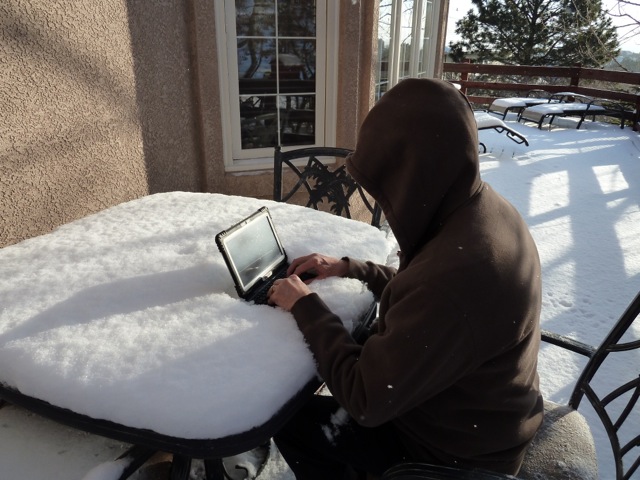
The XRW being put through its paces during a lull in a Colorado Blizzard.
Why Test?
I decided to test several rugged laptops during our latest blizzard. A full 20 percent of my warfighter correspondence indicates that there are just some warfighting computer tasks more suited to a rugged laptop than a rugged handheld device.
One of the greatest weaknesses and strengths of current military user equipment (MUE), and be assured it is only one of many, is that the mission planning software requires a separate Windows computer to fully plan missions and download numerous waypoints. The only upside is that, certainly speaking generically, it is usually more convenient and more comfortable to make changes on a laptop versus a rugged handheld. The problem comes with the restriction that this is the only way to make major mission changes to your government-furnished PNT (position, navigation and timing) device. If the mission changes in the field, which happens more often than not, about 90 percent of the time according to warfighters, then you need a rugged laptop in the field to update or change the mission coordinates that are input into the extremely outdated government-furnished GPS device. So for the warfighter, since a laptop is required to make changes, it makes sense to use a rugged laptop or notebook computer to do the updating in the field. Having said that, and considering that in Afghanistan there are really no front lines, everyone is in the field in some respect, I suspect the perceived need is actually very real. Employing a rugged laptop or notebook that actually has an excellent inherent GPS capability adds a layer of familiarity and comfort as well as necessity; consequently and for good reason, many of our warfighters feel strongly that they need a rugged laptop, so a search and subsequent blizzard testing commenced.
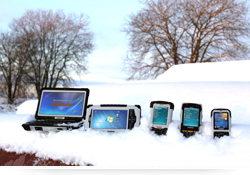
Handheld US produces several mil-spec rugged
devices. We have put many of them through
their paces over the last several years.
The Algiz XRW, henceforth referred to as the XRW, passed all the mil-spec tests with flying colors, but there was one test event that provided a result I have never before encountered — the first time I dropped the XRW into a snow bank from about five feet up, it hit a hidden rock and the keyboard popped off. I was surprised and a bit disappointed, until I realized this was a design feature, not a fault. The keyboard is connected via an electrical connection that does not alter the imperviousness of the laptop case, ensuring the XRW is immune to water and dust. I simply reinserted the keyboard; it popped back in place very easily, and it has been functioning perfectly ever since.
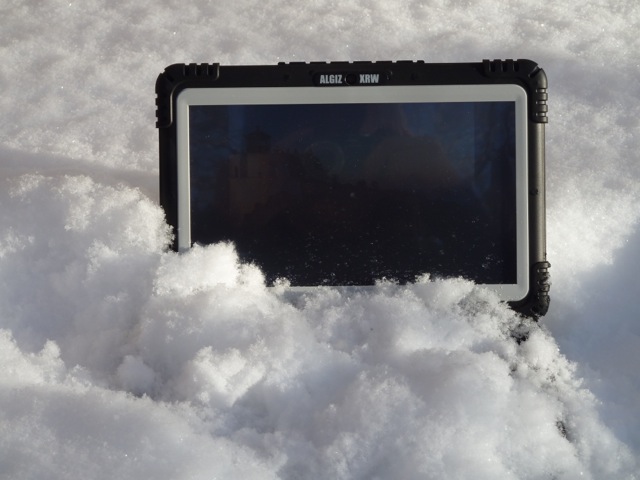
There really is a keyboard underneath all that snow and the XRW is running applications
as it gets cold soaked for further mil-spec testing.
The XRW is truly a rugged laptop with a keyboard that can take everything you can throw at it. As you can see in several of the pictures, the keyboard is covered in fresh snow while I allowed the XRW to cold soak and repel moisture for over an hour with no ill effects. Everything still functions perfectly. And I must admit the XRW keyboard has a nice feel, almost as good as the Apple keyboard I use daily, and that from me is high praise indeed, as I freely admit that I am enamored with the touch and feel of Apple keyboards.
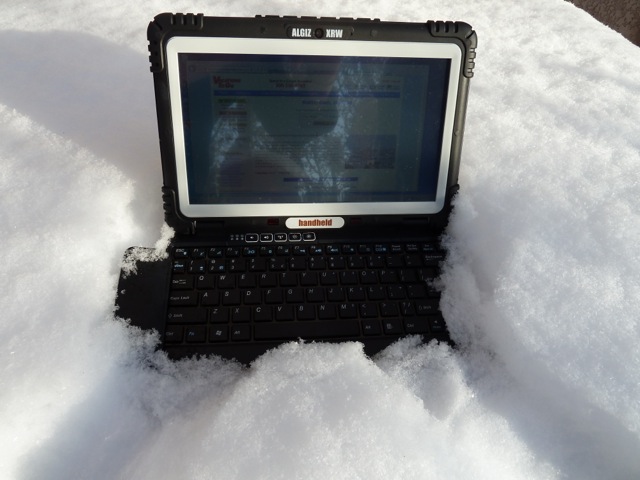
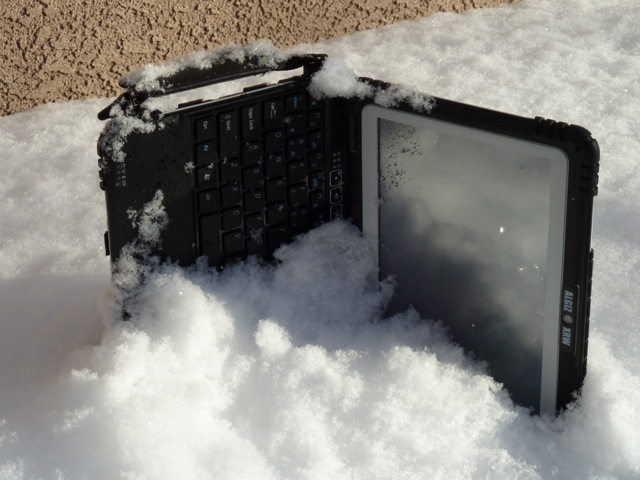
The XRW running applications while embedded in fresh Colorado snow. Note the leather
strap on the left side of the XRW that can be used as a handhold or as an attachment point
for a lanyard, a warfighter requirement.
The XRW is probably more correctly called an ultra-rugged notebook, but most notebooks don’t have touchscreen capabilities. Whether you choose to call it a laptop or notebook, it is extremely rugged. Its size and capabilities make it very well suited for use by warfighters and first responders, as you can see by reviewing the following specifications that include very stringent MIL-STD (military standard) specifications:
| Algiz XRW Specifications |
| Size |
260mm x 178 mm x 40 mm (10.2″ x 7.0″ x 1.6″) |
| Weight |
1.5 kg (3.3 lb) |
| Environment |
Operating: -20 °C to 55 °C (-4 °F to 131 °F) MIL-STD-810G, Method 501.5
Procedure II, MIL-STD-810G, Method 502.5, Procedure I, II, III
Storage: -40 °C to 55 °C (-40 °F to 131 °F) MIL-STD-810G, Method 501.5
Procedure II, MIL-STD-810G, Method 502.5, Procedure I, II, III
Drop: 26 drops from 1.22 m (4 ft) MIL-STD-810G, Method 516.6, Procedure IV
Vibration: MIL-STD-810G, Method 514.6 Procedures I & II, General minimum
integrity and the more rigorous loose cargo test
Sand & dust: IP65, MIL-STD-810G
Water: IP65, MIL-STD-810G
Humidity: MIL-STD-810F, Method 507.5, 90% RH temp cycle 0 °C/70 °C
Altitude: 4572 m (15.000 ft) at 22 °C (73 °F) |
| Processor |
Intel ATOM Z550 2.0 GHz/US15W chipset |
| Memory/Disk |
2GB RAM/64 GB solid state hard drive |
| Operating system |
Microsoft Windows 7 Ultimate |
| Screen |
10.1″ touchscreen 1366×768 resolution LED high brightness, MaxView
Technology |
| Keyboard/keypad |
Keyboard with touch pad. English, French, Spanish, Italian, German,
Nordic languages. Keyboard illuminated by 2 LEDs. |
| Battery |
1 x Battery, 4800mAh, 57.6Wh, 8 hours |
| Connections |
2 x USB 2.0 port
1 x 9-pin serial RS-232 port
1 X RJ45 for Ethernet 10/100/1000 LAN
1 x DC power input
1 x SD Slot
1 x VGA
Docking Connector (Contact Pin Type)
Dual Speaker/Mic
Microphone input jack
Headset Jack
Receiver (Audio In) |
| Communication |
Audio: Speaker /MIC
Bluetooth: PAN: Bluetooth v.2.0 + EDR
Cellular (WWAN): HSDPA/3G, Gobi 2000 ready
Wireless LAN: Wireless LAN 802.11b/g/n, WiMax option
Optional WiMax |
| Navigation |
u-blox GPS, WAAS/EGNOS capable |
| Camera |
2 Megapixel camera with auto focus |
| Options |
Kensington lock, Vehicle cradle, USB office dock,
carrying equipment, vehicle charger, screen protectors |
Warfighter Requirements
At just over three pounds, the XRW is easy to hold and has a side strap with a leather Velcro cover that is easily adaptable to attaching to a warfighter via a lanyard. This allows the warfighter to instantly drop the XRW and bring his or her weapon to bear without ever worrying about the rugged notebook hitting the ground. I tested this scenario several times and the side strap held up well. The computer was no worse for wear, mainly because it is rugged and has a 64-GB solid-state drive — in other words, no moving parts. The lanyard and instant-drop capability is fast becoming a requirement or “must have” among our warfighters, and the XRW meets the requirement handily.
Another warfighter requirement, especially in the mountains of Afghanistan, is that the MaxView Technology 10.1-inch touchscreen be usable by a warfighter wearing gloves or using a stylus, a pencil eraser or a bare finger. The XRW’s touchscreen responds well to all these input devices. Therefore with the XRW, whatever comes to hand or the hand itself works for inputting data or selecting applications.
The screen is readable in all lighting conditions, including bright sunlight and sunlight reflected off snow, which can be blinding. Alternatively, the light level of the screen can be lowered to the point that it is only visible to those in a very small radius. The XRW also employs what I like to call a tactical “instant off” capability. Just touch one button and the screen doesn’t just fade-to-black — it goes black instantly, a handy and potentially life-saving feature for our warfighters.
GPS
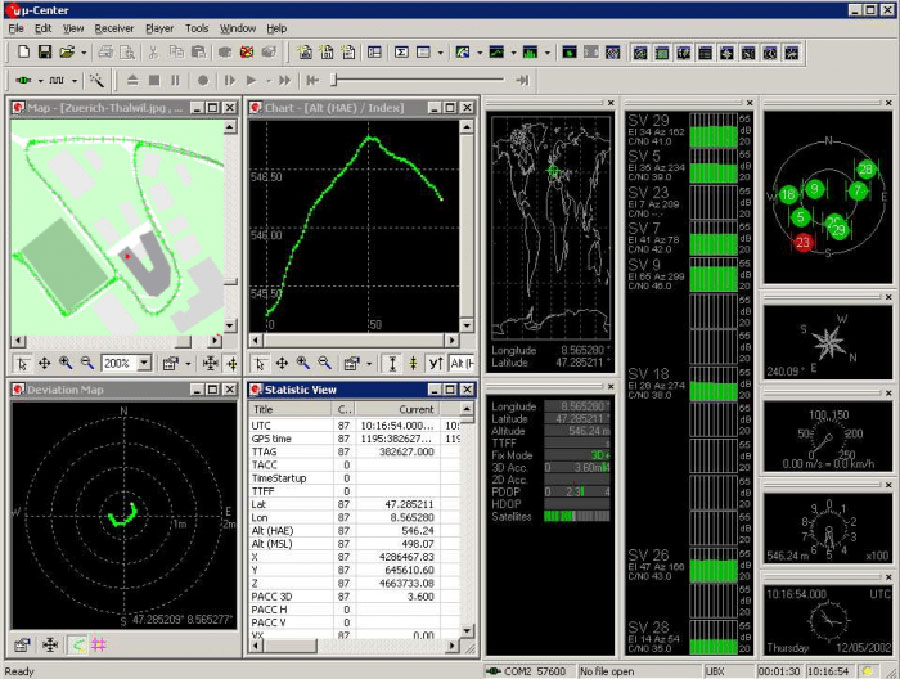
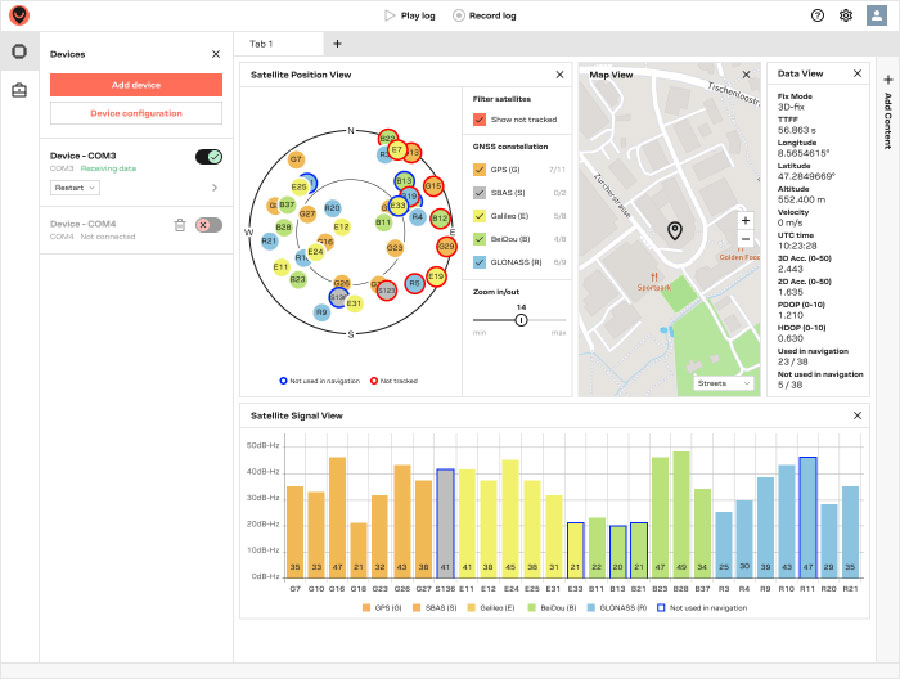
The XRW’s GPS capabilities are best displayed using an onboard program named U-Center developed by ublox in Switzerland. The display provides more information than the average warfighter would ever want to know about their GPS position and the satellites responsible. A built-in data recorder and viewer can be automatically programmed to reconstruct GNSS environments displaying the number of satellites available by PRN (pseudorandom noise) codes, satellites used (in several graphical formats) and the PDOP or Positional Dilution of Precision (3D) and HDOP or Horizontal Dilution of Precision during any given moment.
The U-Center also displays velocity of the user or, more correctly, the XRW unit, altitude, time, date, coordinates, compass heading, whether you are in 2D or 3D mode, and the last time to first fix (TTFF) when the GPS capability was last initialized on the XRW. Your position and the sub-point position of the GPS satellites utilized is displayed on a global map for geospatial situational awareness. I used Google Maps indoors with the 3D function and the display was crisp and clear. The ublox GPS chipset is sensitive enough to use indoors, where on average I received seven satellites for 5-meter navigation data with the FAA’s (Federal Aviation Administration) WAAS (wide area augmentation system) enabled. EGNOS or the European Geostationary Navigation Overlay Service is also available. This is excellent performance for indoors.
Outdoors, there were always 10-12 satellites available, at 7000+ feet with an approximate 15-degree masking angle toward the Rocky Mountains. The XRW’s GPS accuracy was consistently below three meters and half the time better than two meters. Combine this with the 3G and Wi-Fi communications capabilities, and unless you are geocaching this is excellent performance and certainly acceptable for our warfighters and first responders. Note: I employed Skype using a military tactical headset with a small adapter and it worked flawlessly. With the headset attached, the very capable internal speakers are disengaged.
Philosophy
Try Skyping with the current MUE; no, don’t bother because it doesn’t work. Please note that when I question the status quo and indeed the legitimacy of the current MUE program for our warfighters, it is for good reason. The U.S. Army last year spent $450M on supplying our warfighters with decades-old proprietary equipment that has a user interface from the early ’70s. At the same time the Army is now instigating a program to provide warfighters with very capable Android phones, while setting up what can only be described as an Android apps store for military users, programmers and developers. The U.S. Air Force has several special programs in place that take advantage of the unique capabilities of the iPhone and iPad. The DoD and Services routinely support waivers for specialized GPS/PNT equipment that fills a requirements void. So while the military response to new technology can only be described as bipolar in nature, it is important that our warfighters and first responders have access to the best equipment available, hence the periodic equipment reviews in this column. The Algiz XRW is certainly a piece of equipment that fills one of the equipment voids for our warfighters and first responders.
eXtreme Road Warrior
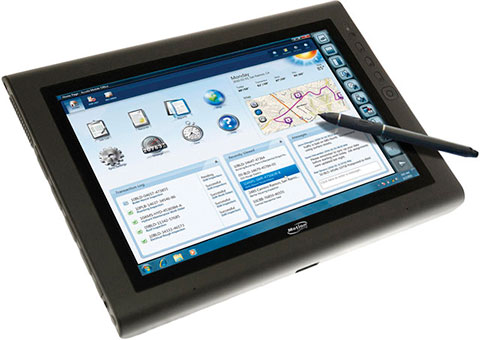
The XRW or eXtreme Road Warrior performs all the functions of your normal office laptop running Windows 7 Ultimate. I found the screen to be clearly viewable from all angles, even when the unit was unfolded to an almost flat aspect, in all lighting conditions, and the touchscreen to be very intuitive. There were times when touching the screen to enable a function or application seemed much more intuitive than using a mouse. While I agree with Steve Jobs concerning the use of a stylus, that “once a stylus is required you have lost the battle,” in fact there are times with the XRW when the mouse works best, times the stylus works best, and then sometimes your digits are the best tools. The beauty of the XRW is that all three options work when enabled, and it makes using this great little machine very intuitive.
I put the Algiz XRW through the ringer for over two months, and this is another machine that is going to be tough to send back. Do you have any idea how much it costs to FedEx a package to Sweden?!
Bottom Line
The bottom line is the Algiz XRW is the perfect solution for those warfighters and first responders that need a rugged touchscreen netbook capable of doing double duty in the office and in the field.
As the folks in Lidköping, Sweden, home of the Algiz XRW would say, it is lagom.
Until next time, happy navigating.