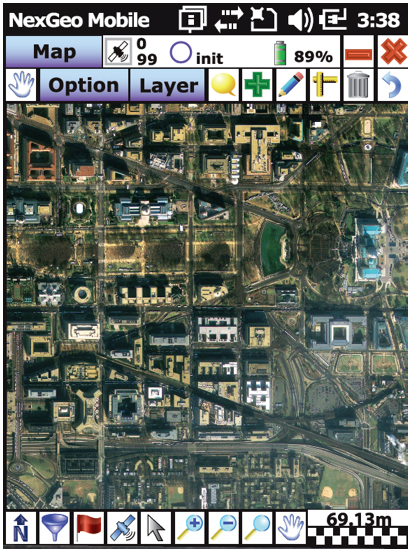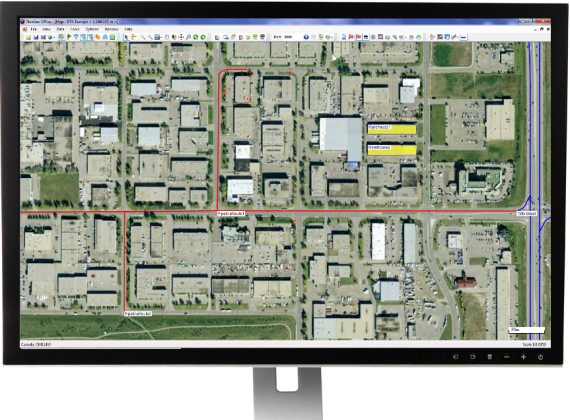
Nexteq Navigation has officially released the next version (V2.0) of its GIS data collection suite, NexGeo. The suite consists of a mobile application for GNSS handhelds to collect and organize GIS data, as well as a desktop application used to customize and organize projects, manage field crews, and integrate with other data formats.
NexGeo aims to provide a complete solution, from augmenting accuracy to a user-friendly, efficient data-collection tool. An improved user interface provides seamless access to Nexteq’s positioning algorithms, notably in the PPP field, including SBAS-based Freedom algorithm, Internet-based i-PPP global services, and traditional RTK, all available in the field as well as post processed where necessary.
The latest version of the software contains a slew of improvements and new features, Nexteq Navigation said. NexGeo Mobile on the handheld is redesigned to provide intuitive shortcuts to the software’s main functions directly on the dashboard, simultaneously presenting a panoramic view of working mode, data quality, and handheld status. Improvements of NexGeo Mobile include pausing and resuming features, quick navigation to preset waypoints with compass or map view, offset feature collection using data from a laser rangefinder, and enhanced options of Feature Cloning, Filtering, and Updating.
When managing projects, post processing the data and tracking the field operation in NexGeo Office, the new interface, including comparison and review tools to customize results, significantly improve the capability of project management and post data analysis. A new coordinate system manager offers an easy way to set up customized coordinate systems.
Besides all the functional changes made to NexGeo, the software suite has received a complete interface overhaul, as well as improvements to loading times and performance. Experienced users will remain at home with the NexGeo feel, as the backbone of the software suite has not changed. All existing projects are compatible with the new versions.
In keeping with Nexteq’s commitment, NexGeo v2.0 is available for free download for all existing authorized clients. For users interested in trying out the NexGeo experience, demonstrations can be provided by contacting [email protected].