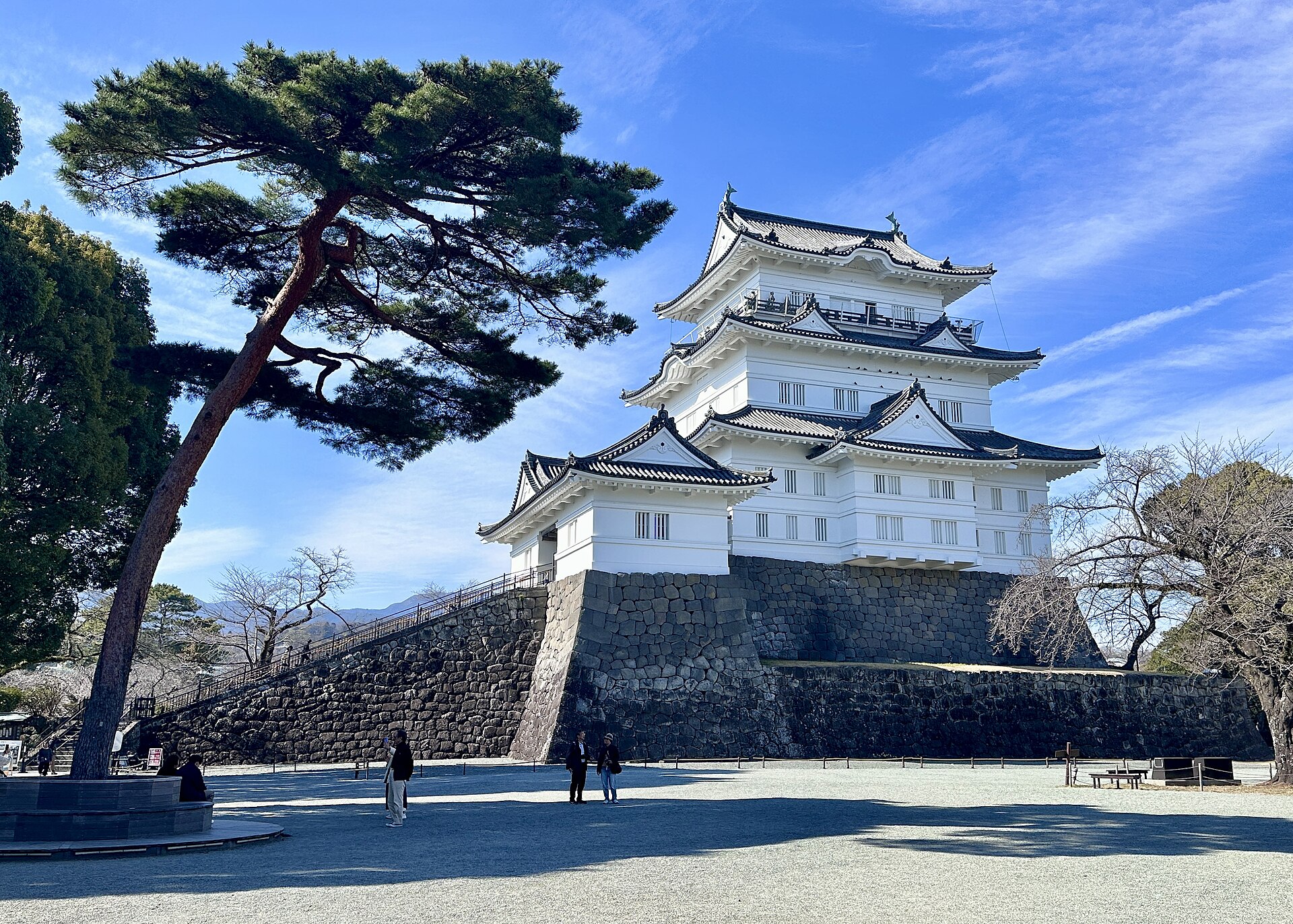
Using Artec Jet, Artec Ray II and Artec Leo, 3D scanning experts have digitized Japan’s historic Odawara Castle for heritage preservation and potential future restoration projects
Challenge: Capturing a massive heritage site, including every detail from courtyards and buildings down to a drawbridge and individual rivets on castle gates.
Solution: Artec Jet, Artec Ray II, Artec Leo, Artec Twins
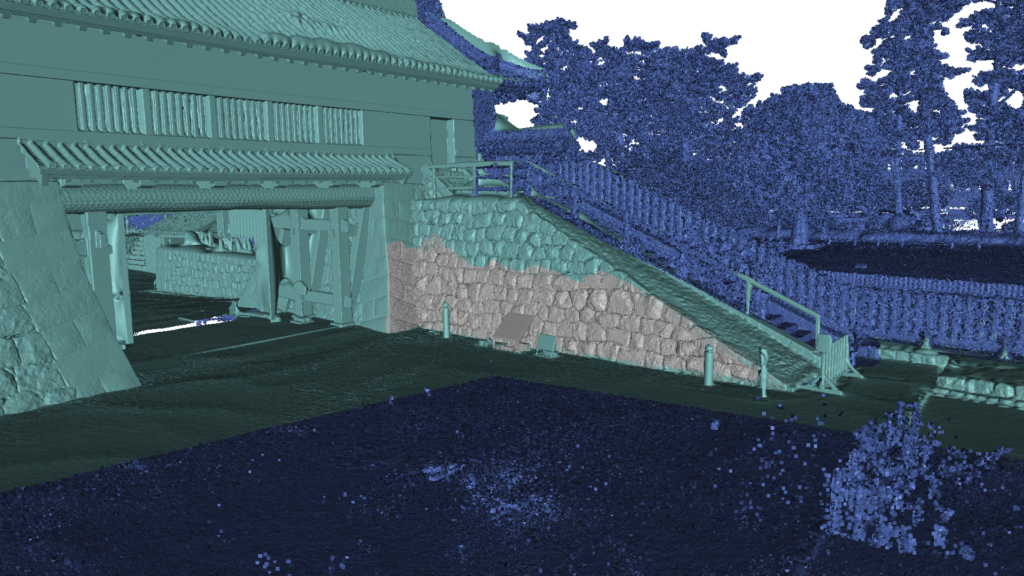
Result: A single, interconnected point cloud covering the entire facility — scanned mostly with Artec Jet, but with areas of interest captured more accurately using Artec Ray II & Leo. The resulting high-density dataset can be explored in 3D, making it suitable for virtual museum tours, or continuous monitoring to ensure Japan’s famed Odawara Castle stands the test of time.
Why Artec 3D? The highly maneuverable Artec Jet can be attached to a backpack and simply walked through an environment. Entire scenes can be captured from ground level in minutes, including tall structures from a range of up to 300 meters. Artec Ray II and Leo deliver higher accuracy for applications like long-term monitoring, damage assessment, and restoration.
Odawara Castle: A gateway into Japan’s past
Odawara Castle was built more than 500 years ago, with fortifications first erected during the Kamakura period — a time famous for the emergence of the Samurai and Japan’s first Shogun.
The site’s illustrious walls are steeped in history. Situated on a hill and surrounded by a moat, the castle has strong fortifications, so it was coveted and fought over for generations. Three sieges of Odawara took place from 1561-90 and the structure changed hands (and shape) multiple times over the next century as different leaders left their stamp on the property.
At times, the legacy of Odawara Castle has been difficult to protect. The entire site was shaken to its foundations by multiple earthquakes from 1703-1853 and the Meiji government of the late 19th century ordered that all feudal structures be destroyed, so it was mostly torn down.
In 1938, what remained of Odawara Castle was made a heritage site and slowly rebuilt. But over the years, it has remained a delicate piece of history in need of ongoing renovation. With this in mind, the Artec 3D support team — in Japan for a recent trade mission — opted to digitize the entire structure for future generations to enjoy using Artec Jet, Artec Ray II and Artec Leo.
Capturing an entire castle in minutes
When they arrived at the castle, engineers immediately understood the scale of the challenge they were embarking on. Once one of medieval Japan’s largest fortifications, the site’s outer defensive perimeter is a whopping nine kilometers long. Odawara Castle is also a national landmark that’s open to visitors, so they didn’t have the facility all to themselves either.
This meant that speed and subtlety were critical. It would’ve been entirely possible to capture the site with a lidar, tripod-mounted Ray II, by positioning it around different areas of the fort. But this would take a prohibitive amount of time — especially when you consider that double scans are required to remove moving objects. Using Artec Jet was a lot more straightforward.
Attaching the device to a backpack meant the castle could be scanned on foot. Walking the site, almost as if they were a tourist, was enough to capture the entire scene. Artec Jet’s remote app gave real-time feedback on scan progress, so the team didn’t leave any detail uncaptured — and compared to capture with shorter-range scanners, the time savings were enormous.
“Artec Jet scans in a linear fashion. If it takes you two minutes to walk, it’ll take two minutes to scan — the complexity of the scene has little bearing,” explains Artec 3D scanning expert Keynan Tenenboim. “In the same time it took for Leo to scan 2-3 walls, Ray II scanned a building, and Jet digitized an entire castle. Adding in Ray II & Leo was great for areas with accessibility issues — and capturing higher detail around the walls, gate, and courtyard.”
A Trio of Scanners for the Task
Natural environments like trees, rivers, and larger connecting spaces often offer valuable site context, but don’t need to be captured with high accuracy. Artec Jet was perfect for picking up this sort of background information, generating a continuous point cloud, and connecting the site’s more interesting features: historic walls, ornate roofs, and courtyards around the castle.
Jet’s 300-meter range meant there was no need for ladders or scaffolding. The inner structure was captured from ground level without other visitors even noticing. Unlike Ray II, which scans from static viewpoints, Jet could also be maneuvered into difficult-to-reach areas. Both scanners are less accurate than Leo — but that’s why it’s best to combine datasets, for peak results.
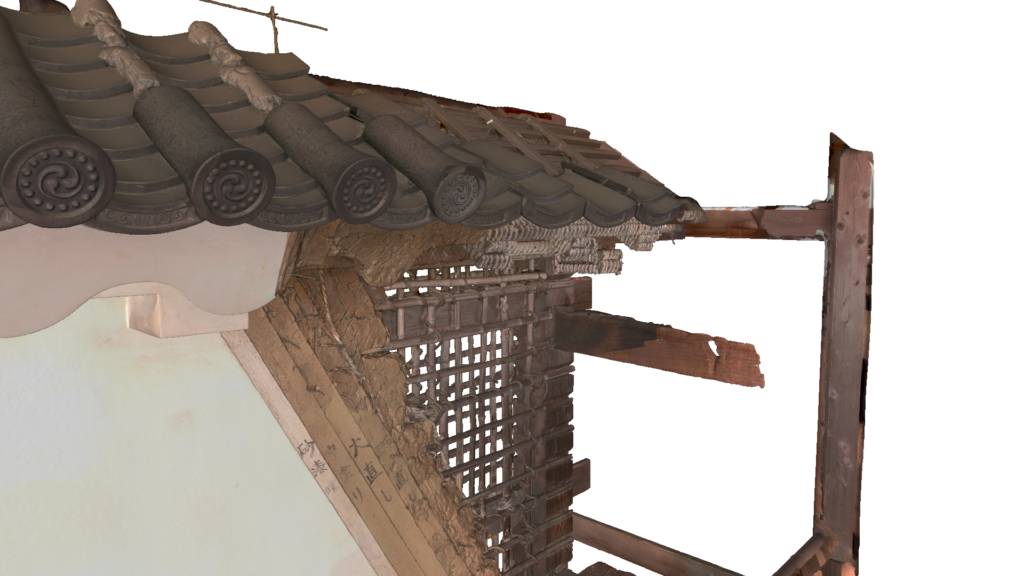
In this case, Ray II was deployed to scan the inner courtyard and gate, with Leo being used to pick up smaller details like the confined area behind the entrance. Handheld 3D scanning was also perfect for capturing a nearby medieval wall. As you can see from the scan below, fine details like tile patterns, lettering, and the wall’s internals were all captured in a single sweep.
“This was the perfect project for demonstrating the benefits of all three scanners,” said Tenenboim. “The main castle wouldn’t be a good fit for Leo and it didn’t really fit Ray II. There was no good vantage point where we could see the facade from 100 meters away. Thanks to Jet’s range, we were able to scan from a ground level. Okay, we could’ve improved roof capture by flying Jet on a drone — but this would require more site preparation.”
Heritage preservation with end-use potential
Once engineers had finished scanning, they sent data back to Artec’s Luxembourg HQ via cloud sharing for processing in Artec Twins. Specifically designed to handle large datasets, Artec Twins software allows Artec Jet, Ray & Leo scans to be merged — either into a unified point cloud, or a 3D mesh that can be measured and exported to industry platforms like Autodesk Revit.
In terms of applications, the resulting 3D point cloud would be perfect for building a virtual museum tour that allows visitors to virtually explore Odawara Castle. Regular data capture sessions would also allow site operators to monitor conditions over time. If a building’s traditional rooftop began to sag, for example, it’d be possible to carry out rapid repairs.
Deployable in seven modes: by-hand, backpack, pole, cage, robot, vehicle, or drone, Artec Jet adapts to any environment, allowing users to replace complicated multi-tool workflows. Clearly, Artec’s Odawara Castle scan is just the beginning, there are many more sites left to explore.
See the captured dataset from this project here.