NovAtel Inc. announces that with the release of its 6.400 firmware, NovAtel CORRECT positioning technology is now available with TerraStar’s precise point positioning (PPP) corrections. Delivered via L-band, TerraStar corrections provide decimeter-level accuracy worldwide on all NovAtel OEM6 high-precision receivers, without users having to add base-station infrastructure. Subscriptions to the TerraStar correction service are available seamlessly to customers through NovAtel’s standard sales order process.
NovAtel CORRECT optimally combines data from multiple GNSS satellite constellations with corrections from a variety of sources, to deliver the best position solution possible. The strategic importance of TerraStar’s decimetre-level correction service to NovAtel’s product offering is reflected in the recent purchase of TerraStar parent company Veripos by Hexagon.
“The OEM nature of TerraStar’s correction service makes them a perfect partner for NovAtel,” stated Sara Masterson, New Business Development Manager for NovAtel. “We are extremely pleased with the performance of our current TerraStar offering and, with the ability to now work more closely together, we are very excited about developing positioning innovations for our customers in the future.”
NovAtel CORRECT is available for land, air and sea applications, providing customers with one-stop shopping for receivers, antennas and correction services. It provides integrators with the opportunity to choose pricing and subscription options that best match their OEM business objectives.
Spectra Precision has introduced the MobileMapper 20 GIS handheld. In the same form factor as the current MobileMapper 10 handheld, MobileMapper 20 offers enhanced capabilities: a new bright VGA color touch screen display, a 5-MP camera for higher resolution images, doubled memory capacity and 3.5G cellular performance.
The Spectra Precision MobileMapper 20 provides real-time GPS accuracy of better than 2 meters and post-processed accuracy of a half-meter using MobileMapper Office software. Mapping professionals can also take advantage of Spectra Precision’s optional MobileMapper Field software for data collection, maintenance and inspection.
MobileMapper 20 GIS handheld.
MobileMapper 20 incorporates a variety of communication technologies, including Bluetooth, Wi-Fi and a 3.5 G cellular modem, to keep mobile workers connected and more efficient while in the field. With a compact lightweight design, large display and long battery life (typically more than 20 hours), the easy-to-use handheld is ideal for intensive data collection. The MobileMapper 20 runs Windows Embedded Handheld 6.5 and offers the flexibility to support a broad range of third-party software applications.
“Building on the popular MobileMapper 10 handheld and responding to our customers’ evolving needs, we have significantly increased the power and functionality of our entry-level MobileMapper product portfolio,” said Olivier Casabianca, business area director of Trimble’s GeoInstruments. “With the introduction of MobileMapper 20, Spectra Precision is further extending the GIS capabilities of our customers in the field, while simultaneously providing them with the peace-of-mind of a standard two-year warranty.”
Art Kalinski, Geointelligence Editor, interviewed USGIF CEO Keith Masback about GEOINT 2013*, being held this week in Tampa, Florida. Mossback discusses new technology, future combat systems, and plans for the 2015 conference. Watch the interview above.
Kalinksi has been reporting from GEOINT* 2013 all week, with video reports. His coverage of Day Three includes visits with experts at six booths in the exhibit hall, including a demonstration of the Occulus Rift 3D glasses and an inkjet printer that produces 3D terrain models, as well as an interview with USGIF CEO Keith Mossback about the show and plans for next year.
Coverage of Day Two includes a press briefing with Lettitia Long, director, National Geospatial-Intelligence Agency (NGA); a demonstration by Airbus; and a visit to the Skyline booth.
Read his coverage of Day One of the symposium here. Included are videoclips from a DigitalGlobe presentation about the TomNod crowdsourcing efforts to find Malaysian Airlines Flight 370.
Last week was spring break (for high school and college) for my kids. We decided to drive to San Francisco and the surrounding area to do a little sightseeing. It’s a beautiful place. This is a view from our 3rd floor room in the hotel, looking over the bay.
Of course, while traveling, I usually manage to work in some GNSS activities.
The first stop was Autodesk, the makers of AutoCAD and other engineering, design and visualization software in downtown San Francisco. AutoCAD occupies 100,000+ square feet at One Market St. in downtown San Francisco and another 20,000+ square feet at Pier 9 right on the Bay. How anyone gets work done with an office on a San Francisco Pier is beyond me. It’s buzzing with people and activity, including a shuttle to the famous Alcatraz Prison, which we enjoyed.
The Autodesk meeting is deserving of an article in itself, but I’ll keep it short with bullet points for the purposes of this article:
AutoCAD 2014 includes a datum/coordinate system library for mapping/surveying users. This is new in AutoCAD.
Infraworks (introduced last year) was built from the ground up with a new workflow for engineers and planners (and surveyors). Most people have never heard of it. It can do things that AutoCAD can’t, such as managing surveying data for large-scale projects. Think BIM (Building Information Modeling).
Model Builder (just introduced), is a tool to build quick and dirty 3D visualizations using data from Autodesk’s cloud service.
Autodesk 123. This is a really cool free app you can use to create 3D models using your own images. The images can come from smartphone pictures or images you already have. It’s a really cool app.
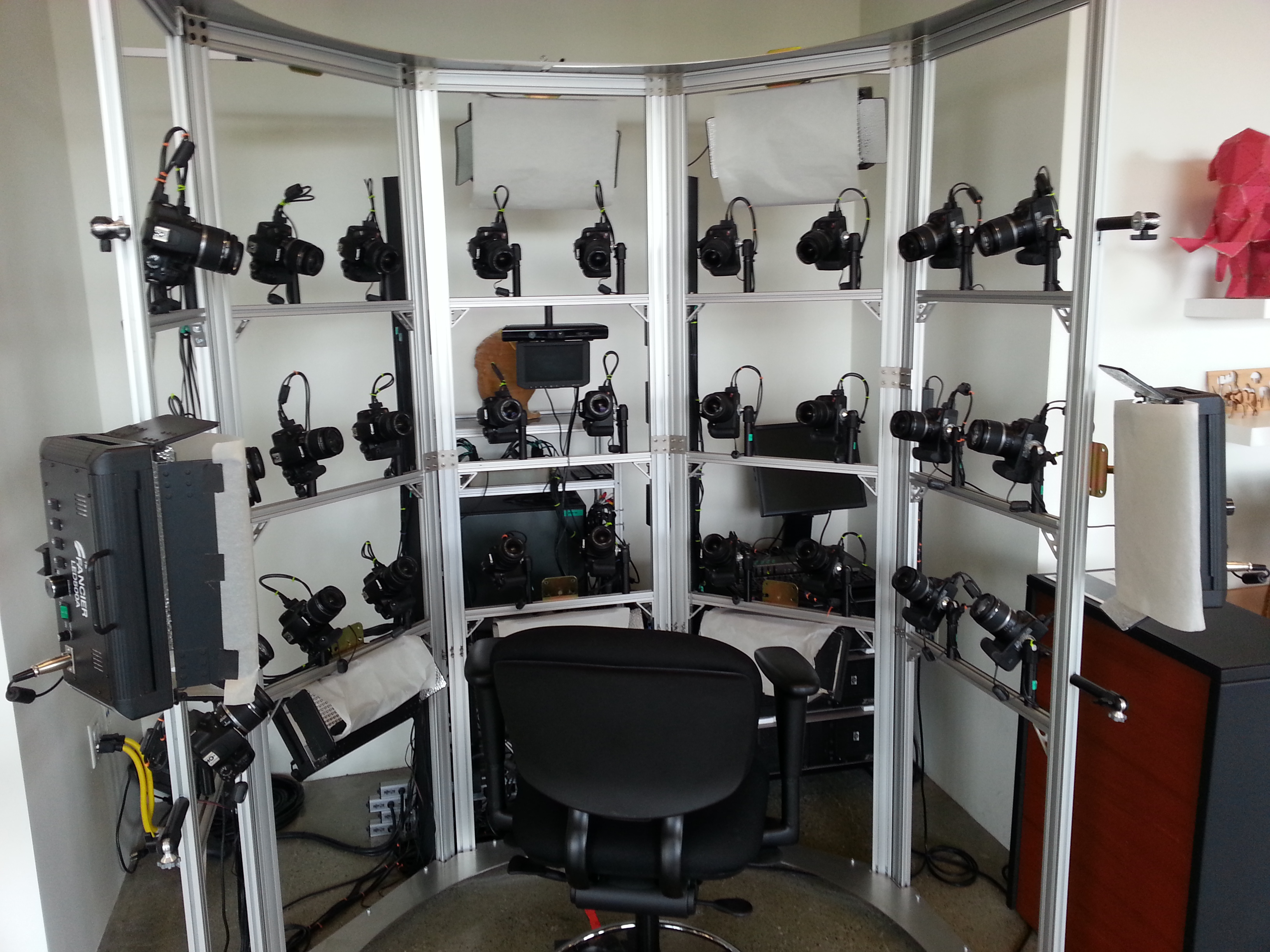
Photogrammetry Chair in the Autodesk Gallery at One Market St. in downtown San Francisco.
AutoCAD 360 (formerly AutoCAD WS). First of all, any Autodesk product with 360 in the name is a cloud app, whether it’s mobile or desktop. I’ll focus on the mobile apps. There are two AutoCAD 360 mobile apps: one for Android and one for iOS. The mobile apps are free tools that allow you to take AutoCAD drawings in the field. There are also Pro versions available on a subscription basis.
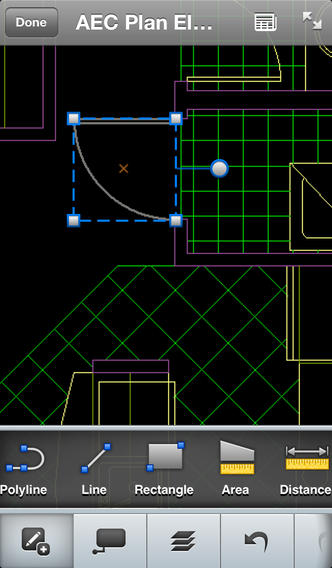
Screenshot of AutoCAD 360 on the Apple iPad.
Last week, I had a chance to use AutoCAD 360 in the field with RTK. It was a last-minute exercise that I hadn’t planned on, so my expectations were set so that even if I couldn’t get it to work, at least it would be a solid learning experience.
The goal was to receive 1-2 cm RTK GNSS positions on an Android smartphone running AutoCAD 360 using a public (free) RTK base station. I knew I could access the free RTK base via PBO real-time streaming because I’ve done that before. However, I didn’t know, or have experience in two areas:
Accessing RTK base data via NTRIP on an Android device.
The ability of AutoCAD 360 mobile app to consume GPS data.
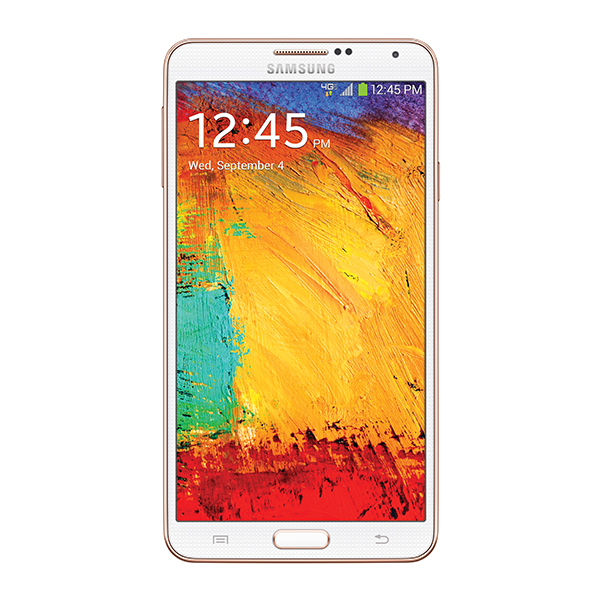
For the Android device, we used a Samsung Galaxy Note. It’s a smartphone, but also a tablet with a 5.7-inch color touchscreen.
Samsung Galaxy Note with a 5.7-inch color touchscreen.
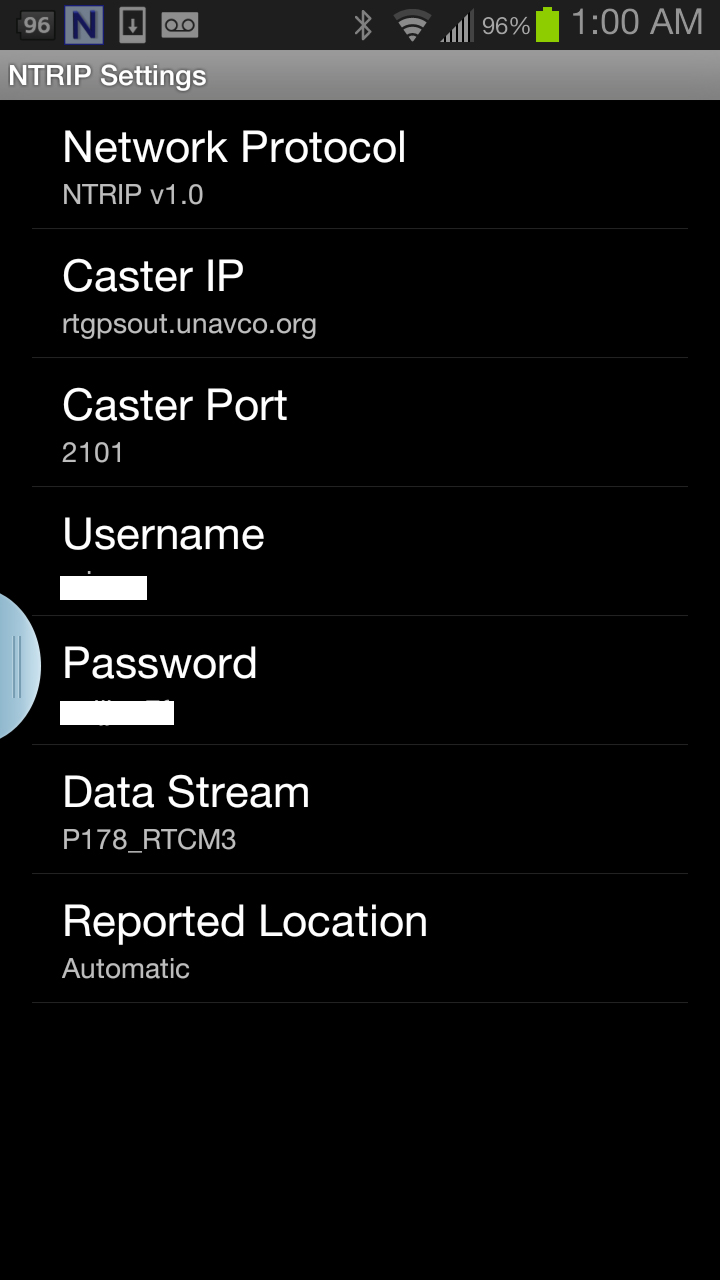
The first challenge was the Android utility software needed to access the RTK base. NTRIP (Networked Transport of RTCM via Internet Protocol). As I’ve written in previous articles, there are lots of free RTK base stations (330+) in California. To access them, all you need is internet connectivity and an NTRIP program to manage the connection to the RTK base. For Windows and Windows Mobile, there are several free NTRIP software programs. For Android, it’s limited (but growing). I found a free Android NTRIP utility on the Google Play store. It’s very easy to install and set up. If you have your RTK base credentials (IP address, port#, login, password), if you have a Bluetooth RTK receiver, you can install the program and be running RTK within a few minutes.
Android NTRIP Utility (Lefebure Design)
Once I entered the RTK login credentials, I was presented with a list of RTK bases. The list of PBO RTK bases are all single-baseline RTK bases (not networked) so I needed to select the closest one to the project site. In this case, it was P178 (see the screen shot above). It was about five miles from the project site. At this point, I can see the RTK base data streaming on the Samsung Note tablet. I didn’t mention before, but I had already Bluetoothed the Samsung to a small RTK GNSS receiver. Once the RTK base data starts streaming, the RTK GNSS receiver goes into FLOAT mode and heading for FIX (1-2cm precision).
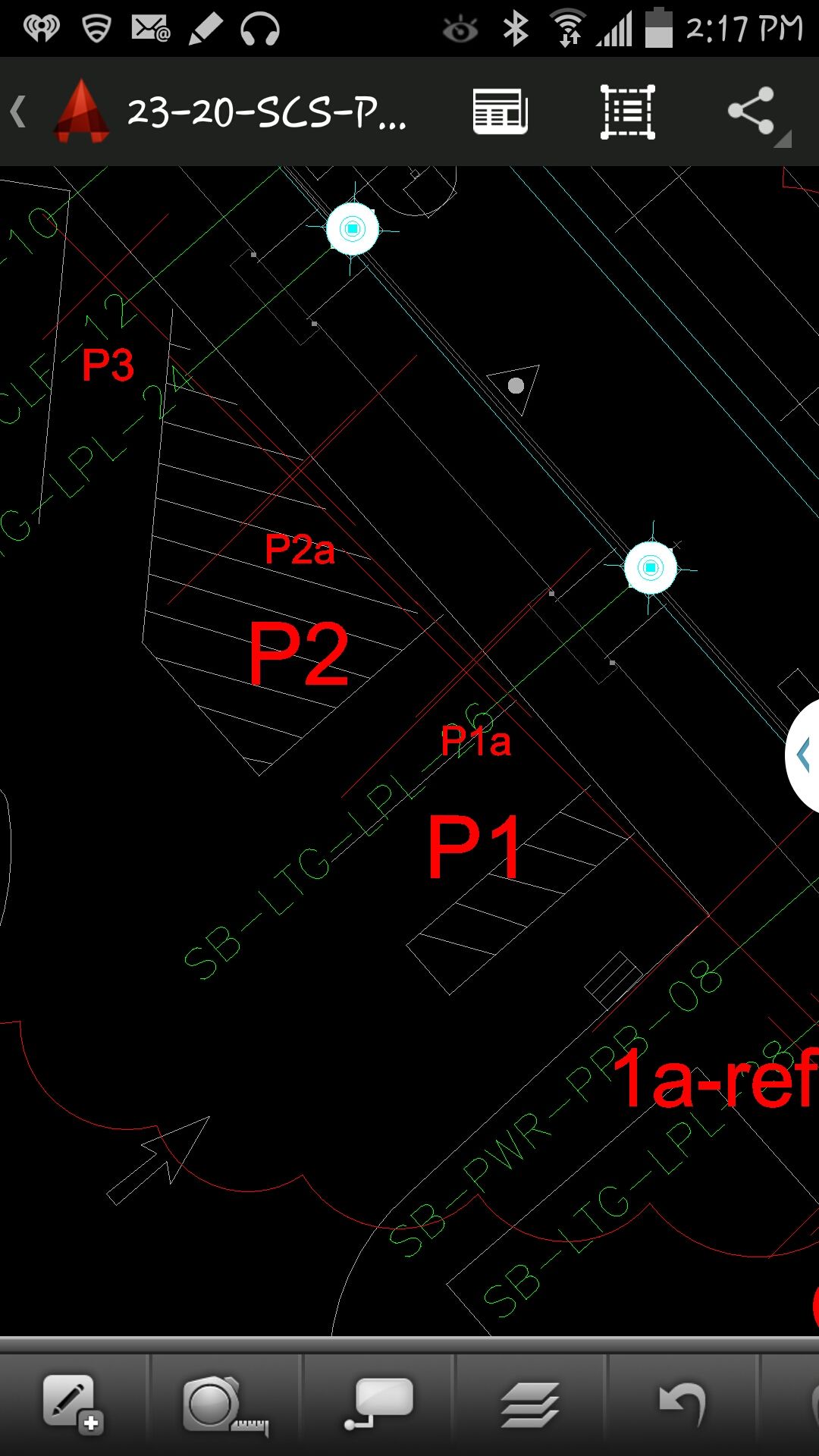
At that point, we (I wasn’t operating AutoCAD 360 on the Samsung) started AutoCAD 360 on the Samsung Note tablet and loaded a drawing that we’d planned to use. Following are a couple of screen shots from our exercise.
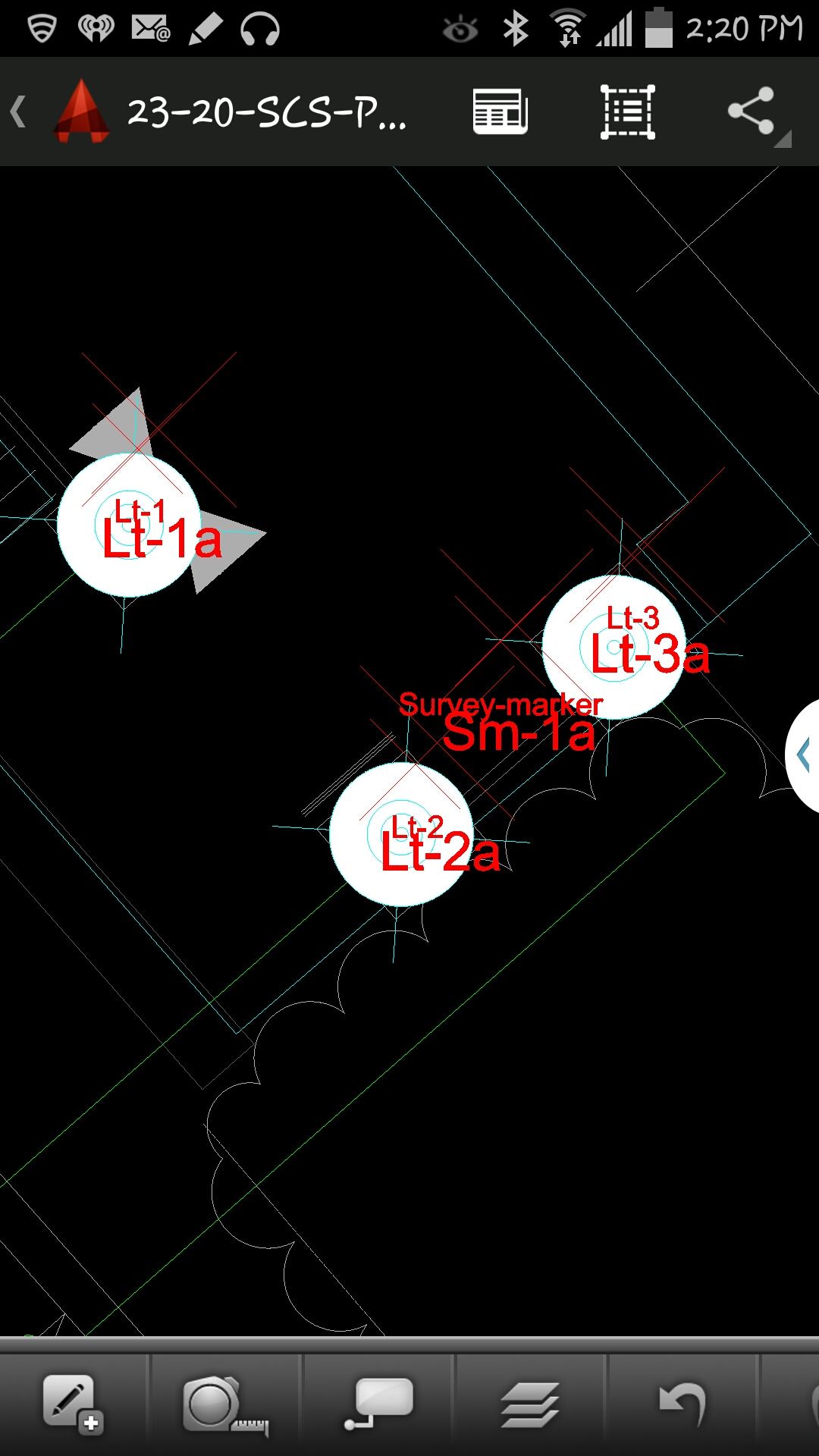
AutoCAD 360 running on a Samsung Note Tablet/smartphoneAutoCAD 360 running on a Samsung Note Tablet/smartphone.
It took a minute to figure out how to”turn on” GPS in AutoCAD 360 (we were all newbies), but once we did, our position showed up on the drawing where we expected it. By this time, we were getting an RTK FIX position from the RTK GNSS receiver. We were getting 1-2 cm precision in a native AutoCAD drawing, in real-time, in the field, on an Android smartphone. I was impressed.
We were ready to start our accuracy testing. Our accuracy testing consisted of two parts:
1. To test precision, take RTK shots on two points and measure the distance between the two with a tape measure. We did this several times.
Lt-1 and Lt-2 were on top of a platform with no substantial obstructions.
Lastly, we took a shot underneath a platform with greater than 50% of the skyview obstructed. It didn’t hold RTK in that environment and I didn’t expect it to. The precision was 5 feet (DGPS).
2. The second test was to test accuracy by taking an RTK shot on a survey marker that had published State Plane Coordinates in NAD83/2007 epoch 2007.0
After recording an RTK FIX shot on the marker (albeit I was holding the antenna so I expected a little slop), we compared our result to the survey marker coordinates. Not good…3.0 feet difference.
My first suspicion was that the RTK base was referenced to ITRF, so there would be significant difference between the two coordinate values. No dice. I adjusted the RTK GNSS coordinate to NAD83/2007 (2007.0) assuming it was referenced to ITRF08. The adjusted coordinate was further than the original (6.95 feet). That wasn’t the problem.
My second thought was to double-check what the PBO folks used for a reference position for there RTK bases. They confirmed ITRF08 current epoch. However, after talking to a few people familiar with PBO sites (RTK Network operator and Mark Silver), they suggested to run an OPUS solution on the PBO RTK base and compare it to the reference coordinate being used by the PBO RTK base. Sure enough, there’s a 6.40 feet difference between the 24 hour OPUS ITRF08 coordinate and the ITRF08 reference coordinate being used by the P178 RTK base.
It still doesn’t reconcile the difference we saw between the RTK GNSS coordinate and the survey mark, but I’m still trying to confirm which epoch date the PBO RTK base is using. In California, tectonic plate movement is significant. In that area, the ground is moving 1.7 cm north and 3.4 cm west each year, so the epoch date of the coordinate is significant, especially if the epoch date is 1997.0 or 2002.0. However, that doesn’t prevent you from using RTK Bases like P178 and “localizing” to NAD83/2007 or whichever datum your data is referenced to.
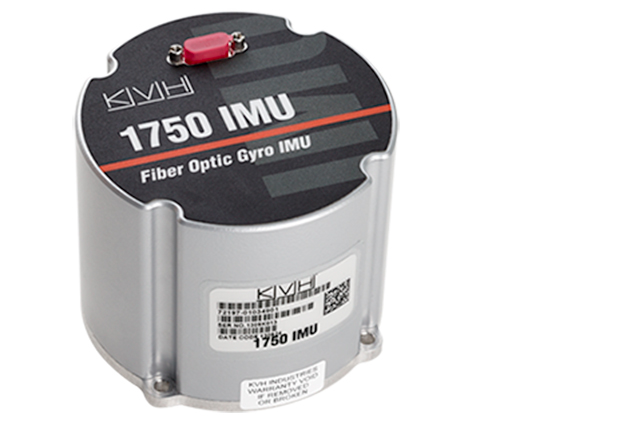
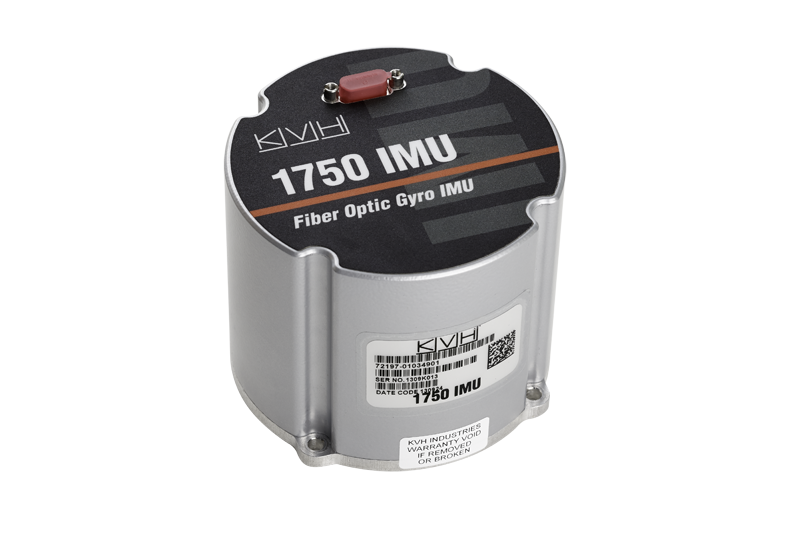
NovAtel, Inc., has added the IMU-KVH1750 as an inertial measurement unit (IMU) option in its SPAN GNSS/INS line of positioning products. The IMU-KVH1750 is a high-performance commercial off-the-shelf (COTS) sensor that offers excellent bias stability and repeatability, NovAtel said. It incorporates KVH’s DSP-1750 precision fibre-optic gyro with very low noise MEMS accelerometers.
Commercially exportable, the IMU-KVH1750 integrates easily with NovAtel’s OEM6 series of receivers to provide a tightly coupled 3D navigation solution, the company said. Offering customers continuous position, velocity and attitude (roll, pitch and azimuth) measurements, a SPAN system is stable and available even through periods when satellite signals are blocked or unavailable.
The IMU-KVH1750 supported SPAN system is designed for mobile and airborne mapping applications as well as hydrographic survey. It can be relied on to provide accurate, continuous performance in harsh environments, and features excellent shock vibration and thermal functionality.
“From the reports on GLONASS problems, we have an explanation that may be used in our technical support replies:
“Our analysis reveals the GLONASS integration algorithms skipped an interval of around 1.5 minutes at the control centre software.
“At 21:00 UTC April 1, all GLONASS satellites received an orbit state (ephemeris) which was clearly several minutes ahead of the current orbit shape without actually changing the applicable reference time stamp. In other words, future orbit-position, velocity and accelerations were assigned to a current reference timestamp.
“This led to incorrect orbit positions for all GLONASS satellites and subsequent problems with receiver using GLONASS measurements.
“In our receivers, RAIM rejected the solutions because of the large GLONASS errors, and could only work with GPS only and the recently revised RAIM settings for a Base (SRL,ON,-6,-4,-4).
“The issue is now rectified, and the GLONASS constellation is back to normal.”
Topcon Positioning Group announces a new data controller — the FC-500 — with numerous features and benefits, including a large 4.3-inch touchscreen display and 5MP camera with built-in LED flash.
The FC-500 is designed for the professional operating Topcon MAGNET Field, Site and Layout software and Topcon’s Pocket 3D.
Ray Kerwin, director of global surveying products, said, “The FC-500 works with all Topcon GPS/GNSS receivers and total stations, and meets or exceeds all field application requirements. Additionally, the FC-500 works with the new Topcon LN-100 instrument dedicated to BIM and one-person construction layout, simplifying workflow with the seamless integration with our MAGNET suite of software solutions.”
Kerwin said, “With a sunlight readable screen, the controller is easy to use even in bright sunlight. It is the ideal job site controller in any condition (waterproof up to one meter, IP68 rating) and the large camera format with built-in LED flash and built-in 8GB flash storage allows the storing of hundreds of job site photos.”
The standard model has both Bluetooth and Wi-Fi connectivity, while the FC-500 GEO has Bluetooth, WiFi and GPS. A third model comes with the addition of a 3.5G cellular modem that allows access to the MAGNET Enterprise Solutions suite, “making the FC-500 the perfect field instrument for sending and receiving data files to the MAGNET cloud,” Kerwin said.
For the GIS professional using MAGNET Field software, the FC-500 has a geotagging feature that allows imprinting file information, including GPS location, directly on photos.
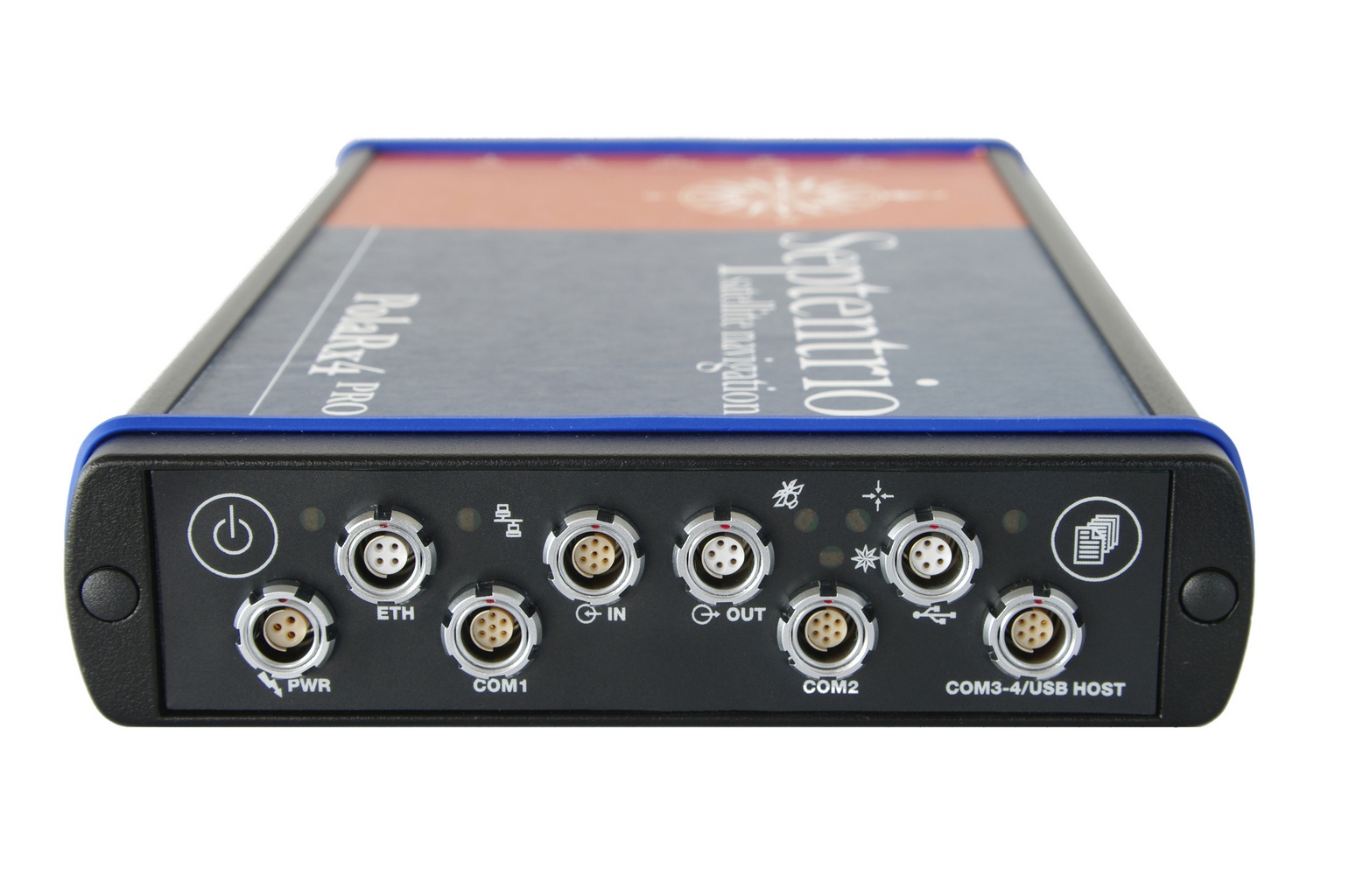
Veripos, a global provider of precise satellite positioning solutions to the international offshore and marine industries, is concluding the upgrade of its global network of GNSS reference stations with high-performance multi‑frequency GPS/GLONASS/Galileo/BeiDou receivers from Septentrio.
Veripos owns and operates a network of more than 80 reference stations worldwide that is used to determine estimates of the orbit and clock errors of multiple GNSS satellite constellations. Veripos uses these estimates to calculate corrections which are then broadcast to end users to significantly improve the accuracy of positioning. At the heart of the network is Septentrio PolaRx4, a full-featured reference receiver that provides high-quality tracking and measurement of all available and upcoming GNSS signals.
The upgrade of the Veripos global network of reference stations with the latest Septentrio reference receiver technology is an outcome of the multi-year collaboration between the two companies. Septentrio also supplies Veripos with multi-frequency GNSS and heading receivers for its marine business, including the LD series of integrated mobile units that deliver the complete range of Veripos augmentation services to its customers worldwide.
“Septentrio reference stations are renowned for their excellent data-quality and robustness,” commented Bobby Johnson, Chief Technical Officer of Veripos. “Septentrio technology enables us to provide a full range of services and to remotely manage and upgrade the hardware to enhanced features, which is crucial for managing a worldwide reference network, where the equipment is often not easily accessible.”
“We are delighted to see continued positive outcome from the technical and commercial relationship we have established with Veripos over the years and that has developed into Septentrio enabling Veripos to deliver a variety of solutions with high-quality and robust industrial performance everywhere on the globe to the benefit of a multitude of users in one of the most demanding industries,” said Jan Van Hees, head of sales and business development at Septentrio.
Hemisphere GNSS has announced that all professional-level Vector products — including the V103, V113, VS131, and VS330 — now include the ability to utilize the GLONASS system along with GPS in the navigation solution. The tracking of the additional GLONASS signals provides a more robust solution, especially in challenging environments, the company said.
Vector Technology processes L1 GPS and GLONASS signals to deliver precise heading, greater positioning reliability, and improved performance in challenging environments. Hemisphere GNSS’ patented Vector technology computes the heading and pitch or roll angle while stationary or in motion allowing for heading accuracy of up to 0.01 degrees depending upon the product selected. A variety of differential correction methods also make it possible for Vector products to provide sub-meter to centimeter level RTK position accuracy.
Professional marine industry organizations can maximize performance by integrating Hemisphere GNSS Professional Vector technology into their systems for hydrographic and bathymetric surveys, autopilots, dredging, and buoys. For land applications, Vector Technology is designed for the alignment of cameras, antennas, and projectiles, and for machine control applications in agriculture, construction, and mining.
I recently was involved in a project outside of the United States. Part of the project involved setting up a couple of RTK base stations. Of course, I wanted the antenna surveyed with reasonable accuracy with respect to ITRF. Even though supporting OPUS outside of the U.S. is out of the scope of the NGS mission (I assume), it works the same outside of the U.S. as it does within the U.S. Ok, somewhat the same.
As you imagine, the network of GPS reference stations outside of the U.S. is not nearly as dense as within the U.S., so you can remove OPUS-RS from the discussion immediately. OPUS-RS only requires a minimum of 15 minutes of data, but there must be three GPS reference stations within 250 km that form a polygon around your occupation point. Obviously, in many parts of the world, you aren’t going to be in a location that meets those specifications. Those requirements can be difficult to meet even in the United States. I recall a project on the West Coast where I had plenty of GPS reference stations within 250 km, but because I was near the Pacific Ocean, I wasn’t within the polygon of three GPS reference stations that OPUS-RS could find.
Back to my ex-U.S. project. With OPUS-RS being out of the consideration, OPUS-S was my choice. What you may not know is that OPUS doesn’t just look at CORS inside the U.S. when post-processing GPS data. It also looks at IGS Stations, which are located all over the world. Granted, I knew the distance to the GPS reference stations would be long, perhaps many hundreds of kilometers to each one, so I planned for long occupation times. This was easy because I was setting up high-quality (choke-ring) permanent antennas on building roofs. I set the GPS receiver to log data overnight at 15-second intervals.
I apologize ahead of time for needing to hide some of the data in order to preserve the privacy of my client, but you can try this same exercise on data you collect, or grab data from an IGS station and chop it into smaller pieces to process.
I logged data for about seven hours. Of course, I had ants in my pants, so I didn’t wait for the rapid orbits (used ultra-rapid), but knew I could reprocess at a later date and use rapid and precise orbits. Here’s what I got:
SOFTWARE: page5 1209.04 master51.pl 072313 START: 2014/01/30 13:49:00
EPHEMERIS: igu17774.eph [ultra-rapid] STOP: 2014/01/30 20:59:30
NAV FILE: brdc0300.14n OBS USED: 3219 / 10519 : 31%
ANT NAME: NONE NONE # FIXED AMB: 39 / 56 : 70%
ARP HEIGHT: 0.0001 OVERALL RMS: 0.015(m)
REF FRAME: IGS08 (EPOCH:2014.0814)
X: xxxxxxx.203(m) 0.396(m)
Y: xxxxxxx.943(m) 0.287(m)
Z: xxxxxxx.554(m) 0.173(m)
LAT: xx xx xx.xxxxx 0.122(m)
E LON: xxx xx xx.xxxxx 0.470(m)
W LON: xx xx xx.xxxxx 0.470(m)
EL HGT: 387.047(m) 0.212(m)
BASE STATIONS USED
PID DISTANCE(m)
xxxxxx 3125832.0
xxxxxx 3743350.2
xxxxxx 3756756.5
Not bad, considering the monster baselines. Yes, that’s 3+ million meters.
I ran the same data set later with better orbits available, as well as more GPS reference data became available.
Wow, the baselines sure improved, and that’s reflected in the solution. That’s because the GPS reference data isn’t immediately accessible from some IGS Stations. In the interest of privacy, I erased the Lat/Lon but kept the elevation. You can see the elevation difference between the two is about 20 cm. I assume it’s an improvement. For confirmation, I decided to run the same dataset through Australia’s AUSPOS online processing service.
X: xxxxxx3.390(m) 0.008(m)
Y: xxxxxx1.676(m) 0.006(m)
Z: xxxxxx9.405(m) 0022(m)
LAT: xxx xx xx.xxxxx
E LON: xxx xx xx.xxxxx
W LON: xxx xx xx.xxxxx
EL HGT: 386.822(m)
The results were comparable to the OPUS solution, differing by 0.7cm in X, 0.08cm in Y and 2.9cm in Z.
AUSPOS used substantially more GPS reference stations (14 total) than OPUS:
STATION, Positional uncertainties (95%) for X, Y, Z (in meters)
Baseline distances ranged from 341 km to 3,700 km.
So, do I believe the OPUS solution or AUSPOS solution? I split the difference at the time. However, I set up the GPS reference stations in such a way that I can access them remotely and log data at any time from my laptop computer, so I’m running a series of eight-hour (or whatever in convenient) occupations and processing them through both services. So yes, OPUS is an international service (shsh, don’t let the bureaucrats and politicians know).
On Thursday, March 20, CEO Javad Ashjaee of JAVAD GNSS will conduct a free webinar on the current state-of-the art in high-precision GNSS technology: Where is high-precision GNSS today? Where is it headed?
Further topics include new products and solutions from JAVAD GNSS, U.S. sales and customer-support news, and the offer of a two-week free trial for professional land surveyors of the JAVAD GNSS’s newest equipment, the TRIUMPH-LS and TRIUMPH-2. There will also be a question and comment session with one of the industry’s most accessible CEOs. Register here.
The 75-minute free webinar starts at 1 p.m. Eastern U.S. Time, 10 a.m. Pacific.
Topcon Positioning Group has added two new mobile applications to the Apple App Store. Topcon Tierra and Sitelink3D mobile apps are designed to offer on-the-go remote connections to equipment and job sites.
The Topcon Tierra mobile app lets customers login with their existing passwords and track their equipment fleets from an iPhone or iPad. “The Topcon Tierra app allows users to easily check on their fleets, fences, productivity reports and get alerts any time, anywhere,” said Kris Maas, construction products marketing manager. The Topcon Tierra mobile app is available to download at no charge.
Customers can also manage and monitor job sites with the new Topcon Sitelink3D mobile app. “The Sitelink3D app lets users visualize real-time project management information on their iPhone or iPad with their existing Sitelink3D logins,” said Maas. “Remote connection to equipment within Sitelink3D is easier than ever with the addition of the app.” The Sitelink3D mobile app is available for purchase on the Apple App Store.
TopNETlive Expands. Topcon Positioning Group also announced the expansion of its TopNETlive network service into 19 states and five Canadian provinces. TopNETlive uses a dense network of ground-based reference stations capable of supporting all major GNSS satellite constellations to provide high-accuracy with fast initialization time.
The 24 states and provinces now included in the service are Alabama, California, Connecticut, Delaware, Georgia, Illinois, Indiana, Maine, Maryland, Massachusetts, Mississippi, New Hampshire, New Jersey, New York, Pennsylvania, Rhode Island, Vermont, Virginia, Wisconsin, Ontario, New Brunswick, Newfoundland, Nova Scotia and Quebec.
“TopNETlive network service is a primary source for all levels of correction for users in the agriculture, construction, surveying, civil engineering and GIS industries,” said Jonathan Ball, senior manager for Topcon network business. “It is designed to support all makes and models of GNSS and guidance equipment, making it a logical choice for companies that use multiple brands of positioning equipment.” Ball further states that, “TopNETlive offers many different subscription plans to fit the operations and the budget of almost any user.”