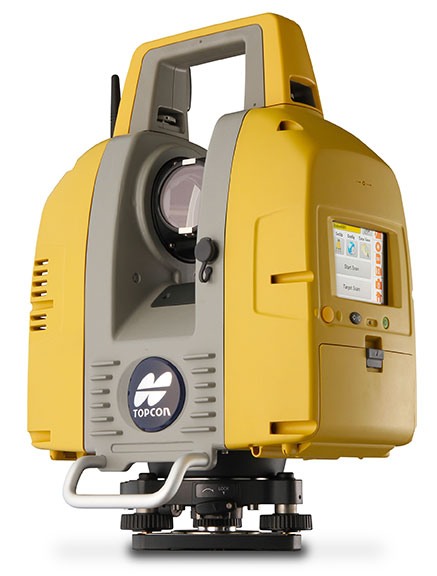
Topcon Positioning Group announces the release of the newest edition to the GLS line of laser scanners, the GLS-2000. Featuring an expanded field of view, the GLS-2000 is designed to pair with ScanMaster v3.0 software for quickly capturing and processing 3D point-cloud data.
“The GLS-2000 is the fastest and most versatile scanning system in its class,” said Charles Rihner, vice president for the Topcon GeoPositioning Solutions Group. “With a scan range of more than 350 meters, the GLS-2000 is capable of accurately capturing long-distance measurements in applications where access is limited due to safety or logistics concerns.”
Using Topcon Precise Scan Technology II, the GLS-2000 is designed to emit pulse signals three times faster than earlier models. “Using faster pulse signals enables timing to be detected more precisely, which results in reduced noise and higher-accuracy data,” said Rihner.
“With the on-board control software, scanning can simply be started with the touch of a button. Even entry-level users can intuitively operate the GLS-2000 that comes complete with a color graphical display,” said Rihner.
Additional features include a full-dome scanning range, user selectable Class 3R or 1M laser, and an exclusive laser plummet function that measures instrument height with a one-touch operation.
Trimble has announced three new asset inspection software solutions for heavy civil contractors—Trimble Inspector, Trimble Inspector Pro and Trimble Asset Manager.
Trimble Inspector is a free mobile app that allows equipment managers to easily inspect assets in real-time using their smartphone or tablet.
Trimble Inspector Pro, the premium, subscription version of Trimble Inspector, is used to wirelessly aggregate and share asset condition across multiple sites using Trimble Asset Manager office software.
Trimble Asset Manager software gives contractors the ability to store the inspection data of all assets in a centralized, Web-based database for accurate reporting and documentation.
“Contractors can achieve significant cost savings by proactively scheduling asset maintenance with Trimble’s new inspection solutions,” said Alan Sharp, business area director for Trimble Heavy Civil Construction. “Trimble takes the guesswork out of asset maintenance and puts the control back in the hands of the equipment manager.”
Trimble Inspector, a free mobile app, runs on both Android and iOS smartphones or tablets for daily, weekly and monthly visual inspections using a library of equipment, machine and vehicle types, makes and models, and inspection checklists. Reports containing current visual health status, hours, odometer reading and general condition can be promptly emailed to equipment and maintenance managers. The reports, along with photos, can then be retained for legal documentation of health and safety standards compliance, and for audit purposes. In addition, Trimble Inspector assists with scheduling maintenance to reduce equipment downtime and unplanned stoppages. The app is also ideal for trade-in or auction house inspections of used equipment.
Trimble Inspector Pro has all the functionality of Trimble Inspector, with the added benefits of customized inspection reports to meet health and safety requirements, and comprehensive maintenance reports for service crews. Equipment managers can record equipment service issues and notify site management staff of equipment status on multiple sites within seconds of the completed inspections. Trimble Inspector Pro requires a subscription to Trimble Asset Manager office software to access the additional functionality.
Trimble Asset Manager is a software as a service (SaaS) application used in the office to integrate, store and report asset condition data collected in the field by Trimble Inspector Pro. Asset information is kept in a secure, centralized online database accessible by authorized users in the company. Users can create asset records, document inspections and customize reports so managers get the data they need quickly and easily.
Trimble Inspector and Trimble Inspector Pro are available now worldwide from the Google Play Store or the Apple App Store. Trimble Asset Manager is available now globally through Trimble’s SITECH Technology Dealer Channel.
Juniper Systems is launching Cedar Tree Technologies, a rugged handheld company. Cedar Tree, based in Corvallis, Oregon, brings ruggedness, affordability, and intuitive software to its customers — mainly consisting of mapping and field service professionals, according to Juniper Systems.
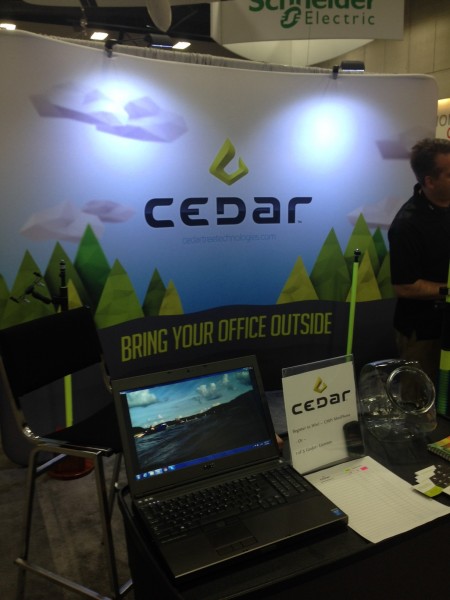
Cedar Tree Technologies, which exhibited at the Esri User Conference in July, is a recently launched rugged handheld company founded by Juniper Systems.
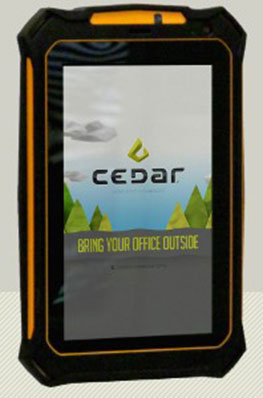
Cedar Tree’s new products — the CT7 tablet and CT4 handheld — run on the Google Android operating system, providing access to thousands of business and field-ready apps on the Google Play Store. Both devices can easily be customized by users via software.
The CT7 tablet features a 7-inch display, while the CT4 handheld has a more compact design, with a smaller 4.3-inch display. Both devices provide useful features such as GPS and camera, as well as excellent durability and functionality — all for the price of a smartphone. The CT7 and CT4 will be shipping within the next 30 days.
“By leveraging the wide array of apps and services available through the Android operating system, Cedar Tree Technologies offers users a complete rugged data collection solution out of the box,” said Rob Davis, Cedar Tree Technologies’ General Manager. “Add to that the fact that you can purchase one of these durable devices for about the same price as your smartphone, and it really makes it an easy decision.”
“Cedar Tree Technologies builds upon Juniper’s product offering, providing customers with a broader range of choices,” said Juniper Systems’ CEO, Rob Campbell. “This additional product variety allows customers to find the best fit for their needs, whether they need maximum ruggedness from a Juniper Systems product, or whether they need a very durable product that runs on more consumer-like platforms, like Cedar Tree’s products.”
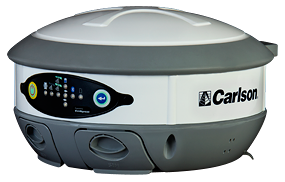
The Carlson BRx5 GNSS receiver, an integrated all-in-one pole-top GNSS receiver, has just been released by Carlson Software, Inc. Each BRx5 contains a multi-constellation, multi-band 270-channel GNSS receiver, internal GSM cell modem, UHF radio, dual hot-swappable batteries and internal level sensors. Designed for survey and GIS professionals, the Carlson BRx5 delivers both affordability and the highest positional accuracy, the company said.
“Carlson’s exclusive LDL (live digital level) feature in SurvCE 4.0 uses the BRx5’s internal level sensors to provide electronic leveling for better x,y accuracy as you work,” said Bruce Carlson, president of Carlson Software. “In addition, it holds fix under canopy better than most GPS systems currently on the market.”
Manufactured to Carlson’s exacting specifications by Hemisphere GNSS, the BRx5 receivers can each be configured as base, rover, or network rover. They come with dual Bluetooth ports, allowing users to connect both data collector and a cell phone, and they each come with a fully integrated multi-constellation dual frequency GNSS receiver with UHF radio and GSM cell modem.
SurvCE 4.0 allows high positional accuracy with the BRx5′s integrated level sensors.
Designed for use by surveyors, contractors, builders, engineers and many others, the BRx5 can be purchased as either a Rover or as a Base/Rover package. The Base/Rover package includes two BRx5 GNSS receivers, one hard-sided carrying case, four BRx5 batteries with two chargers, one GPS tribach and one tribach adapter, and two Carlson GPS receiver poles.
With its dual hot-swap batteries, there’s no need to stop work to recharge or replace battery packs. In addition, the BRx5 is OmniSTAR-capable with submeter differential correction available worldwide.
The Carlson BRx5 GNSS receiver is designed to work seamlessly with most data collectors including Carlson’s rugged and popular data collectors: the Carlson Surveyor+, the Carlson MINI2, and the Carlson Supervisor.
The European-focused imaGIne conference will provide attendees with an opportunity learn what is going on in the geospatial sector and to network with important decision-makers. EUROGI’s “imaGIne: Opportunities Everywhere” Conference will be held October 8-9 in Berlin, Germany.
The imaGIneconference will take place at the same venue and at the same time as the InterGeo trade fair.
A key aim of the conference is to showcase the best that Europe has to offer in the geospatial field, thus the conference subtitle “Geographic Information Expertise: Made in Europe.” The aim has guided EUROGI and its member associations in the selection of themes and speakers, organizers said.
Plenary Sessions and Keynotes
During the plenary sessions, presentations will be given by top European and global experts.
Roberto Viola, deputy director, Directorate General CONNECT, European Commission, will provide an outline of the European Union’s Digital Agenda Europe, with particular emphasis on geospatial aspects.
Detlef Dauke, director general, German Federal Ministry for Economic Affairs and Energy will speak on behalf of the German vice-chancellor, who is the patron for the conference.
Two speakers will provide a view of the state of the European geospatial industry from a global perspective, highlighting its strengths, weaknesses, opportunities and threats. Other issues which will be covered in the plenaries include the Internet of Things (billions of interlinked sensors across Europe), Linked Data (joining up data which was otherwise unconnected) and Big Data (massive amounts of data from diverse sources and across many fields).
In addition to the plenary sessions, there will be 15 parallel sessions of 90 minutes each, each of which has a specific thematic focus. The themes include Job Creation and Economic Growth, Energy, Environment, Demography, Smart Cities, Copernicus (Europe’s Earth Observation initiative), Open Data, Big Data, and Insurance. The sessions will not only provide interesting insights, but will also feature panel sessions with discussions of pertinent issues, as well as opportunities for audience engagement.
The European Commission’s Joint Research Centre will provide an opportunity to discuss the European Union Location Framework, a set of policies and measures which aim to facilitate the integration of geospatial information into e-government services and to increase alignment in and between existing and future EU policies.
InterGeo Fair. InterGeo is the world’s leading trade fair for geodesy, geoinformation and land management. With over half a million event website users, over 16 000 direct visitors each year from 92 countries and more than 500 exhibitors, it is one of the key platforms for business dialogue in the geospatial information sphere.
Registration for EUROGI’s imaGIneconference will automatically entitle delegates to visit the fair.
More information about the conference can be found at www.imagine2014.eu. The website also provides the opportunity to register. An early-bird discount rate will be available until August 31.
The Geospatial Sector — Huge and Growing Fast
Geospatial information, also often referred to as geographic information, is any information that has a location/position “tag.” The tags can take many forms, including for example, postal codes, street addresses, words that have a location/place reference (such as Barcelona, the Rhine, Slovenia, etc.), north/south coordinates, and more. Organizing and managing tags enables vast amounts of otherwise disparate information to be integrated and new and innovative insights and services to be provided.
According to a report published last year by Oxera, a leading UK economic research firm that was commissioned by Google, at $150-270 billion annually the geospatial sector globally was one third the size of the global airline industry. (See “What is the Impact of Geospatial Services?”)
The report states, “Geo services are making an important contribution to the global economy and to future productivity. The efficiency gains they create are helping to facilitate future economic activity and generate additional consumer welfare.”
Everyone is aware of the airline industry, but very few are aware of the geospatial industry, an industry that to a very large extent operates out of direct public view, but that produces products and services that impact on billions of people worldwide on a daily basis. The insurance, automotive, telecommunications, navigation, marine, agriculture, energy, utilities, tourism, and recreation and media industries are just some of sectors that rely heavily on geospatial products and services.
Apart from the enormous size of the sector, another key point highlighted in the Google-sponsored research report is that the sector is growing globally at about 30 percent annually. With overall global economic growth taking place in the lower single-digit range, growth of this nature can truly be described as explosive, conference organizers said.
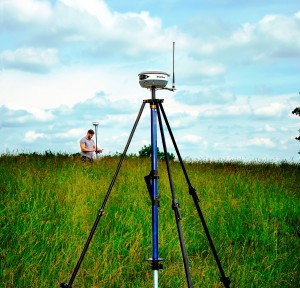
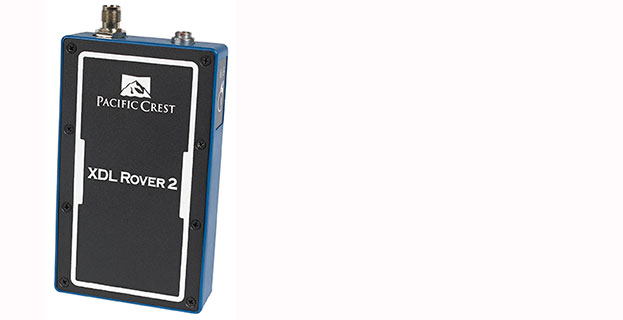
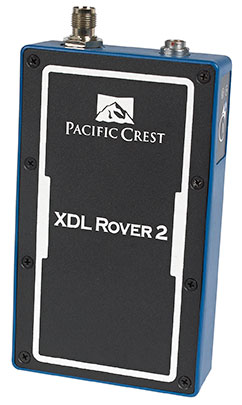
Trimble has introduced the Pacific Crest XDL Rover 2, an advanced, high-speed, wireless data link built to withstand the rigors of GNSS/RTK surveying and precise positioning.
The XDL Rover 2 is equipped with Bluetooth wireless communication for ease in configuration and operation. It can be quickly configured with an Android device in the field and UHF data can be transmitted via Bluetooth to a paired host device for operational efficiency.
The XDL Rover 2 is a lightweight, ruggedized UHF receiver designed for digital radio communications between 403 and 473 MHz in either 12.5 or 25 kHz channels. It is designed for high performance over the entire band. The XDL Rover 2 is pocket sized and provides for cableless operations. It features an internal, rechargeable battery for ease of use and portability that allows long operational hours.
“The XDL Rover 2 is an ideal, high-speed radio receiver for field operations that require a one-way communications link,” said Jess Cobb, business area director for Trimble’s Radio Communications Group. “Its interoperability with existing equipment and greater functionality allow customers to rapidly deploy the XDL Rover 2 for maximum productivity.”
This sophisticated radio leverages the latest generation XDL modem technology while remaining backward compatible with existing Pacific Crest and other products. By deploying the technology, users can instantly communicate with GNSS precise positioning receivers that share the same protocols throughout the world.
The XDL Rover 2 joins the line of XDL products that includes the XDL Micro, a transceiver OEM module. The XDL Micro is a 0.5-2.0 Watt UHF transceiver designed for integration into products that require either a one- or two-way radio communication link. The XDL radio line is based on the successful Pacific Crest ADL products.
A few weeks ago at the Esri 2014 International User conference in San Diego, California, we conducted our first live event webinar from a Plexiglas booth sitting among many of the 14,000+ attendees buzzing around inside the San Diego Convention Center.
The webinar focused on high-precision GNSS on mobile devices (iOS/Android/Windows), unmanned aerial systems (UAS), and real-time GIS transactions. These are hot topics in the geospatial world, and that was confirmed when I received about 100 pre-webinar questions and more than 100 post-webinar questions.
In my article this month, I’ll do my best to provide answers to the questions asked. If I don’t get to your question, or if you have another, please email me at [email protected].
First of all, if you didn’t attend the webinar and would like to view the recording, you can register here and you’ll be provided a link to view it. It’s a great, interactive discussion. I grabbed Sharad Garg, iOS consultant, from the Esri show floor to talk about the intricacies and complexities of using GNSS receivers on iPads and iPhones.
Without further delay, following are some of the more popular pre- and post-webinar questions I received.
Mobile Devices
First, I’ll start with the questions about mobile devices and high-precision GNSS.
1. Will Android be the dominant mobile tablet platform in the Enterprise?
It’s hard to say. I recently met with a group of enterprise IT professionals and we were discussing this issue. Basically, the group was equally divided into thirds. One third were using Android. one third were using iOS, and one third were using Windows.
Android advantages: Lots of mobile devices available that run Android. Android disadvantages: Open source = non-standard implementations, so app software may not run on every device; security concerns.
iOS advantages: Consistent user interface, consistent software development environment, popularity of iPad and iPhone. iOS disadvantages: Closed ecosystem (very limited number of tablets); doesn’t interface to devices (such as GNSS) that haven’t been through the Apple certification process; security concerns.
Windows advantages: Security; lots of legacy apps and utilities written for Windows. Windows disadvantages: Limited number of tablets being deployed based on Windows.
For enterprise organizations, data security is a huge concern. Since Android is open source and gaining the most market share (at least in the consumer market), it’s got a target on its back for hackers. That’s the biggest concern I hear from corporate IT professionals. How will Android device developers address that, or will they? The consumer market for Android devices is exploding regardless of security. Do they even care about the enterprise market? Apparently Apple does as it recently signed an agreement with IBM to address the enterprise market, with IBM committing to deploying more than 100 enterprise solutions for iOS.
Site of the webinar broadcast from the Esri UC.
2. Which mobile platform is the most universal/easy to integrate with GNSS receivers?
Out of the box, Windows and Windows Mobile devices are still the easiest to interface to external GNSS receivers for the average consumer. Using Bluetooth, serial or USB, NMEA (or proprietary binary) data flows easily via the device com port or virtual com port. If you’re using a Bluetooth interface, there is some inconsistency among mobile devices due to the different versions of Bluetooth management software used on mobile devices, but it’s workable, and worst case you can buy an inexpensive third-party Bluetooth software manager like BlueSoleil.
With the use of an app such as Bluetooth GPS that allows you to select an external GNSS receiver, connecting your Android device to an external Bluetooth GNSS receiver is relatively painless.
Apple products are the toughest to integrate with external GNSS receivers via Bluetooth. Each GNSS receiver has to be specifically designed with an Apple Bluetooth authentication chip and be subjected to the Apple certification process, which can be lengthy and costly. This is the reason why you see very few Bluetooth GNSS receivers available for Apple products. The good news is that once the GNSS receiver is approved, the Bluetooth connection happens automatically when the GNSS receiver is in range of the Apple device. No com port config, no baud rate to worry about, etc.
3. What is available on Android that will make my smartphone a practical and useable tool that can assist in collecting professional data?
First of all, you need to find a high-precision Bluetooth receiver to connect to your Android device. Then, establish the Bluetooth partnership between the Android and GNSS receiver (scan for Bluetooth devices, enter passcode, etc). Once you have that, download the Bluetooth GPS utility I mentioned above and it will allow you to select which GNSS device to use (external vs. internal). Once you’ve selected the external GNSS receiver and connected to it via Bluetooth, every location app on your Android device will use the high-precision GNSS receiver for location.
This applies to an Android tablet or Samsung Galaxy phone. Take a look at this article to see how I ran RTK on a Samsung Galaxy using a Bluetooth RTK receiver.
Today’s challenge is finding “professional” GIS data collection apps that run in the Android environment. There are a few, but the selection is limited. Esri has its Collector for ArcGIS app that runs on Android, but it requires an ArcGIS server backend or ArcGIS Online account. Other data collection apps like Fulcrum and Amigocloud run on Android as cloud-based services.
4. Is there an actual GPS receiver within smartphones, or are they triangulating off of cell towers?
There’s a GNSS receiver in virtually every smartphone manufactured. The GNSS chips are so cheap (a few dollars) compared to the functionality gained that it wouldn’t make sense not to design a GNSS receiver in a smartphone. Now, just because there’s a GNSS chip in each smartphone doesn’t mean it’s the only technology used for location. For example, Apple iOS uses multiple data sources to determine the location at any given time. It will use a combination of cellular triangulation, Wi-Fi IP address, and internal GNSS receiver and external GNSS.
5. Which applications do you see requiring RTK accuracy within the mass-market applications?
A couple of years ago at the GPS World Leadership Dinner at the ION GNSS conference in Nashville, Dr. Todd Humphreys of the University of Texas at Austin predicted that you’ll have RTK (real-time centimeter accuracy) capability on your smartphone by the year 2020. I agree with his prediction, and I think we’ll see inexpensive Bluetooth RTK “pucks” well before 2020, as I’ve written before.
Often, I get the question raised above. Who needs RTK on a mobile phone?
I can’t tell you any more than that in the early 1970s when GPS was first being conceived, not one could tell you what GPS would be used for today. I love the following quote from Steve Jobs: “People don’t know what they want until you show it to them.”
6. Since many devices are complete systems with GNSS inside, do you see the direction of the industry moving towards remote “add-ons” like Bluetooth receivers?
Bluetooth receivers are certainly trending, and it’s primarily driven by the explosion of powerful yet inexpensive tablets and smartphones in the past five years, starting with the iPad/iPhone, and now with Android devices and smartphones in general. People want to use their consumer devices in a professional capacity and some need high-precision GNSS receivers, so that’s driving the demand for “add-ons” like Bluetooth GNSS receivers, laser rangefinders, and more.
Unmanned Aerial Systems
Ok, let’s transition to some questions on UAS (such as UAV, drones).
1. Do you see the FAA allowing simple operations for very low altitude UAV-sensors?
It’s difficult to speculate what the FAA will implement, but I have to think, based on its past behavior, that the initial rules will be super-conservative with minimum requirements being that a licensed pilot will be required to operate the UAS in addition to strict equipment requirements.
What’s going to be interesting to observe is what the FAA will do about the hundreds (maybe thousands) of UAS operators who will attempt (or are attempting) to “fly under the radar” and skirt the FAA rules. We’ve seen the FAA attempt (sometimes successfully and sometimes not) to crack down on some UAS operators whom it believes are violating the rules, but there have only been a handful of those cases.
2. When do you think the FAA will release rules for commercial UAV users?
I wouldn’t be surprised if the FAA issued some guidelines in September 2015, but I seriously doubt they will publish the full set of rules by then.
By the way, I attended an interesting UAS presentation at the AEC Summit prior to the Esri UC. You can see my write-up of it here.
That’s it for now. I’ve got many more questions from the audience that I’ll address in upcoming newsletters. Stay tuned and feel free to email me directly at [email protected].
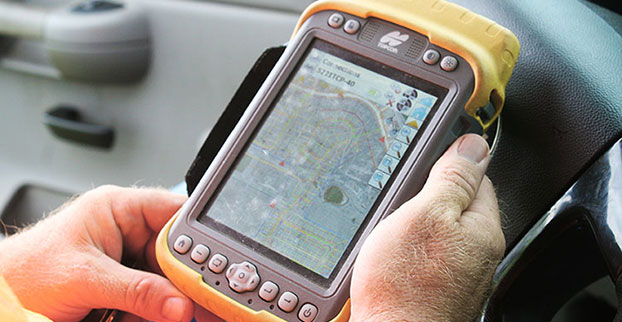
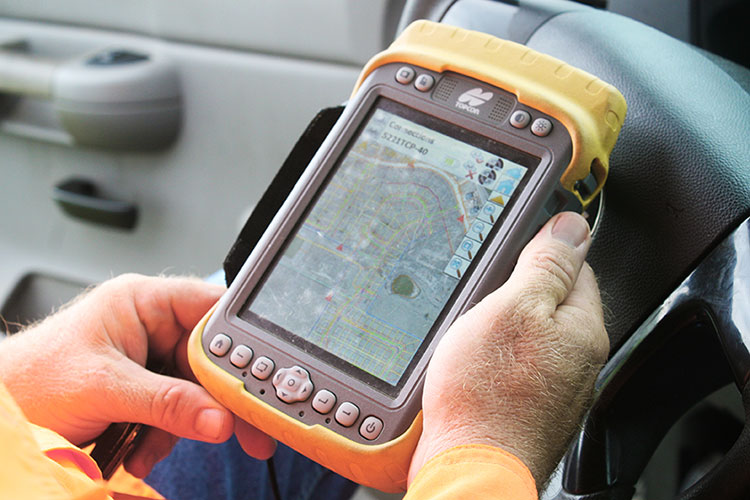
Topcon Tesla handheld controller combines the advantages of a PC tablet with the ruggedness of a fully equipped survey device.
An Oklahoma Survey Firm Is Increasing Productivity with Cloud-Based Solutions
By Larry Trojak
Until recently, the flow of real-time information and job-critical data between the office and personnel in the field for survey and construction has not kept pace with advances in onsite GNSS equipment. But enterprise software suites are closing the gap, producing across-the-board efficiencies, cost reductions, and an ability to bid more competitively.
Sisemore Weisz & Associates (SW&A) of Tulsa, Oklahoma, is an engineering specialist in site design and land planning, and has survey experience with ALTA/ACSM work, high-end civil construction, structural layout, and large survey control networks. Topcon’s cloud-based software suite Magnet gives SW&A the ability to have immediate access to the plans, data, and site information needed to respond to and complete the job.
“Providing the ability for any crew to immediately access their data from anywhere via a Tesla field tablet is invaluable. It’s literally changed the way we do business,” said SW&A chief of parties Shawn Collins.
Collins’ ultimate goal was to establish a platform for data collection, sharing, and transfer that best utilized today’s technology, including Internet access and the ability to email and text message crews in real-time.
His first instinct was that a tablet such as an iPad might be the answer, but iPads weren’t suitable for surveying Instead, they chose Topcon’s newly introduced Magnet Enterprise package along with a pair of Tesla controllers. Finding it the right solution, after a few weeks they bought more Teslas. “It was just the solution we needed,” Collins said.
Magnet Suite
Comprised of three individual software components — Field, Tools, and Office — as well as the Enterprise cloud environment itself, the Magnet suite of products is designed to bring real-time, cloud-based efficiency to any survey or construction operation, according to Jason Hallett, Topcon’s senior product manager for software applications.
“Magnet considers everything from data collection, to CAD, to data manipulation and reporting, to data exchange, to cloud-based project management in an enterprise environment,” Hallett said.
Components of Magnet:
Field. Connects field users to the cloud, and enables real-time communication, as well as cloud storage and data exchange. A powerful field software for topo, staking, roads, and calculations is included.
Tools. Allows the processing and exchange of data between the enterprise cloud and popular desktop applications, such as Autodesk Civil 3D.
Office. Exchanges design files, survey jobs, and surfaces through the enterprise cloud for simple project revisions and real-time survey data from the field.
Dillon Dossey is a one-man crew with Magnet and the cloud.
In the year since they began using Magnet, Collins said that the system has become an integral part of the way SW&A does business. “It can be something as simple as getting a crew working faster than we ever could in the past,” Collins said. “For example, say we are set to begin a large highway project several hours from the office, but we are wrestling with plans or have calculations that still need fine-tuning on one part of the job. In the past, the whole project would have been held up until those issues were resolved. Now, we can send a crew out with what we already have and, when that missing data is completed, upload it to the cloud for them to access when they need it. As a result, production is on track, deadlines are met, and the customer is pleased.”
Re-routing crews — a time-consuming effort in the past —is now a simple process. “If a crew wraps up a project and needs to be re-routed from their original follow-up job, they now can simply check email or chats on their Tesla and see what’s changed. All of their pertinent information is going to be in the chat and in the cloud — all the directives are there, all the paperwork, everything they need to make a fast, seamless transition to the next job without having to come back to the office. Just minimizing those trips back here has shown us a nice 14 percent reduction in fuel costs since going forward with Magnet. And taking that 14 percent off of a bid allows us to be that much more competitive.”
As chief of parties, one of Collins’ primary roles is quality control on projects, and Magnet has helped. “I can show up to a site to see how a crew is doing, have them upload data to the cloud, and confirm their progress. As a result, managing the parties, managing the control, managing the job flow is so much better. And, contrary to what one might think, the fact that the crews know they are being checked has not had any downside at all. They know we are all on the same team and appreciate that this technology is helping make us more competitive — which ultimately benefits everyone.”
Collins has witnessed dramatic changes in his 30 years of surveying, but sees Magnet as a game-changer for data management and flow, the exchange of information, and bidding on jobs which, thanks to Magnet Enterprise’s cloud-based environment, has become a streamlined, efficient process.
“It is now possible to easily cross-reference jobs to help in the bidding process,” he said. “We can go into our cloud and see if we did a similar job before, and, if so, view the work order, view the billing files, see how much that job actually cost, see what we bid on it, see if we were profitable, see how we did for time management, and so on. In the past that would have been a painstaking, time-consuming process. But with that all data readily at hand, it is easy to put together an informed, competitive bid and get it out to the client in no time.”
One area that Collins hopes to pursue further is deeper client involvement. “We recently added 5 GB of capacity to our cloud storage, and that should help us move forward with that push. Making it possible for the client to look at the project as it exists in real-time, to be able to review and red-line items or discuss issues, and do so without a trip to our office will be a real plus.”
One-Man Crew
A visit to a local development called Yorktown finds a single rod man, Dillon Dossey, at work, a typical scenario for SW&A. “This is a 120-lot development, and Dillon has been the sole SW&A person on this job since the outset, surveying and staking to rough in roads for the developer, and he will be here until our portion wraps up,” Collins said.
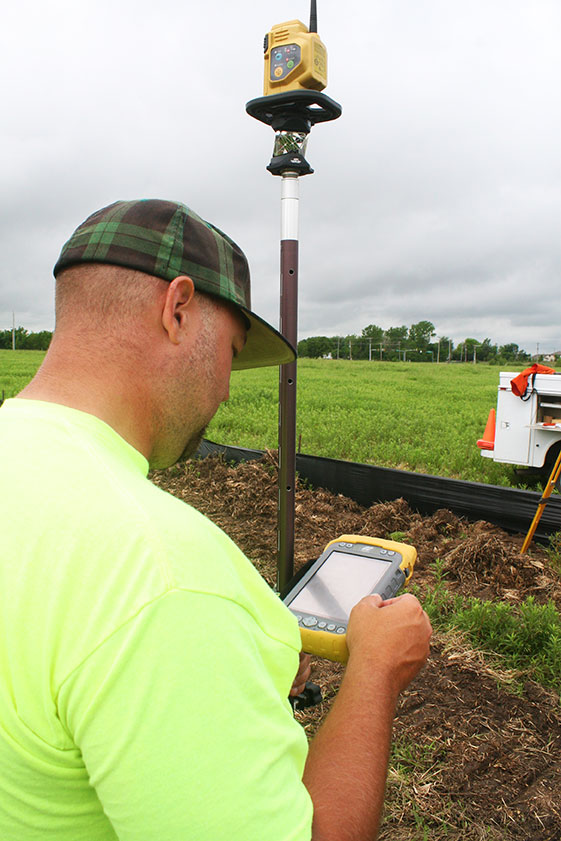
With Topcon’s PS-103 robotic total station (SW&A’s latest purchase), his Tesla, and Magnet — which is also built into the total station — Dossey can operate as a one-man crew with confidence, Collins said. “If Dillon gets into a situation where he suspects something is wrong or he needs help deciding something, he doesn’t have to break down his equipment and drive all the way back to town; he has everything he needs right there with him. He has the data, he can chat with me, with the office, and we can send data right back to him.”
Dossey offered his take on Magnet’s impact on his role at SW&A. “We are working toward eventually eliminating the need for us to go back to the office at all,” he said. “If we have to, we can come in to get gear in the morning, but that’s about it. However, right now, if I am halfway through a job and Shawn contacts me to head to another one, he just sends me all the info I need and I’m on my way. It is very cool. The amount of data that we can exchange back and forth through the cloud is just startling.”
Trimble has introduced the DPS900 Piling System, a dedicated land-based 3D machine control system for a variety of piling machine makes and models. The accuracy of the system allows piling contractors to increase operational efficiency and reduce costs for building structural foundations, retaining walls, coffer dams, and solar or wind farm installations.
“The DPS900 Piling System can transform the way piling contractors work,” said Alan Sharp, business area director for Trimble Heavy Civil Construction. “Without DPS900, the process is manual and often error prone. With the DPS900 system, contractors can take advantage of accurate positioning and automated reporting to ensure machines are being utilized efficiently.”
The DPS900 Piling System reduces surveying costs associated with staking and as-built checks. In addition, the system can increase on-site safety by reducing the number of people around machines, pilings and foundations. Accurate positioning in DPS900 can ensure navigation time between piles is reduced, resulting in increased piling time to maximize production and revenue per day.
Built-in, automated quality assurance and quality control reporting includes capture of start and end positions, time and elevation, as well as actual embedment depth, blow count reporting, and inclination and orientation control. In addition, unique system logins allow managers to filter reports by operator for better accountability, production optimization and forecasting.
Business Center–HCE office software by Trimble is used to create pile plans in the office, and allows for integration with data prep, estimating and reporting functions. Piling machines can be connected to the office using Trimble Connected Site solutions for wireless data transfer and GNSS corrections. In addition, machines can be tracked and monitored using VisionLink for location, hours and utilization information.
The new Trimble DPS900 Piling System is available now in Australia, Europe, North America, Chile and South Africa through Trimble’s SITECH Technology Dealer Channel.
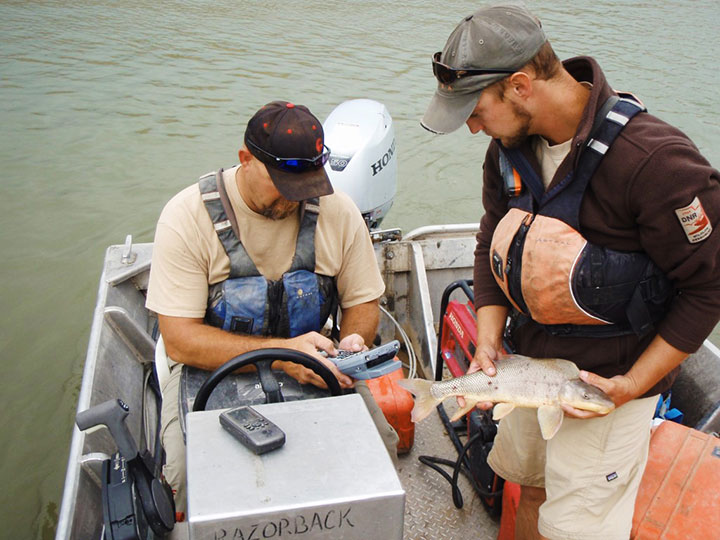
A Utah DWR field crew rides along in an electrofishing boat.
The Utah Division of Wildlife Resources (DWR) is using rugged Juniper Systems handhelds in an innovative way: to remove an invasive fish species from the Green River so that native fish can flourish.
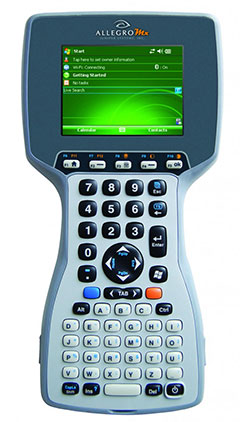
A DWR field crew first used the Allegro MX handheld, loaded with custom fisheries software, to monitor native fish species and remove invasive fish in a 2013 project along the Green River, located near Dinosaur National Monument in Utah’s northeast corner.
The field crew’s work involved boat electrofishing, in which the researchers ride along in a boat with electrodes protruding into the water. The electrodes send out an electrical current, temporarily stunning the fish.The fish float to the surface, where they are netted and inspected.
Invasive fish are collected and removed from the river. Invasive species can degrade fisheries habitats and harm the ecosystem. Right, the Allegro MX handheld.
Every five miles, the crew stopped the boat and collected data on the fish. In a single day on a 12-mile stretch of the Green River, the crew caught 2,800 fish.
When a native species was caught, the fish was given a passive integrated transponder tag. Data was collected about the fish, and then it was released. When an invasive species was netted, however, it was kept for later data collection, and then removed from the river. Invasive species — fish transplanted from another location — can outcompete native fish, degrade fisheries habitats, and harm the ecosystem.
With high-value native fish, the team took a GPS point and collected data on the species, length, weight, sex, ripeness, and more, explained Juniper Systems’ natural resources market manager Trevor Brown, who accompanied a crew.
Brown explained that understanding the location of native fish helps fisheries biologists determine the effectiveness of previous removal efforts: Are native fish prospering in areas where invasive species were previously removed? Location also helps biologists associate where native fish are caught with habitat characteristics, which helps guide more targeted invasive removal efforts.
Allegro MX handheld.
Because the Green River is a a major tributary of the Colorado River, the boat crews submit their data to a central database that supports a larger effort to understand the status and health of fisheries systems of the entire Colorado River watershed. The information is used to guide management and policy decisions, fish regulations, and fisheries research.
“Location-specific data can help biologists understand population and dispersal of both native and non-native fish at a macro level,” Brown said.
The Utah DWR made the switch to the Allegro MX after seeing its benefits, including its full alpha-numeric keyboard, which allowed for rapid, accurate data entry, as well as its extreme ruggedness, sunlight-readable display, integrated GPS, and RFID compatibility.
The team even found the Allegro MX, rated IP67, could float — an additional bonus when working along a river in a shallow craft.
Brown customized the fisheries software for the Utah DWR field crews. The crews previously collected data using pen and paper, and then manually entering it into Microsoft Excel, a time-consuming and error-prone process. The custom fisheries software, available through Juniper Systems, reflects the data that needs to be collected, with required data fields and streamlined data entry. Because many of the Utah DWR crews are made up of seasonal workers, Brown designed the fisheries app to be easy to learn and use.
Biologists use the Allegro MX to collect data on the fish, including this endangered razorback sucker.
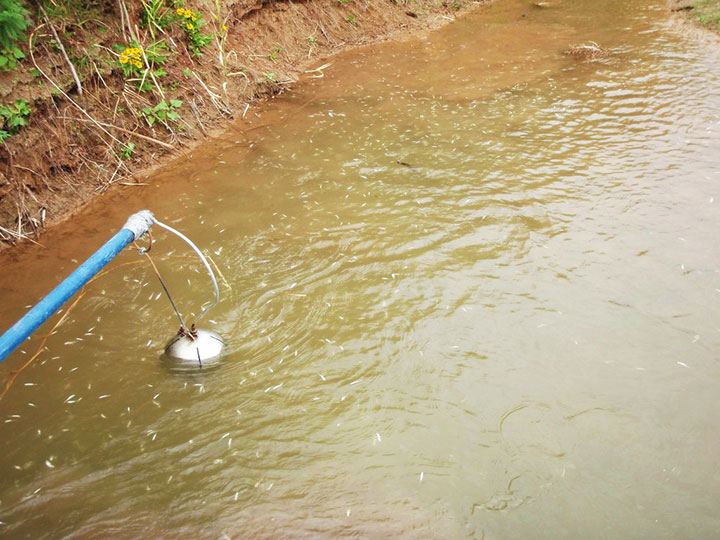
Northern Pike. Besides boat electrofishing, the fisheries software can be used for other applications, including an invasive fish removal application called fyke netting. Shaped like a bag with several hoops forming its structure, a fyke net acts as a funnel to trap swimming fish. The Utah DWR uses fyke nets primarily in the spring to trap invasive northern pike while they are spawning. After setting the fyke nets, crews return to check them and collect data on the trapped pike.
The fisheries software is also used for tributary electrofishing data collection, in which wader-clad crews walk along tributaries with electrofishing backpacks, shocking the water. As in boat electrofishing, the crews collect the invasive fish for later data collection, and they tag and collect data on native fish before releasing them.
The team experienced significant improvement with the new data collection process. “[The fisheries software] greatly reduced the data-entry time to the point where it has already paid for itself,” said Joe Skorupski, Native Aquatics Biologist at the Utah DWR. “Last year with three people, we took over 200 hours to enter, verify, and manipulate data. This year, it took one person 20 hours and errors were nonexistent due to the software and new data-collection process. I could go on and on about all the great improvements due to the handheld and the software.”
Since 2013, the Utah DWR has expanded its use of the Allegro MX and software for parallel projects, such as native fish sampling on fast-moving sections (Flaming Gorge) of the Green River, where fewer invasive fish are present.
NovAtel, Inc., is offering a promotion for existing customers, on the company’s recently launched NovAtel CORRECT with TerraStar PPP subscription service. The promotion will run until September 30, 2014.
Promotion Details
Customers using NovAtel legacy equipment (OEMV generation receivers or earlier) or NovAtel’s current OEM6 technology, qualify for the following offers:
Trade in legacy NovAtel hardware for a FlexPak6, antenna and one-year TerraStar subscription for $4995.
Buy a minimum one-year TerraStar subscription for any OEM6 receiver and get a NovAtel CORRECT PPP receiver firmware upgrade for free.
Customers who want to learn more or take advantage of this promotion can call 1-800-668-2835 or email: [email protected].
GPS World is at the 2014 Esri User Conference, being held July 14-18 in San Diego. Check out our slideshow for key photos from the first day of the conference. Follow tweets from GPS World and Geospatial Solutions for live updates from the conference.
Welcome to the 2014 Esri User Conference (UC) Photo Slideshow.
SmarterBetterCities creates 3D scenarios using its 3D Cities Libraries, functional in Esri CityEngine and ArcGIS Desktop.
Conference exhibitors at the Esri UC take a seat.
The 2014 Esri UC is being held July 14-18 in San Diego.
Motorola is focusing on its PremireOne public safety applications suite with realtime data.
A member of NASA Langley’s GIS Team mans the booth on the show floor.
Topcon’s Sirius Pro is designed for high accuracy mapping using GNSS RTK.
GPS World will be producing a live webinar in this booth outside of room 27 at 1 p.m. EDT on Thursday.
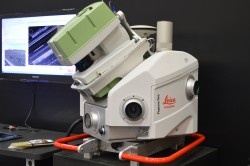
Leica’s Pegasus:Two is a mobile mapping solution integrates hardware platforms including cameras and lidar profilers.
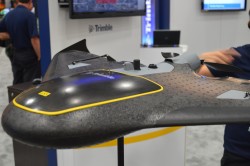
The Trimble UX5 focuses on image quality and photogrammetric accuracy.
Topcon Positioning Group announces the integration of the Android platform to the eGIS field software system.
A view of the Esri UC from the outside looking in.
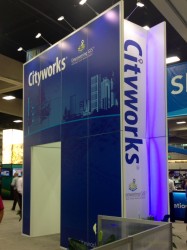
Cityworks’ booth at the Esri UC.
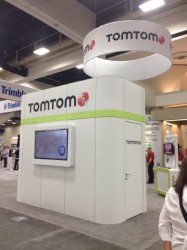
TomTom is at the Esri UC for the 22nd year.
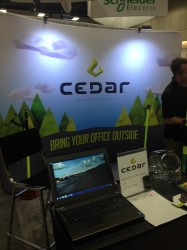
Cedar Tree Technologies is a recently launched rugged handheld company founded by Juniper Systems.
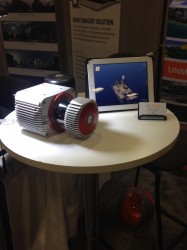
Riegl’s VUX-1 laser scanner.
Exhibitors checking out the National Geospatial-Intelligence Agency’s Latin American physical and political geography map.
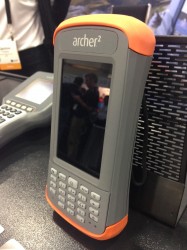
Juniper Systems is featuring its Archer 2 at the Esri UC.