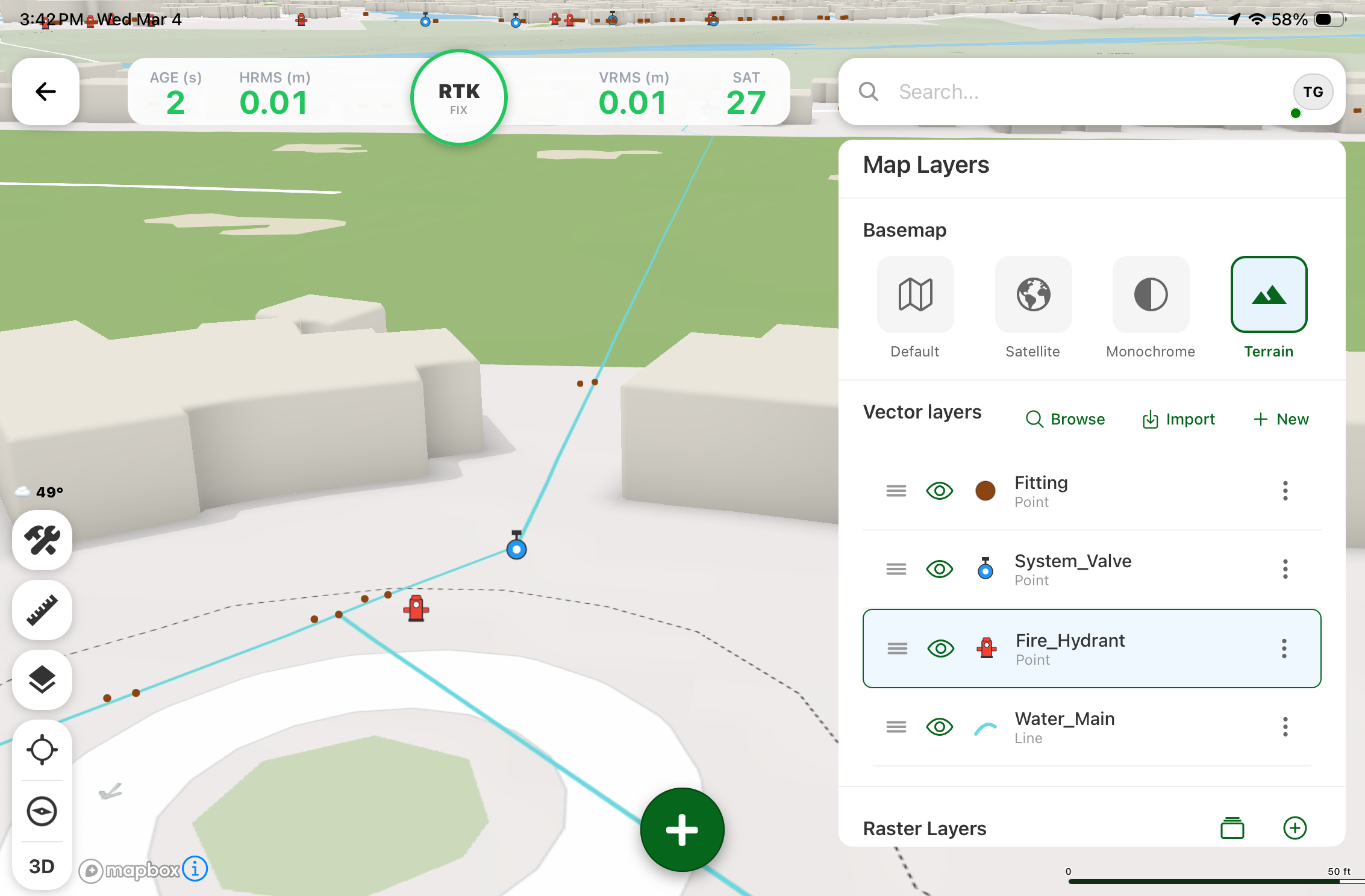
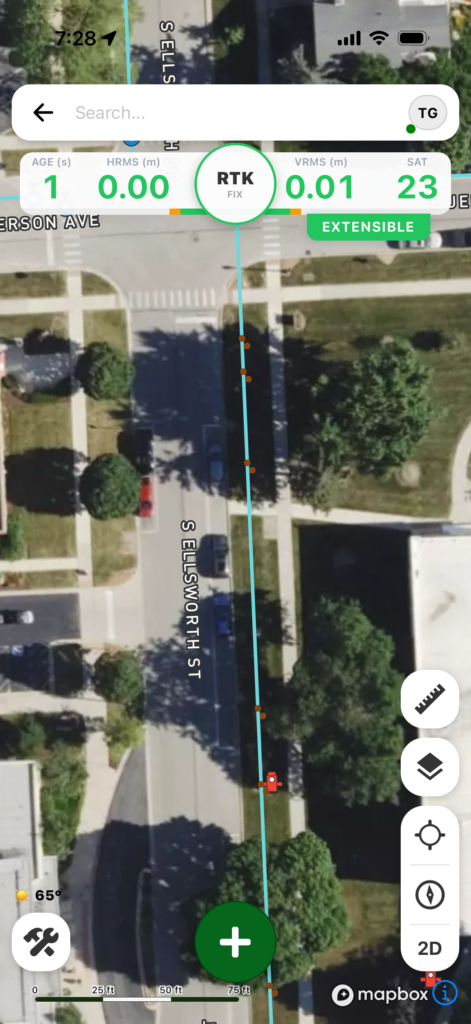
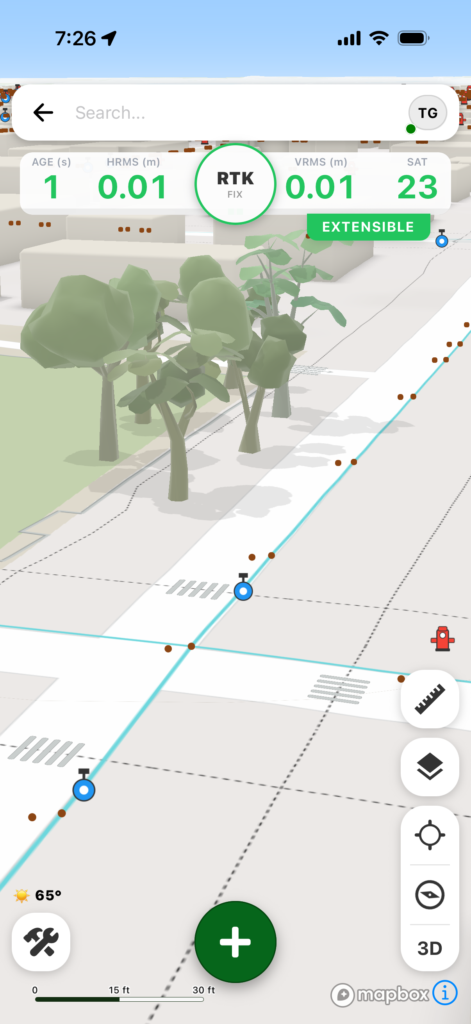
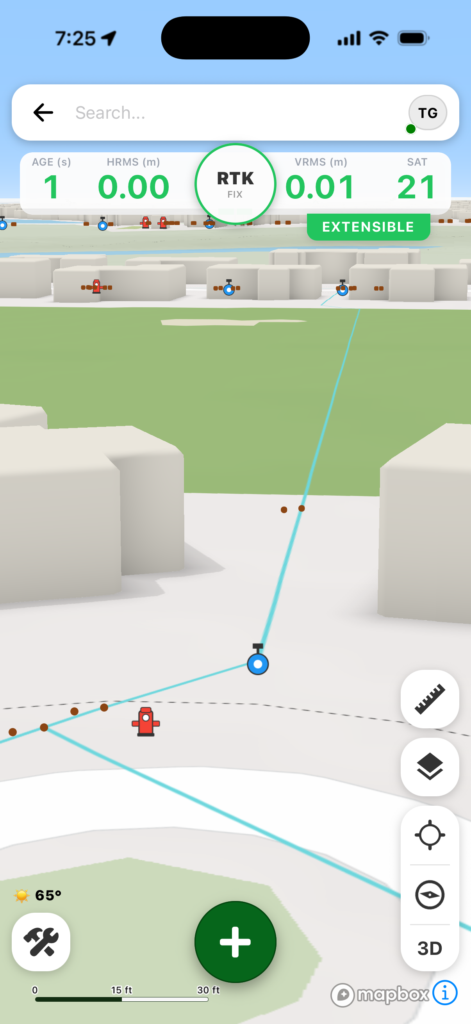
Digital Mapping Group, a pioneer in high-accuracy GNSS solutions for more than two decades, has released FastXY, a powerhouse mapping application for iOS and Android.
FastXY is designed to transform standard mobile devices into professional-grade data-collection tools for geospatial information system (GIS) and architecture, engineering and construction (AEC) professionals.
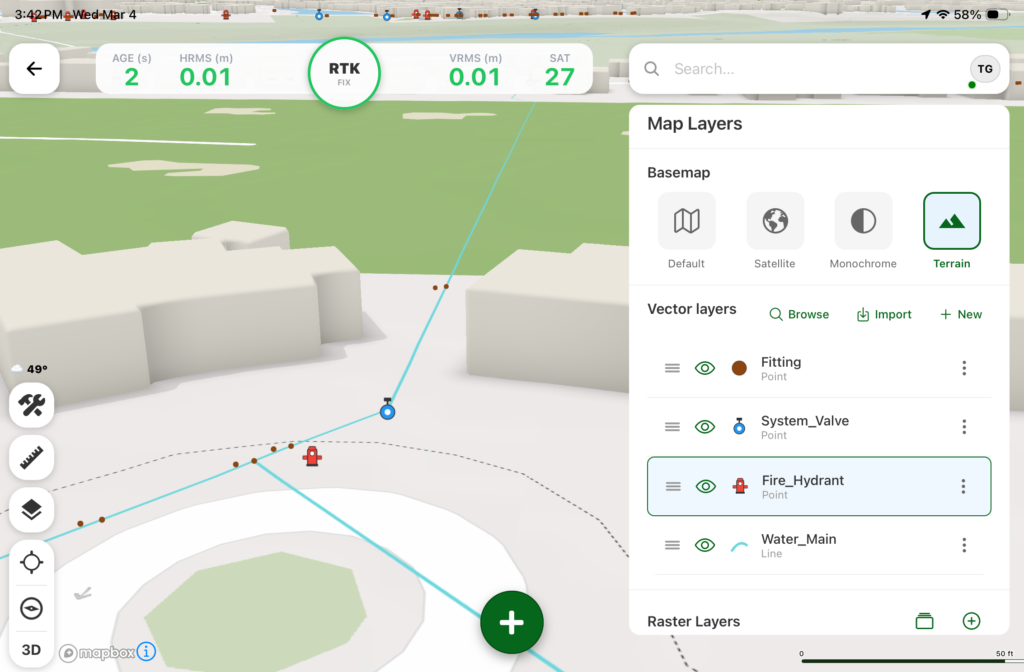
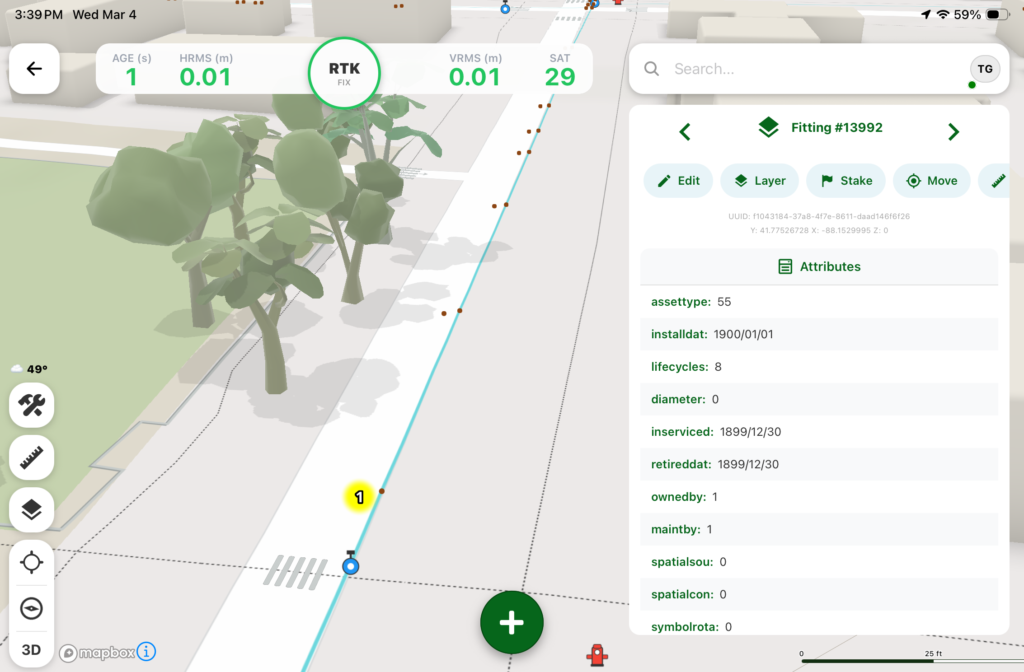
As the industry shifts away from bulky, proprietary hardware, FastXY offers professionals the ability to collect point, line and polygon data with the devices already in their pockets. Unlike “lite” mapping apps, FastXY delivers advanced capabilities including 3D basemaps, construction staking, topographic surveying, on-the-fly datum transformations, and survey-grade elevations.
Credit: Digital Mapping GroupCredit: Digital Mapping GroupCredit: Digital Mapping GroupCredit: Digital Mapping GroupCredit: Digital Mapping Group
One of FastXY’s most disruptive features is its built-in Bluetooth data parser. This allows users to configure the app to collect data from virtually any instrument supporting BLE Bluetooth or RS-232 — including echosounders, radiation sensors, laser rangefinders, barcode scanners and more — and marry that data instantly with precise GNSS coordinates.
“Our goal to create the most useful GNSS field data collection software for iOS/Android that uses the latest software tools,” said Ryan Skeele, software engineer. “The power of iOS/Android mobile devices increases every year, and we intend to iterate quickly to provide users more powerful solutions in the field.”
Available in two versions: Free and Premium
Essentials (free version)
High-accuracy ready. Works with device internal GNSS or Eos Positioning Systems’ Bluetooth receivers.
Offline-first approach. No internet connection required for field editing/data collection.
Rich visualization. 3D basemap featuring satellite, terrain and building overlays.
Smart logic. Attribute picklists with computational operations.
Survey-grade datum support. Real-time horizontal and vertical datum transformations.
Professional powerhouse (premium version)
Advanced point staking, auto-topographic data collection and cross track navigation.
Hardware integration. Full support for Eos Positioning Systems’ Skadi Tilt compensation and Smart Handle hardware.
Sensor hub. Connect to echosounders, laser rangefinders, barcode readers, radiation sensors, and other instruments with the external instrument configurator.
Advanced field workflow. Import Trimble Data Dictionaries, CAD/GIS files, KMZ/KML, and drone-captured raster imagery.
Post-processing. RINEX data collection and direct OPUS submission for static post-processing.
“We’re excited to offer an app for high-precision AEC users that runs on the mobile device in your pocket,” said Eric Gakstatter, principal GNSS consultant and former GPS World survey editor. “Separately, the unique Sensor Hub feature allows FastXY to consume data from almost any external instrument, combining it with high-precision GNSS data.”
FastXY is available for download today on the Apple App Store and Google Play. For more information, visit fastxy.com.
Digital Mapping Group
Founded 24 years ago, Digital Mapping Group has deployed tens of thousands of high-accuracy GNSS solutions globally. Their expertise spans utilities, public works, AEC, environmental, transportation and government sectors.
New web tool exports ready-to-deploy XML files, enabling fast and centralized pre-configuration of Eos Tools Pro GNSS settings.
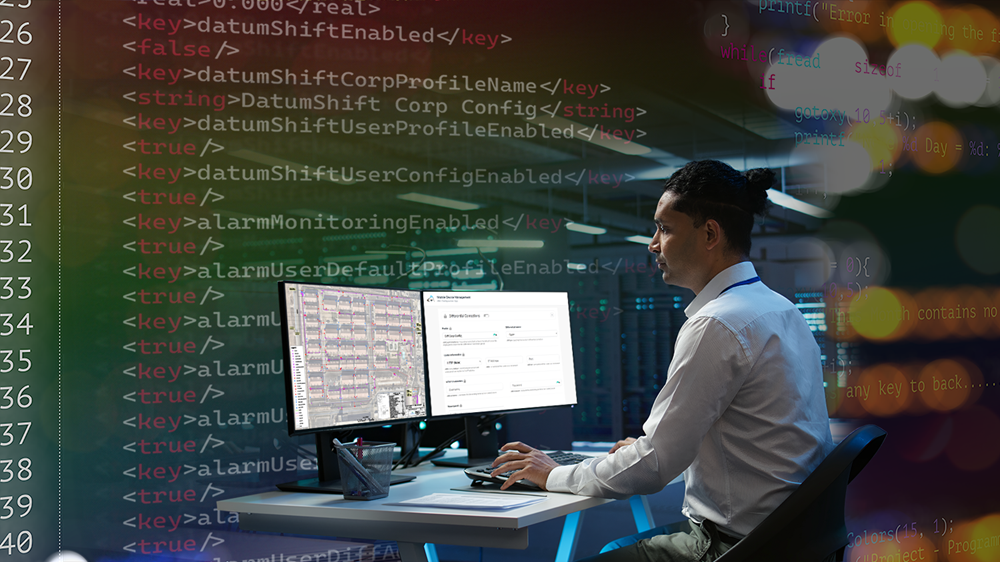
Eos Positioning Systems has released the Eos MDM Configurator, a web‑based tool that allows organizations to quickly create and deploy pre-configured Eos Tools Prosettings across large numbers of mobile devices via their third-party mobile device management (MDM) systems.
Until now, administrators who wanted to deploy Eos Tools Pro through their MDM needed to write an XML configuration file manually — a process that was time consuming and potentially error-prone. The Eos MDM Configurator eliminates manual coding entirely. The tool guides users step‑by‑step through five GNSS categories, supplies a preview of the XML code, and allows the user to export their XML file, compatible with any third‑party MDM solution.
With the Eos MDM Configurator, organizations can centralize control of Eos Tools Pro settings, standardize GNSS data quality, and save time by eliminating manual app configurations.
The five categories that can be pre-configured using the tool include differential corrections, altitude and geoid model, datum shifts, alarms and miscellaneous.
The Eos MDM Configurator is available at no cost to Eos GNSS receiver users. All that’s required to build a configuration is a desktop browser with Internet access. Deploying the resulting XML file requires a third‑party MDM solution, an Eos GNSS receiver (any model), Eos Tools Pro, and at least one mobile device running iOS or Android.
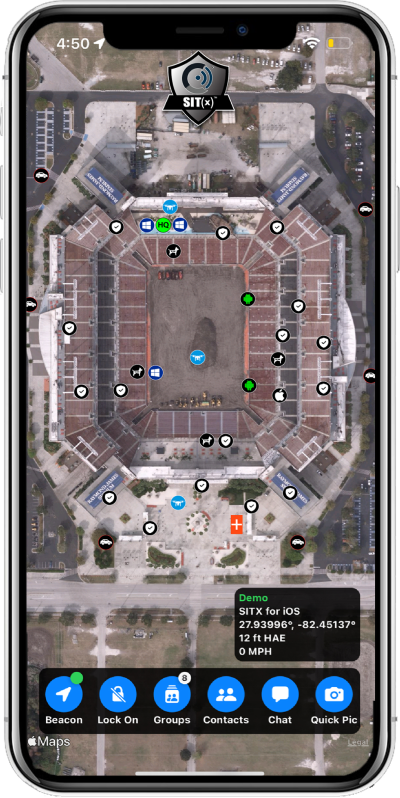
Sit(x) running on an iPhone. (Photo: PAR Government))
PAR Government, a provider of geospatial and decision support solutions for 57 years, has rebranded its TeamConnect cloud-based situational awareness suite as Sit(x). The commercial Sit(x) solution is designed for enhanced collaboration among government and civilian public safety organizations. PAR Government Systems Corporation (PGSC) is a wholly owned subsidiary of PAR Technology Corporation.
The Sit(x) solution enables individuals and teams to communicate directly by text or symbology and share real-time full-motion video (FMV), geographic information system (GIS) layers, imagery, GPS-derived locations, raster maps, photos and documents.
To complement the Android and Windows support already available in Sit(x), PAR is offering a free iOS app, giving Apple smartphone users access to the technology.
“The Sit(x) name better reflects the ability to provide effective situational awareness for any situation,” said Mark Kozak, PAR Government vice president of Product Innovation. “This results in faster, more informed decision making at the command level and in the field.”
Sit(x) is a TAK server-as-a-service solution based on the Team Awareness Kit (TAK) situational awareness technology that PAR Government developed for the U.S. defense and intelligence community under contract to the Department of Defense. This technology has been deployed under demanding conditions by every branch of the U.S. armed forces over the past decade.
PAR Government created the Sit(x) TAK server-as-a-Service offering specifically to enable real-time communication and information sharing between non-connected public safety personnel during rapidly evolving multi-jurisdictional situations, both planned and unexpected. These include large public gatherings, such as sports events or concerts, and emergency incidents related to terror attacks or natural disasters.
“Sit(x) can save lives, time, and resources by federating unrelated police and fire departments, U.S. government agencies, volunteer search-and-rescue groups, and even private security firms to collaborate as one coordinated entity during a major event,” Kozak said. “Due to its TAK lineage, Sit(x) opens the lines of communications between civilian public safety and the U.S. military, as well as our allies, with no export restrictions.”
The PAR Government Sit(x) offering is a subscription to the Sit(x) TAK Server-as-a-Service software suite in the cloud. Ready in minutes, Sit(x) scales to handle teams of any size and is protected with end-to-end secure connectivity. The suite provides complete lifecycle management – event preparation, rehearsal, training, dynamic response, post-mission playback and analysis, and new response simulation.
The investment by subscribing agencies is minimal because there is no computer hardware to purchase, and the end-user applications are available from the Google Play Store or Apple App Store for free. All server operations and software maintenance are managed 24/7 in the cloud by PAR.
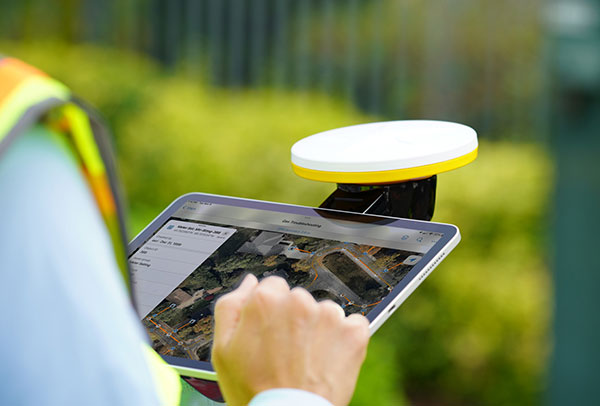
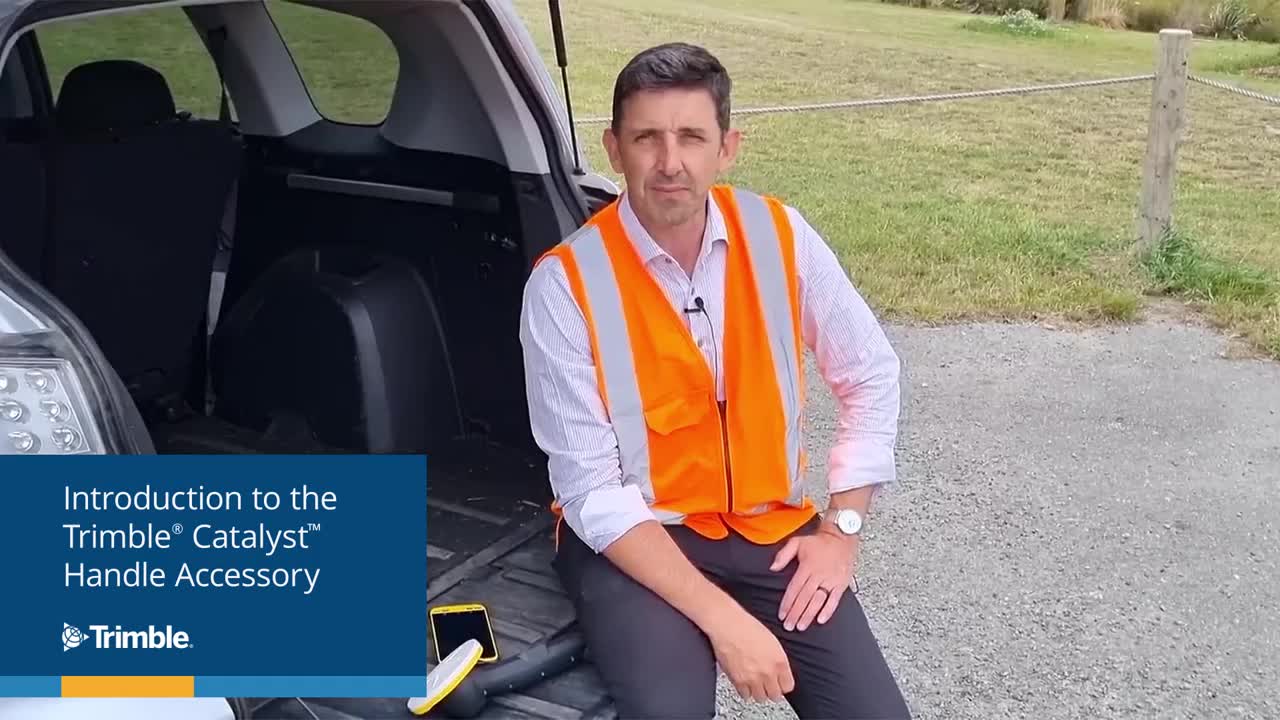
Trimble has introduced the Trimble Catalyst handle, which adds a new level of flexibility to accessing GNSS data. The lightweight, ergonomic handle provides a convenient way to carry Trimble’s Catalyst-enabled mapping and field data-collection workflows.
Users can:
choose their device, whether iOS or Android, which turns any smartphone or tablet into a Trimble-quality handheld positioning system
swap out a device at any time, whenever an upgrade is needed
adjust accuracy level as requirements change by switching the accuracy-based Catalyst subscription
affix a monopole when decimeter-level or better positions are crucial.
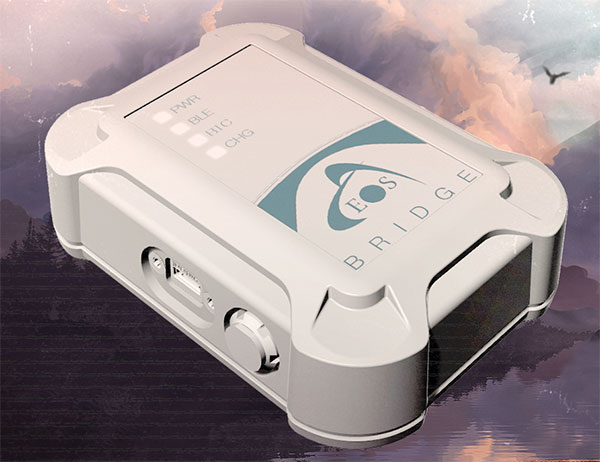
Eos Positioning Systems, the global manufacturer of Arrow Series GNSS receivers, has released Eos Bridge, which enables almost any instrument to become iOS Bluetooth compatible.
Photo: Eos Positioning
The Eos Bridge is a small, pocket-sized device that connects to instruments via Bluetooth Classic or serial port, and transmits data from them to any Apple iOS device, such as iPhone or iPad, Android device or Windows mobile device.
The Eos Bridge offers two connectivity methods to virtually hundreds of instruments:
First Method: Bluetooth Classic to Apple iOS Bluetooth
Instruments that are equipped with non-iOS Bluetooth are now able to connect to Apple iOS devices using the Eos Bridge, including laser rangefinders and utility-locating instruments.
Second Method: Serial port to iOS, Android and Windows devices
With the Eos Bridge, instruments whose only connectivity option is a serial port may now be connected to any iOS, Android or Windows device via Bluetooth. This includes any instrument or sensor with an RS-232 serial port, for example.
The Eos Bridge is lightweight, at approximately 150 grams (about 5.3 ounces). It can be worn clipped to a belt, stored in a pocket, or mounted to an instrument or sensor. The battery lasts 48 to 72 hours.
The Eos Bridge expands the potential pairings of legacy instruments and sensors by making them Bluetooth compatible with modern mobile devices and Arrow GNSS receivers. Two immediate applications for current Arrow GNSS users include Eos Laser Mapping for ArcGIS offset data-collection, and Eos Locate for ArcGIS for underground utility mapping. Both solutions are available on iOS.
The application was developed with special interest paid to raw data recording and NTRIP service connection.
With the SXblue ToolBox iOS application, the user can analyze the position data provided by the SXblue receiver, as well as location metadata.
More important for SXblue clients, the application can record, save and transfer raw data from the GNSS receiver, thereby allowing post-processing activities. The application also acts as a NTRIP client, capable of connecting to a NTRIP server for real-time kinematic (RTK) corrections, and thus allows the receiver to issue very accurate location information.
Receiver configuration is easy through the application, with the ability to set up and save user-defined commands for subsequent use. The settings include constellation to be used, differential source, NTRIP login credentials list and more.
In addition, the iOS application includes a series of audible and visual alarms that are user-configurable to determine the thresholds of information provided by the SXblue GNSS receiver.
The main features of the iOS SXblue ToolBox application are:
Display of location information and quality of positioning data
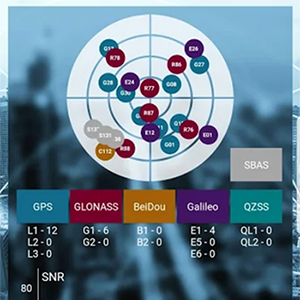
Skyplot of all-in-view constellations: GPS, GLONASS, Galileo BeiDou, QZSS, SBAS
Recording of raw data and data transfer
NTRIP/DIP client to receive RTK corrections
Terminal to send commands and view the output data of the SXblue device
Audible and visual alarms
Activation of options and licenses via the application.
BRING YOUR OWN DEVICE (BYOD) is not just an industry buzzword. It can change the way professional surveyors work every day. The idea of using a smartphone or tablet instead of a dedicated device is appealing. But is it good enough?
Surveyors and mappers are challenged with the arduous task of data collection that meets accuracy and precision standards and provides adequate attribute information for the project. Before the invention of the electronic data collector, handwritten notes in field books were the norm. Every note keeper’s style varied in content, neatness and thoroughness. Calculations for determining survey data values were completed longhand on paper and were very time consuming.
Like its personal computer counterpart, the electronic data collector was introduced in the late 1970s with minimal adoption by the average surveyor because of cost and complexity. Storage methods for the era included magnetic modules and tape; both forms of media were expensive and fragile with little storage for the cost.
Data collection was limited to numeric values only, with horizontal and vertical angles, slope distance, point number and point code being the extent of the information. Couple this process with the limited availability of printers and plotters capable of depicting the data for the surveyor’s use, and one can see why few practitioners invested in these systems.
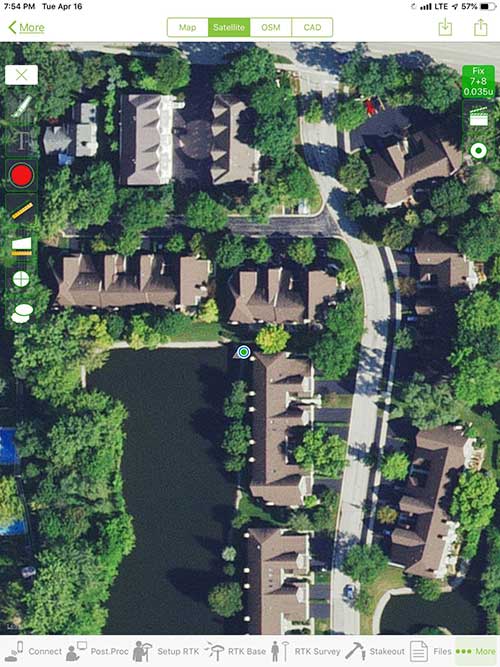
iOS aerial viewer. (Screenshot: Tim Burch)
The 1980s and 1990s brought significant changes to surveying with the advancing technology of electronic computing and measuring. The introduction of robotic total stations, various methods of GNSS, and even leveling took advantage of significant computer power and measuring processes, and the data collector stayed in lockstep with the advancing instrumentation. Almost every equipment manufacturer developed their own proprietary data collector and software system because of the unique design and programming of their systems.
In the 2000s and later, third-party manufacturers began producing data collectors with advanced computing power and the ability to connect to varying brands of equipment. Most of the programming for these collectors are still proprietary in nature to this day.
Also during the 2000s, a new wave in mobile communications was taking place. Cellular phone and data signals were now being used to transmit an abundance of information between users.
The rapid development of handheld communication devices has led to the meteoric rise of two specific mobile operating systems: one by a radical startup that concentrated on dominating the search engine market, and the other by an avant garde computer company looking to expand its unique customer base.
By the end of the decade, the world had been introduced to the Android operating system by Google, and the iOS operating system by Apple. The combined market share for the two operating systems at press time was just under 98 percent of all mobile devices worldwide.
Trending Away from Proprietary Data Collectors
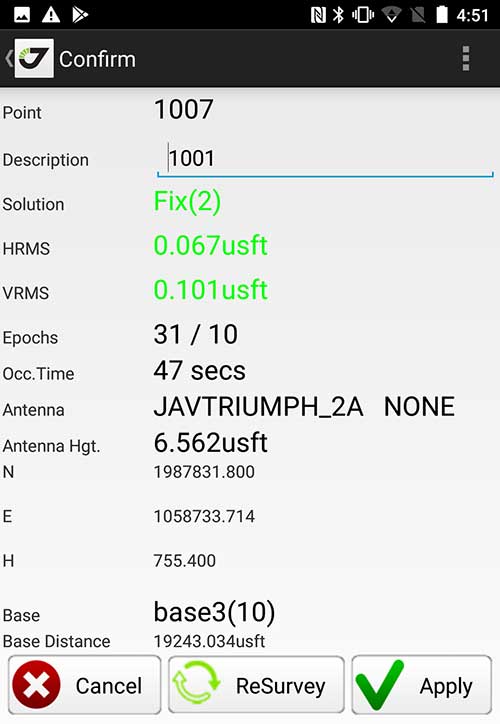
Android Point Info: Confirmation of collected data, including equipment and base station. (Screenshot: Tim Burch)
Because data collection by surveyors and mappers have traditionally been performed on proprietary systems designed and produced by equipment manufacturers for use with only their instruments, these collectors, while very powerful and robust, are costly for the equipment manufacturers to produce because of the limited market of surveyors and mappers.
Many suppliers, before the introduction of the iPhone and Android operating systems, attempted to adapt their data-collection platforms to wider recognized mobile operating systems (for example, Windows CE/Pocket PC/Mobile) on a bevy of mobile devices (HP/iPAQ, Sony Eriksson, HTC) with little success. Various versions of Windows are still being used today by GNSS equipment manufacturers’ proprietary data collectors, including Trimble, Hemisphere GNSS, Topcon and CHC Navigation.
However, the field of operating environments has become more crowded as technology continues to advance. The proliferation of Windows-based data collectors are now on the decline.
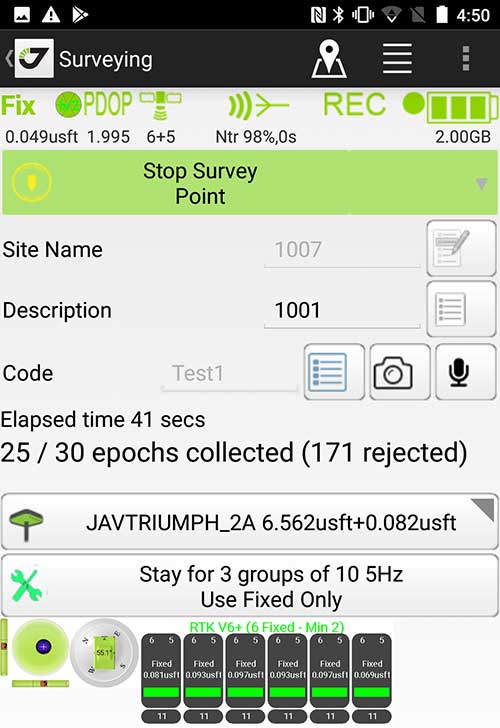
Survey Point: Status of survey data collection and GNSS engine signal reception. (Screenshot: Tim Burch)
Enter Android and iOS. Driving the decline of the previously popular Windows mobile platform is the rapid adoption of the iOS and Android operating systems. These two environments have also led to a substantial number of devices and applications for users.
Part of the reason for the speedy acceptance of the devices and operating systems has been the ease of programming. It is estimated that each operating system has more than two million applications in their respective online stores, with more being introduced daily.
Because of the proliferation of smartphones, nearly everyone is familiar with the look, feel and operation of touchscreen devices and their various applications. This familiarity is driving a new trend in data collection: the concept of “bring your own device” (otherwise known in IT security circles as “BYOD”). BYOD is being introduced by several surveying and mapping equipment manufacturers as an alternative to their proprietary data-collection devices.
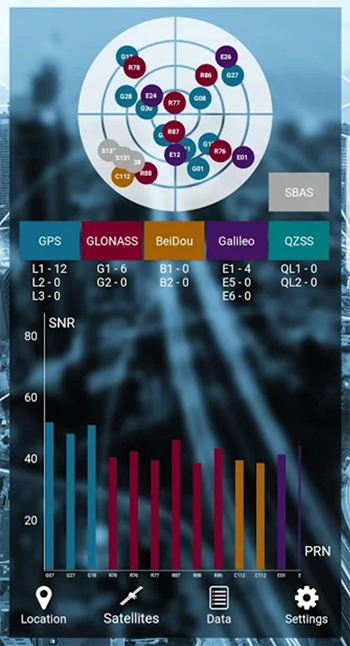
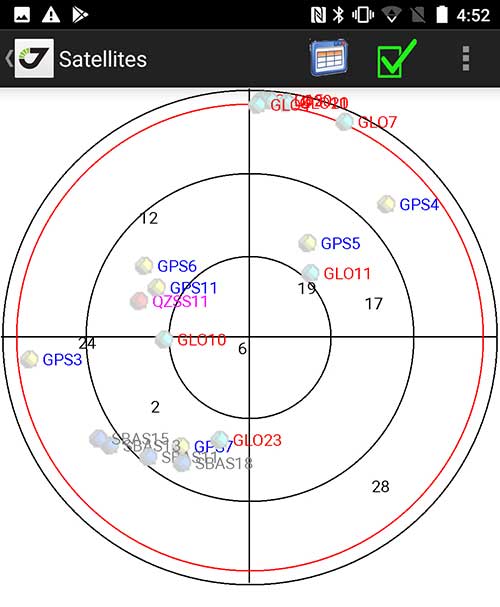
Sky Plot: Where the ‘birds’ are in the sky. (Screenshot: Tim Burch)
These manufacturers are pairing iOS and Android developers with their hardware and firmware specialists to create a user-friendly interface that will function on most of the most popular handheld devices on the market today. From Apple iPhones and iPads to Samsung Galaxy phones and tablets, these applications give the surveyor the best of two worlds — sophisticated data-collection capability on a well-known and reliable mobile operating system platform.
The Android platform is becoming especially popular in the handheld mapping market segment. Current users of this environment include Hemisphere GNSS, CHC Navigation, Tersus GNSS and Trimble.
The iOS applications, while not quite as prevalent as Android, are being embraced by several significant GNSS manufacturers, including JAVAD GNSS and Eos Positioning Systems.
These companies are creating iOS and Android apps that embrace the BYOD market, providing their users with affordability and creating a comfort level simply because of the familiarity of the device and its environment.
How Good Is It?
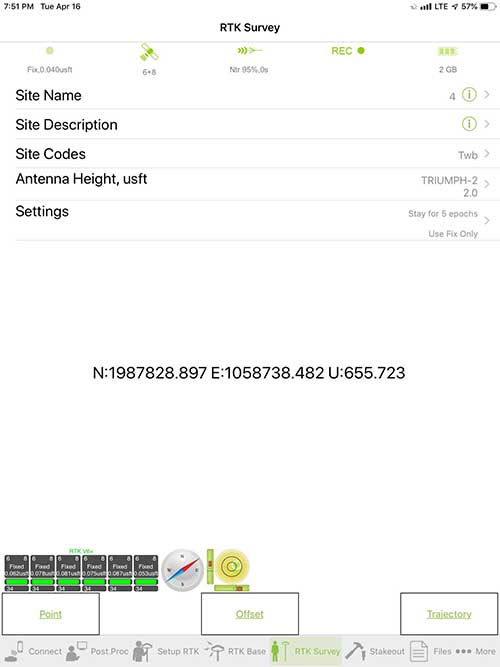
iOS Position. Status of survey data collection and GNSS engine signal reception. (Screenshot: Tim Burch)
For the surveyor to be satisfied with the operation, the collection process must be efficient, cost-effective and easy to use. For this explanation of key items within a well-rounded data-collection application, we are using the JAVAD Mobile Tools (now J-Mobile) application built specifically for the Android and iOS operating systems.
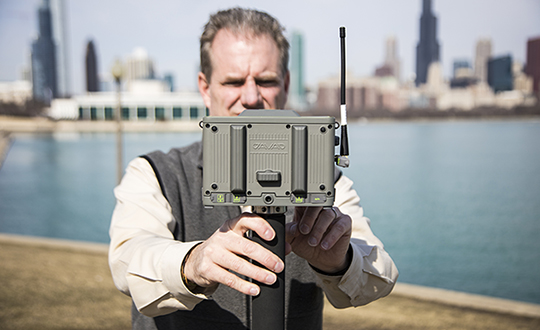
The Android system (Version 7.0) was installed on a rugged CAT S41 cellphone made Bullitt Group from the United Kingdom, while the iOS app was used on the author’s iPad Air 2 running Version 12.2. Both apps were utilized in conjunction with the JAVAD Triumph-2 GNSS receiver.
After putting both versions through trial testing and checking against values on known monuments, here is the results of our findings:
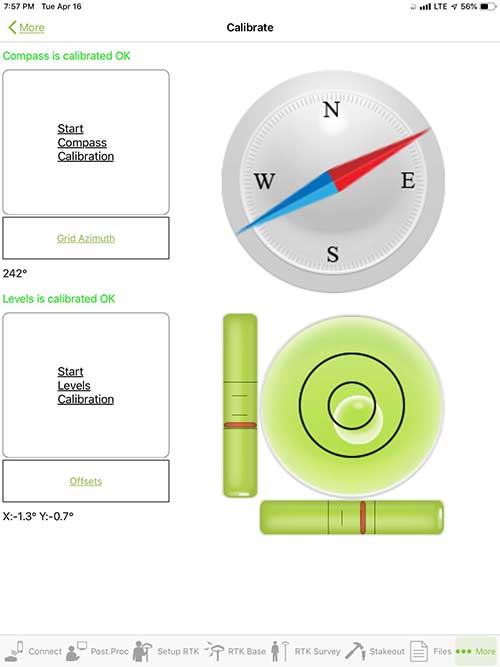
Receiver Setup. Visual reference for leveling and direction of GNSS receiver. (Screenshot: Tim Burch)
Data Organization. Easy to comprehend and flexible for most naming conventions.
Corrections and Sources. Easily connects to base receiver and radio or available NTRIP correction service for real-time network (RTN) capability.
Sky Plot. Because the Triumph-2 is equipped to receive most of the available satellites in service, the Sky Plot feature is beneficial to the user for assessing potential interference.
File Management, Import and Export. Covers the typical file management and transfer functions used by the surveyor.
RTK Survey Operations. Robust telemetry keeps the users informed of specific satellite data and correction status.
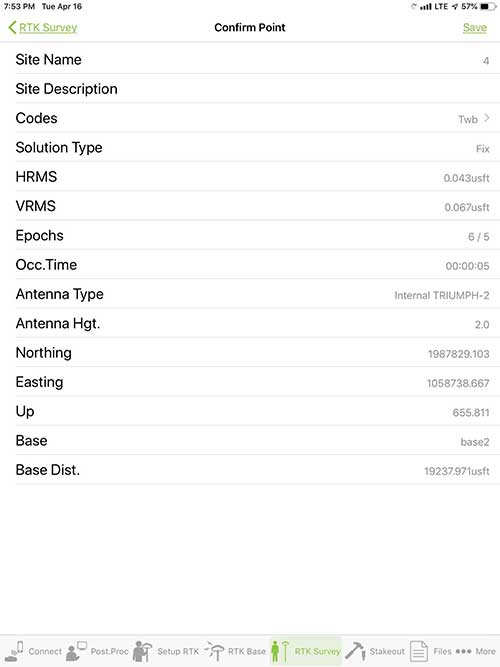
Point Confirmation. Survey point information with metadata and equipment listing. (Screenshot: Tim Burch)
Coordinate Systems. All standard coordinate systems are included with features to allow the user to customize their own systems.
Localization. Creation of a local coordinate system is a simple routine, providing strong quality checks for data integrity.
Lift and Tilt. This feature provides the user with a useful procedure to end data collection without the need to press a button. This feature significantly increases the user’s productivity.
Compass and Level Calibration. With the Triumph-2 having an internal compass and level system, status of the receiver is graphically displayed to help the user keep a close watch on the accuracy of the survey point.
Survey Points and Linework. Most point naming systems and line-coding procedures are easily adapted. Total Station Point Transfer. The creation of control point files for transfer to total stations is simple and easy to use.
Stakeout. Graphical status screens provide the user with simple plotting capability of the desired stakeout point to increase efficiency and accuracy.
These apps are good at providing the surveyor with a solid tool for data collection and staking capability. They are especially good when paired with a real-time kinematic
(RTK) base station or NTRIP correction service.
But what happens when cell service is not readily available, or there are no published monument coordinates to establish site control? These apps have the surveyor covered for that situation as well.
Post-Processing (OPUS and DPOS)
Today’s surveyor works in an environment where geographic-based data is a key component to the services they render to their clients. While most of the world’s developed nations have access to cellular networks in which most GNSS receivers can communicate with an RTN providing corrective solutions, the places where this is not possible relies on other means of data correction.
In the U.S. we rely on OPUS (Online Post-Processing User System) to provide that service. But, as good as it is, it has limitations. Currently, it only utilizes GPS satellite data from the U.S. Department of Defense and is subject to sporadic government shutdowns.
Other services, from both public and private sources, are in place around the world to provide a service similar to OPUS. These include, but are not limited to:
AUSPOS. Geoscience Australia (free)
APPS. Jet Propulsion Laboratory at California Institute of Technology (free)
CSRS-PPP. Natural Resources Canada (free)
GAPS. University of New Brunswick (free)
magicGNSS. GMV (free)
Centerpoint RTX Post Processing. Trimble (free)
JAVAD Data Processing Service (DPOS). JAVAD (free, processes any JAVAD GNSS jps file)
These correction services utilize other satellite constellations (GLONASS, Galileo, BeiDou and QZSS) for their solutions and can provide additional coverage, depending on the location of the user. Because of these services, geographic-based data is at the fingertips of surveyors worldwide.
JAVAD’s DPOS system is has the ability to collect static survey data and send it to the proprietary service for establishing new coordinate values for base-station use. This process is a function of the app and can be completed in a few short steps.
Once the base station values are calculated, the surveyor can make use of this information for establishing a base station for correction broadcasting.
Do You Need a Base Station?
The establishment of RTNs has greatly enhanced surveying capability as cellular service has increased in coverage and speed. However, there are still instances and locales that do not allow for the reliable use of cell signals to provide those corrections accurately.
Various manufacturers’ tests have proven the accuracy of using an RTN subscription versus the traditional GNSS base and rover RTK setup. But cell-signal strength can be an Achilles heel, crippling those who choose not to set up a base station.
The UHF radio, even in its reduced power state from regulatory changes, is still more powerful and reliable than most cell services. 5G technology and coverage is anticipated to revolutionize cellular service, but it has yet to be realized.
Adaptation of the Industry
Other GNSS manufacturers (including NovAtel, Navcom, ComNav, Unicore, Emcore, Suzhou, TeleOrbit and Geneq) are producing receivers that can be adapted to a variety of existing data collectors and connect to iOS/Android mobile devices through various software developers.
The future of communications remains the smartphone or tablet device, with foldable units expected to be the next big thing.
As processors get more powerful, as chip memory becomes more abundant, and as more satellite constellations orbit in our sky, surveyors and their data collectors will continue to evolve. The future remains bright for technology and the surveyor has a front-row seat.
TIM BURCH is GPS World’s contributing editor for Survey. A professional land surveyor with more than 30 years of experience, he is director of surveying at SPACECO Inc. in the Chicago area. For several years he has been secretary and was recently named vice-president of the Board of Directors of the National Society of Professional Surveyors. He writes a bi-monthly column in the Survey Scene e-newsletter. Subscribe free at env-gpsworld-integration.kinsta.cloud/subscribe.
Receiver, Software Ready for Mobile
Photo: ComNav
ComNav receivers offer multiple data-collection device choices via Bluetooth connection, as well as an Android app.
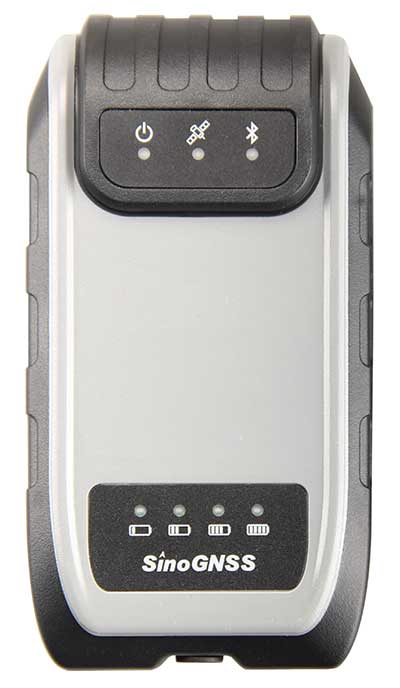
For instance, the G200 provides centimeter-accuracy positioning to any connected mobile devices for RTK field surveying. It is able to delivery robust survey workflows with the SinoGNSS Android-based Survey Master, so that surveyors can collect quality high-accuracy positions no matter what mobile device they are using.
The G200 is a rugged, compact, wearable GNSS receiver. Combined with the high-performance SinoGNSS OEM board tracking GPS L1/L2, BeiDou B1/B2, GLONASS L1/L2, Galileo and QZSS, the G200 enables reliable high-precision GNSS performance for land survey tasks anywhere in the world.
TerraStar Gives Assist to RTK
Photo: Leica Geosystems
NovAtel offers several levels of corrections via its TerraStar service. For surveying applications, the RTK Assist service provides correction data to bridge surveyors through any real-time kinematic (RTK) correction outages. TerraStar services work on NovAtel’s OEM6 and OEM7 receivers..
RTK Assist, available on OEM6/OEM7 receivers, provides 20 minutes of RTK assistance, enabling surveyors to maintain centimeter-level accuracy. A higher service level, RTK Assist Pro, is available on OEM7 receivers. It provides unlimited RTK assistance with stand-alone centimeter-level positioning when RTK is not available.
Trimble Offers Web-Based Post-Processing
Photo: Trimble
Trimble’s CenterPoint RTX Post-Processing Service is a free, web-based solution that provides rigorous processing of GNSS data for users around the globe.
Powered by advanced algorithms for processing static observations, CenterPoint RTX Post-Processing supports data including GPS, GLONASS, Galileo, BeiDou and QZSS. With the service, users can upload GNSS data using Trimble formats or industry-standard RINEX 2 and RINEX 3. The service supports all dual-frequency GNSS receivers and more than 400 different antennas.
The post-processing service computes single-station static observation sessions ranging in length from 10 minutes up to 24 hours, with longer observation sessions recommended to produce the highest accuracy. Using data from the global RTX tracking network, the CenterPoint RTX Post-Processing service computes the position of the observed point with centimeter accuracy.
Results are delivered via email in ITRF coordinates at the current epoch and can be transformed to a fixed epoch by use of a standard tectonic-plate model.
Atlas Corrections Ready for BYOD
The Atlas GNSS global correction service, offered by Hemisphere GNSS, provides correction data for GPS, GLONASS, BeiDou and Galileo constellations. Its global L-band corrections allow for accuracies ranging from sub-meter to sub-decimeter levels. The network has more than 200 reference stations worldwide and covers virtually the entire globe.
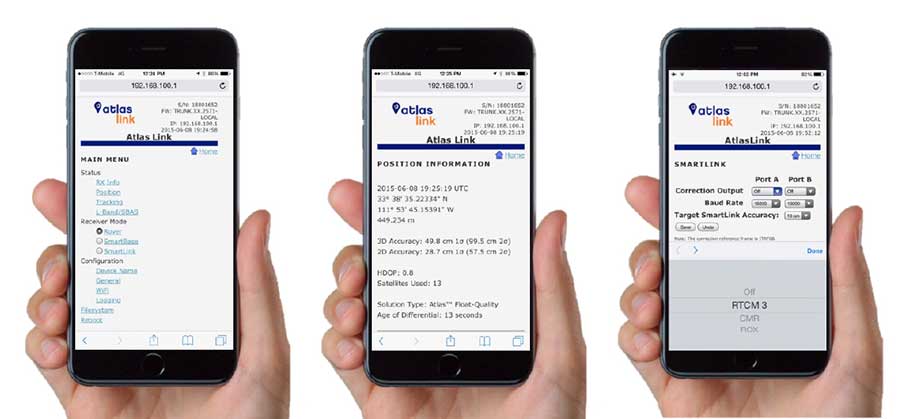
Examples of how the AtlasLink webUI looks on a smartphone. (Image: Hemisphere GNSS)
The Atlas platform was conceived to enable as many people as possible to have access to the correction service technology, either as an end-user or as part of their business. Several features are designed to enable customers who use non-Hemisphere positioning systems to have access to Atlas.
For instance, Hemisphere’s SmartLink technology allows an AtlasLink GNSS smart antenna to be used as an Atlas signal extension for any GNSS system compliant with open communication standards.
Hemisphere’s GNSS smart antennas including AtlasLink, A326, C321+ and S321+ offer a user-friendly web user interface (WebUI) that can be used to configure, monitor and manage the receiver from virtually any modern computing device, including computers, phones and tablets.
Boundless Anywhere is a new mobile application for enterprises needing to collect and distribute location information from handheld devices and tablets, available for iOS or Android.
With Boundless Anywhere, organizations can collect data in the field and store it instantly in a database. Collected data can then be visualized on clients such as desktop GIS, web and mobile. With real-time access to location-based data, the entire organization can now accomplish work faster and more efficiently.
“Mobility is at the heart of today’s technology, and the rapid proliferation of smartphones and tablets in recent years has had a profound impact on the GIS industry,” said Anthony Calamito, chief geospatial officer at Boundless. “The ability to access all kinds of data — including location data — from the palm of our hands at any given time or place has become essential. With this extended offering, Boundless offers mobile capabilities that empower users to do more while on the move.”
With Boundless Anywhere, users of the Boundless enterprise GIS platform can collect geospatial data wherever they are and use maps to engage a community, validate data, make observations, report, respond and communicate in real-time. The new solution simplifies field collection workflows and improves the accuracy of geospatial data, saving time and money.
Users are able to capture new data and edit or delete existing data with or without an internet connection, and can sync instantly once they are back online. Updates and edits are instantly available on Boundless Exchange, where the entire team can analyze and share findings with the rest of the organization.
Key advantages:
Collaborate in real-time to make faster decisions. View mobile edits instantly on the web, making it easy to pull data into your GIS for mapping, analysis, and reporting.
Ground-truth data to improve accuracy. Take expensive transcription errors out of the equation. Mobile workflows modernize field collection away from clipboards and cameras, ensuring data collected on-location is current and accurate.
Empower responders to collect, even when offline. A good network connection is never guaranteed in the field – the Boundless Anywhere solution lets you edit GIS data in even the most remote areas and sync it when you’re back online.
GIS apps don’t have to be cumbersome. Collect GIS data and photos in a straightforward interface that’s easy to use and can turn your entire team into data collectors.
Boundless solutions are built on open GIS technology and APIs that generate actionable location intelligence across third-party apps, content services and plugins for enterprise applications.
Avenza Maps 3.4 for iOS and Android is now available. It contains new features and performance improvements, including the ability to add and manage new symbols to aid users in customizing their Avenza Maps experience with a built-in collection of U.S. National Park Service recreational symbols.
Release highlights include enhanced support for point symbology. Also, users can package their own PNG symbols as (KMZ) files, import and use them in the app.
Add and manage symbols. Avenza Maps Pro users can import and manage readily available collections of industry specific sets of symbols. such as the EMSINA Australasian All Hazards Symbology Set and the U.S. National Wildfire Coordinating Group GIS Standard Operating Procedures (GSTOP) Incidents Point Symbols. These symbol sets can be downloaded directly from the Avenza Support Centre.
Add placemark workflow improvements. Improved add placemark workflow and screen to accommodate symbol selection and make it easier to add photos. The Add Placemark screen now appears every time the Add Placemark icon is tapped from the map view screen.
This allows the user to conveniently change the symbol (or use the default one) as well as add any necessary information such as photos or collect data in a schema. Several of the most recently used symbols are listed for quick selection. A default symbol can still be set for the layer so one symbol can always be chosen.
Advanced GPS navigation app Sygic has released its new augmented reality (AR) feature. More than 200 million Sygic users worldwide can engage with AR for an improved navigation experience on the road.
Sygic’s new AR feature uses a smartphone’s GPS and camera to implement its augmented reality-powered GPS navigation system. With the AR feature, the driver no longer needs to follow a map on their phone. Instead, they’re guided by a virtual path on the smartphone camera preview.
The AR feature is not only intuitive, but is also safer than traditional navigation apps. Drivers can rest assured they won’t miss anything crucial on roads or highways, as the real-time camera preview enables them to check conditions on the screen without impacting driving safety.
“We are so pleased to make Sygic’s AR feature available to users around the world. We understand the value of bringing the latest technology features into Sygic GPS Navigation, and to bringing smart life to your device,” said Michal Stencl, CEO of Sygic. “However, our new AR capability isn’t just a shiny new tool. Whether you’re in the car with your loved-ones, friends or by yourself, the AR featured is designed promote the highest form of road safety.”
The AR feature called Real View Navigation is available for all Android and iOS users as in app purchase for 9,99 EUR.
Sygic posted a video clip of the new feature on its Twitter account.
According to a 2015 Pew Research Center study, 67 percent of smartphone users surveyed said they occasionally use their phones for turn-by-turn navigation while driving. Even more, 31 percent said they frequently use navigation apps.
Sygic was described as one of the world’s most successful apps by the BBC.
“Sygic’s philosophy is to explore the boundaries of navigation, and we look forward to bringing more revolutionary tools and features to users later in 2017,” Stencl said.
The profession of land surveying has taken advantage of many technological location and measuring advancements, yet most of the data collectors used today are still based upon aging proprietary data collectors and even older operating system platforms.
A common tool for most surveyors is the smartphone or tablet, so TerraGo developed an application that takes advantage of the nimble programming of iOS and Android.
The TerraGo Edge 4 mapping application utilizes all the best features of today’s mobile technology, according to TerraGo. Besides an intuitive interface, Edge 4 allows users to customize how their data is collected and presented, including overlays on Google and Apple maps.
Depending on the user’s needs, Edge 4 can use the device’s Bluetooth connection to an external GNSS receiver for greater accuracy.
Sharing is also easy with publishing and ArcGIS exporting plug-ins, all in a mobile environment most users are familiar with using every day, the company said.
GPS and GIS features include:
Sub-meter and centimeter precision
Real-time GPS monitor
Full NMEA GPS metadata display and capture
GPS accuracy settings
RTK support
Dynamic BT device list
Auto-record GPS Lines and Polygons
Import and export Esri file geodatabase, Shapefile, KML, CSV, JSON
TerraGo Edge version 4.0 offers a completely redesigned app based on customer feedback, field user observations and task-centered design cycles, as well as a host of new features including the addition of Google and Apple basemaps.
“The new interface is so much more than just a ‘look and feel’ change; it will allow us to more efficiently execute projects and improve data quality in less taps and less time, which is a force multiplier when you’re talking about thousands of data points per day,” said Scott Riccardella, director of oil and gas business development at Structural Integrity Associates. “Having the right tool is essential to getting any job done right, and TerraGo is ahead of the game when it comes to giving my field teams the best possible tool for the fastest, most accurate and highest-quality asset inspections.”
“We have completely rebuilt the mobile user interface from the ground up to improve all aspects of the app’s performance, and while users will notice the stunning graphics and aesthetics, the real value is that the feature or data you need is always just one tap away,” said Dave Basil, vice president of product development at TerraGo. “By incorporating the latest native design elements like tabbed navigation, responsive split screens and adaptive list views, we found ways to improve the speed and efficiency of the work our customers do every day.”
TerraGo Edge’s latest features include:
Reimagined user experience: Rebuild of the Edge mobile user interface incorporating both years of user feedback from the field and interactive design cycles with live users.
Google and Apple maps: Standard, satellite and hybrid maps are available for data collection and are paired with new precise location pin icons for a cutting edge data collection experience.
Tabbed app navigation: With the new, easier to reach tabbed navigation, it’s easier to collect data in the field.
Quick capture button: Allows users to create notes, complete forms, take photos, drop points and draw lines/polygons from virtually anywhere in the app, with only one tap.
Unlimited attachments: Now users can attach as many forms, photos or videos as you would like to a single note.
Responsive split screen view: When holding a tablet or larger mobile device in landscape mode, new split screens will automatically allow userse to view lists/maps or lists/details on one screen.
Detailed list view: The new detailed list view shows more of the important note data making it easier to find notes, and enables one-tap actions directly from the list.
One-tap forms and maps lists: Now users can view all the form templates, and instantly create notes using them, or view all your offline maps and directly access them, from one master list.
Precise location: Users can capture a more accurate location when creating notes by using the center crosshair target and coordinate level accuracy for dropping points and drawing lines/polygons.
Filter by map extent: This new feature keeps the notes on a map and in a list dynamically in sync.
Quick basemap preview: Preview online and offline basemaps in real-time from the selection screen to choose a map with one tap and no toggling back and forth.
Arc2Edge plug-in: ArcGIS Desktop users can directly share maps and features with mobile users, allowing them to roundtrip updates and new features from the field back to ArcGIS.
TerraGo Magic, a custom app designed for both iOS and Android platforms, simplifies the process of designing a custom application for specific clients and needs.
With TerraGo Magic — now available in version 2.0 — an organization’s end users can rapidly build cloud-enabled iOS, Android and web apps, customized with their unique branding, workflow and features, without the expense of mobile software development, maintenance and operations.
Surveying firms can install the tool in their mobile devicew to enable the specific collection and sharing of important data that can vary as needed. This data can overlay Google and Apple Maps and allow attachments of images and video. Overall, the app avoids the time-consuming coding process, and could significantly improve work flow for many firms.
Distribution for the customized app is through the App Store for iOS and Play Store for Android.
“TerraGo Magic means we can assemble different apps with exactly the features the customer needs at the click of a button,” said Ben Chadbourne, project coordinator at Ameresco. “With the latest version, our end users have even more flexibility and visibility into the app they’re building. Not only can they turn features on and off, but they can preview the app instantly from the app studio, allowing them to publish a custom-built app without having developers build it from scratch.”
“TerraGo Magic is really about flipping the script on the app development backlog by enabling end users to assemble apps with proven features, exposed as configuration options in an easy-to-use interface,” said Dave Basil, vice president of product development at TerraGo. “It’s the power of the ‘write once, reuse many’ adage, but instead of limiting the user base to professional developers, we’ve extended it to enable masses of end users to build their own apps, creating a productivity play for the entire enterprise.”
TerraGo Magic features are operationally proven from a global customer base and field-tested across numerous industries for all types of workflows including data collection, mapping, asset management, inspection, survey, remote workforce management, dispatch, customer service, mobile forms, field reporting, advanced GIS, high-precision GPS and other field operations.
Register now for a GPS World webinar on May 25 to learn more and see a live demonstration of how TerraGo Magic can build a custom enterprise app from start to finish in minutes.


 TerraGo Magic