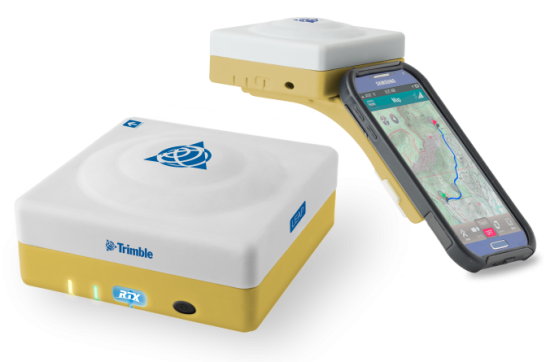
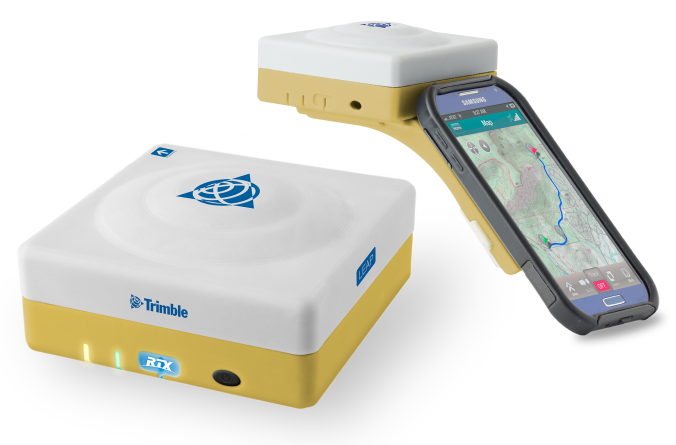
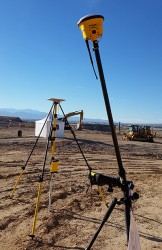
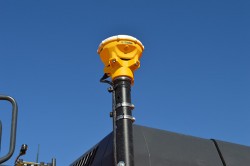
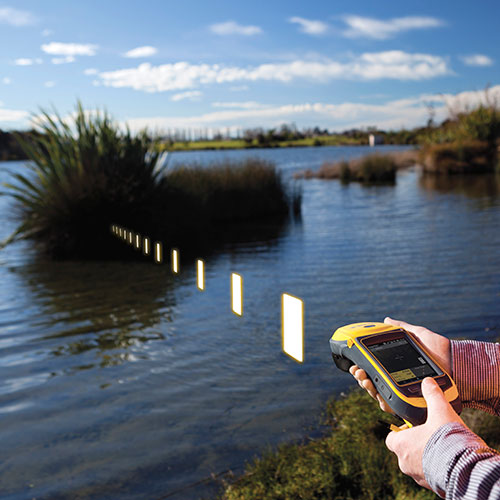
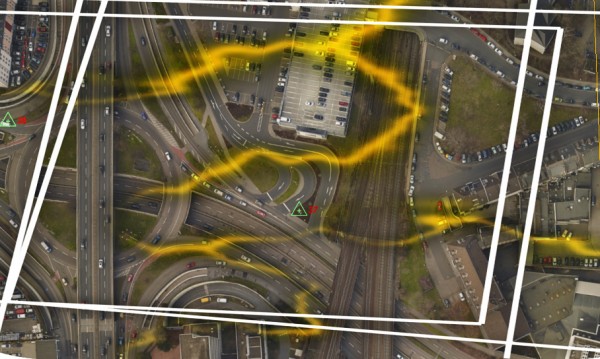
The Trimble Leap, also shown with a smartphone. Photo: Trimble
Trimble is making available the Trimble Leap, a Trimble RTX compatible GNSS Bluetooth device. When enabled with the ViewPoint RTX correction service, Leap delivers submeter accuracy directly to the Terrain Navigator Pro (TNP) Mobile app for iOS and Android devices. The TNP Mobile app allows users to collect markers, tracks and geo-stamped photos in the field, and then sync all the GNSS data into the Terrain Navigator Pro office software.
The TNP Mobile app enables users to:
Display and navigate routes created in TNP desktop.
Collect field data such as markers, tracks, photos, videos and audio clips.
Near real-time sync between phone and TNP map software via WiFi or cellular data connection.
View data on topo, aerial, and street maps downloaded to phone for offline use. Terrain Navigator Pro offers 1-meter aerial photos for the 48 contiguous United States. The seamless USGS topo graphic maps are based off 1:24K, 1:100K, 1:250K map scales. Alaska is 1:63K and 1:250K.
Access a compass and other geo-information such as lat/long, elevation, and direction on phone.
Collect data offline. The TNP mobile app uses the GPS built into the smartphones, so users can collect field data in areas without a cellular or data signal.
Trimble Leap is compact and portable, weighing 9.5 ounces. It snaps to a smartphone or tablet to use as a handheld, can be mounted on a monopole or tripod, or can be magnet mounted to a vehicle. Leap has 16 hours of battery life and uses Bluetooth communication to connect to smart devices for ease of use and flexibility. An onboard micro SD card stores the GNSS observables data for use in the field or the office.
A micro USB port can provide power to Trimble Leap for continuous fixed-mount applications, or it can be used with battery-booster products to extend field work. Trimble Leap is charged by a standard cell phone vehicle accessory charger, a USB connection to a PC, or from a USB AC adapter.
Based on Trimble RTX (Real Time eXtended) technology, ViewPoint RTX delivers better than 1 meter horizontal accuracy 95 percent of the time without the use of a traditional RTK base station or virtual reference station network. ViewPoint RTX is delivered into the TNP Mobile app via cellular data network and is available nearly anywhere in the world.
“Trimble Leap enhances the Terrain Navigator Pro solution by adding a simple way to collect submeter accurate geolocation data with standard Android or iOS devices. Adding accuracy to TNP’s robust field-to-office data collection solution provides a value-add where low-resolution collection is not sufficient. Trimble Leap with TNP Mobile is configured and operational in minutes with little training,” said Larry Fox, business area manager for Terrain Navigator Pro.
Terrain Navigator Pro integrates powerful desktop mapping software, a cloud connected mobile data collection platform (compatible with GPS-enabled iOS and Android devices) and a robust Web portal. TNP users can plan projects in the office, collect data in the field and access projects from the Web—simultaneously. Geo-referenced data such as tracks, waypoints, photographs and video can be shared, updated in near real-time and displayed on the included topographic, aerial/satellite or street base maps.
Trimble is making available the Trimble Leap, a Trimble RTX compatible GNSS Bluetooth device. When enabled with the ViewPoint RTX correction service, Leap delivers submeter accuracy directly to the Terrain Navigator Pro (TNP) Mobile app for iOS and Android devices. The TNP Mobile app allows users to collect markers, tracks and geo-stamped photos in the field, and then sync all the GNSS data into the Terrain Navigator Pro office software.
The TNP Mobile app enables users to:
Display and navigate routes created in TNP desktop.
Collect field data such as markers, tracks, photos, videos and audio clips.
Near real-time sync between phone and TNP map software via WiFi or cellular data connection.
View data on topo, aerial, and street maps downloaded to phone for offline use. Terrain Navigator Pro offers 1-meter aerial photos for the 48 contiguous United States. The seamless USGS topo graphic maps are based off 1:24K, 1:100K, 1:250K map scales. Alaska is 1:63K and 1:250K.
Access a compass and other geo-information such as lat/long, elevation, and direction on phone.
Collect data offline. The TNP mobile app uses the GPS built into the smartphones, so users can collect field data in areas without a cellular or data signal.
Trimble Leap is compact and portable, weighing 9.5 ounces. It snaps to a smartphone or tablet to use as a handheld, can be mounted on a monopole or tripod, or can be magnet mounted to a vehicle. Leap has 16 hours of battery life and uses Bluetooth communication to connect to smart devices for ease of use and flexibility. An onboard micro SD card stores the GNSS observables data for use in the field or the office.
A micro USB port can provide power to Trimble Leap for continuous fixed-mount applications, or it can be used with battery-booster products to extend field work. Trimble Leap is charged by a standard cell phone vehicle accessory charger, a USB connection to a PC, or from a USB AC adapter.
Based on Trimble RTX (Real Time eXtended) technology, ViewPoint RTX delivers better than 1 meter horizontal accuracy 95 percent of the time without the use of a traditional RTK base station or virtual reference station network. ViewPoint RTX is delivered into the TNP Mobile app via cellular data network and is available nearly anywhere in the world.
“Trimble Leap enhances the Terrain Navigator Pro solution by adding a simple way to collect submeter accurate geolocation data with standard Android or iOS devices. Adding accuracy to TNP’s robust field-to-office data collection solution provides a value-add where low-resolution collection is not sufficient. Trimble Leap with TNP Mobile is configured and operational in minutes with little training,” said Larry Fox, business area manager for Terrain Navigator Pro.
Terrain Navigator Pro integrates powerful desktop mapping software, a cloud connected mobile data collection platform (compatible with GPS-enabled iOS and Android devices) and a robust Web portal. TNP users can plan projects in the office, collect data in the field and access projects from the Web—simultaneously. Geo-referenced data such as tracks, waypoints, photographs and video can be shared, updated in near real-time and displayed on the included topographic, aerial/satellite or street base maps.
The 2014 Trimble Dimensions User Conference is being held in Las Vegas this week. Photo: Trimble
With more than 4,000 attendees, this year’s Trimble Dimensions User Conference was the largest ever and, I must say, a well-organized event chock full of technical content — enough to squelch the most intense geospatial hunger pangs you might have.
One could write a book on all the technology and market segments that Trimble is pursuing and offering solutions for. In addition to a wide range of GNSS, geospatial, construction, control, and data management systems previously offered, Trimble boasted a USB stick full of press releases with new product and service announced at Dimensions. So, the challenge is deciding what to write about without writing a little bit about everything.
After my first day at Dimensions, it became clear to me what I needed to do. Among the many product and service announcements was a new GNSS correction service named Viewpoint RTX. While I’ve tried to stay up to speed on Trimble’s various GNSS real-time correction services, this one was the straw that broke the camel’s back for me. I decided I needed to get a solid grip on the range of real-time GNSS correction services that Trimble offers because the picture was getting fuzzier, at least to me, with each new real-time correction service introduced. It used to be pretty simple to decipher; not so much any longer. So I had a conversation with Patty Boothe, general manager of Positioning Services at Trimble. Patty, a 15-year Trimble veteran, was appointed GM of the newly formed group three years ago. Here’s the low-down on the services.
Remember, Trimble acquired the land portion of OmniSTAR’s business a few years ago. For years, OmniSTAR has been one of the two dominant commercial satellite-based, real-time GNSS correction services (the other being John Deere’s Starfire service, as well as new entrant Terrastar). The OmniSTAR acquisition was Trimble’s entry into the satellite-based, real-time GNSS correction services business. Since then, Trimble has introduced the RTX (not to be confused with RTK) range of GNSS correction services. You might say that OmniSTAR and RTX are competitive services within Trimble. They are, to a certain extent, and I’ll attempt to clarify that below.
Following is a list of Trimble’s real-time GNSS correction services, starting with the OmniSTAR services:
OmniSTAR VBS: Satellite-based, real-time submeter service. The VBS service has been made obsolete largely by free public satellite-based augmentation systems (SBAS) such as WAAS/EGNOS/MSAS/GAGAN/SDCM. It is still used in geographic regions where free public SBAS don’t exist, primarily South America, Central and Southern Africa, and Australia. GPS-only service. Requires single-frequency receiver (L1).
OmniSTAR XP: Satellite-based, real-time 15-cm service based on Jet Propulsion Lab (JPL) technology and delivered to users on the ground via OmniSTAR’s geosynchronous satellite network. GPS-only service. Requires dual frequency (L1 and L2).
OmniSTAR HP: Satellite-based, real-time 10-cm service based on OmniSTAR’s reference station network and delivered to users on the ground via OmniSTAR’s geosynchronous satellite network. GPS-only service. Requires dual frequency (L1 and L2).
OmniSTAR G2: Satellite-based, real-time 10-cm service based on Jet Propulsion Lab (JPL) technology and delivered to users on the ground via OmniSTAR’s geosynchronous satellite network. GPS+GLONASS service. Requires dual frequency, dual constellation (L1 and L2).
To use OmniSTAR services, one must have an OmniSTAR-enabled GNSS receiver. There are a several receiver manufacturers that support OmniSTAR GNSS correction services, such as NovAtel and Hemisphere GNSS, in addition to Trimble.
After, or at nearly the same time, Trimble acquired OmniSTAR, the company launched its RTX GNSS correction service. RTX’s infrastructure consists of ~110 GNSS reference stations around the world working to create high-precision corrections on a near global scale. The first significant differentiator is that Trimble RTX services are only offered on Trimble GNSS receivers, so you’ve got to be “all in” with Trimble to utilize RTX.
Viewpoint RTX: Internet-based (notice I didn’t write satellite-based), real-time submeter service. This is a new service introduced this week at Dimensions for the new Leap GNSS receiver and the Geo7 GNSS handheld. GPS+GLONASS service. Requires single-frequency receiver (L1).
The above are the three RTX services. There are some options for the above, but let’s talk about satellite-based GNSS correction services for a minute.
The advantage of satellite correction services is that, because GNSS corrections are delivered via satellite, your receiver doesn’t need to be connected to the Internet or have any other sort of terrestrial radio communications to receive data from the GNSS reference station(s). Because delivery is by satellite, you could be in the middle of a desert with no mobile phone coverage within 100 km, and you could still use OmniSTAR or RTX services. The only requirement is that your receiver needs to have direct, continuous line-of-sight to the OmniSTAR/RTX geosynchronous satellite (both services use the same geosynchronous satellites to broadcast the corrections).
The primary disadvantage of OmniStar and RTX services is the “convergence” time required to achieve the stated accuracy service levels. With the exception of OmniSTAR VBS (sub-meter), Viewpoint RTX (sub-meter) and Rangepoint RTX (50-cm) services, the OmniSTAR and RTX centimeter and decimeter services require tens of minutes of initialization time to converge to the stated accuracy. For example, if you want to use the 4-cm Centerpoint RTX service, you may have wait up to 30 minutes for it to converge to 4-cm accuracy.
Now, there are a couple of ways to reduce the convergence time:
Start on a known point. For example, if you’re using Centerpoint RTX on a tractor for planting and you shut down for the evening, you can start it up the next morning (assuming you didn’t move the tractor), and it will converge nearly immediately.
Trimble offers a fast convergence option ($) in some geographic areas where it augments RTX with local RTK reference stations. Currently, Trimble offers this service in five U.S. “corn belt” states.
For OmniStar XP, HP and G2 services, the only way to reduce convergence time is number one above, start on a known point.
It’s important to note that all of the centimeter and decimenter satellite-based services described above are based on real-time Precise Point Positioning (PPP) technology, which is different than RTK technology. The fundamental difference is that real-time PPP technology relies on a global, distributed network of reference stations. For example, Trimble has ~110 reference stations to cover the globe (mostly) with its RTX service. On the other hand, RTK requires a much more dense network of GNSS reference stations. For example, in Washington State there are ~100 GNSS reference stations that comprise the state-wide RTK network.
Lastly, Trimble offers a hybird RTK/RTX service called XFill. The idea is that for RTK users who lose communications to their RTK base or RTK network can use the Centerpoint RTX as a “seamless” back-up, maintaining RTK-level accuracy (1-2cm) for the first five minutes of RTX service, and then degrading to Centerpoint RTX accuracy after 20 minutes. Trimble reports there is no convergence time when transitioning from RTK to RTX, like you would if you were starting RTX right away. Standard XFill is included with certain Trimble RTK receivers and allows up to five minutes of RTX satellite time. Last month at the INTERGEO conference, Trimble introduced Expanded XFill which is a subscription service for those users who want more than five minutes of RTX time. For those users, Patty said that users can buy blocks of RTX time starting at 10 hours.
So, you might ask how Trimble handles the horizontal datum differences between RTK and RTX since they are likely not referenced to the same horizontal datum. For example, in the US, Trimble VRS RTK infrastructure is typically referenced to NAD83/2011 while Trimble RTX is referenced to ITRF08. There’s about 1 meter difference between the two. After finding the correct Trimble person, he said that Trimble does a 3-parameter local shift (dX, dY, dZ) on the fly when in RTK mode so that when there’s a transition from RTK to RTX, the horizontal datum difference is already resolved.
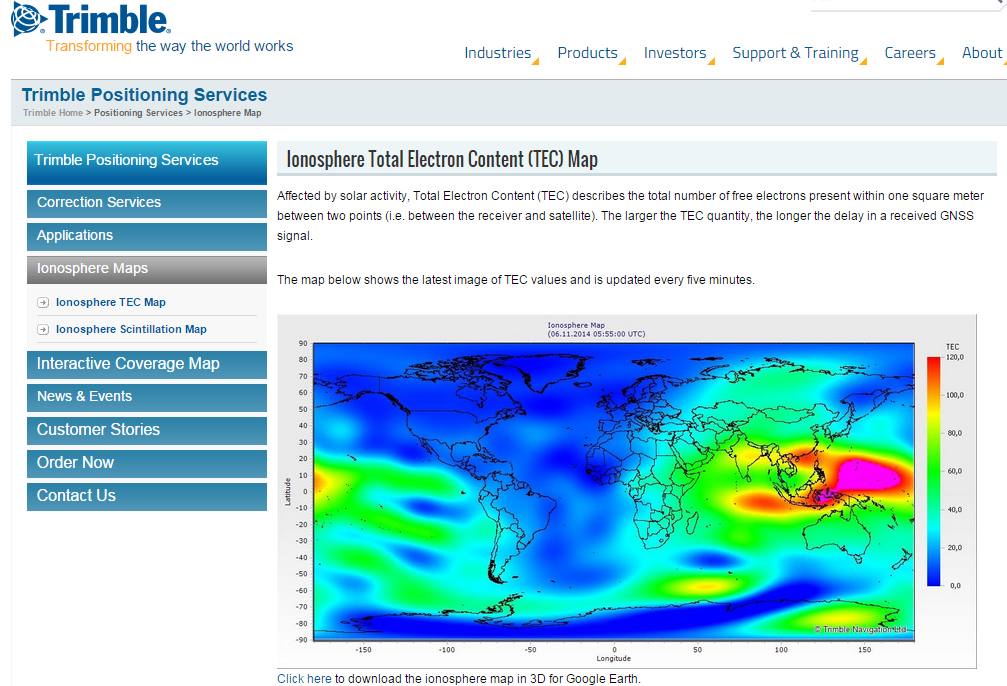
A by-product of Trimble’s ~110 global GNSS reference station network is a real-time, world-wide TEC (Total Electron Content) map. Since real-time PPP GNSS correction services (and public SBAS like WAAS/EGNOS/MSAS/GAGAN) rely on accurate models of the TEC in the ionosphere to account for the GNSS measurement delay, real-time TEC maps give users an indication of how the ionosphere’s TEC is behaving. This sort of map is particularly useful in attempting to predict the understand single frequency receivers using services such as public SBAS, OmniStar VBS, and Viewpoint RTX. The next time you here about an impending solar storm, take a look a the map using this link and see the TEC hotspots around the globe. Notice the more intense activity near the geomagnetic equator.
TEC map from Trimble’s ~110 global GNSS receivers. Photo: Trimble
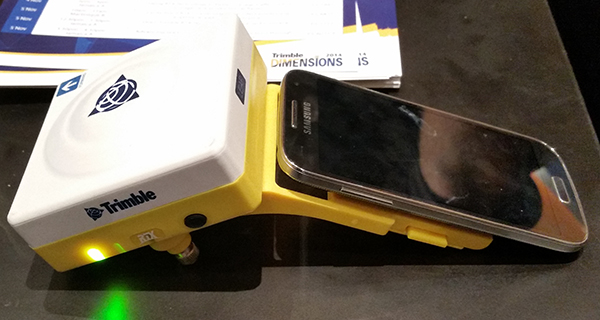
Shifting gears slightly, at the conference, Trimble also introduced a new mobile phone GNSS add-in product called Leap, which uses the Viewpoint RTX service.
Trimble Leap GNSS Receiver with a Samsung Galaxy Phone. Photo: Trimble
Trimble has introduced the latest version of its smart water infrastructure mapping and work management cloud software — Trimble Connect for Water version 1.9.
The latest release of the geographic information system (GIS) centric software-as-a-service (SaaS) adds real-time, high-accuracy centimeter-level horizontal and vertical GNSS accuracy for capturing 3D asset positions. The new release includes a suite of applications that allow water, wastewater and stormwater utilities to accurately locate, inventory and visualize their infrastructure assets and increase operations and maintenance efficiency.
Trimble Connect for Water cloud software leverages Trimble’s GNSS rugged mobile devices and Esri’s GIS technologies to accurately map, locate and assess the condition of critical infrastructure assets, allowing utilities to keep their field infrastructure data up-to-date and accurate.
The new release now supports Trimble’s Geo 7 Centimeter Edition rugged handheld, integrating 3D mapping into utility field workflows and enabling mobile workers to precisely locate and map the horizontal position and elevation of buried infrastructure.
Trimble Connect for Water version 1.9 can be configured and deployed quickly on a variety of Trimble and non-Trimble mobile devices, laptops, tablets and smartphones, including Apple iPads, iPhones, Android, Windows and Windows Mobile devices to automate fieldwork and eliminate paper-based maps.
Trimble Connect uses the latest Esri ArcGIS for Server, Mobile and ArcGIS Online basemap services. The software is designed to automate a variety of specific water, wastewater and stormwater industry workflows through individual pre-configured “apps” offered within the product and as part of a subscription.
The new version provides standard core apps including Map Book, Manhole Inspector, Leak Repair, Hydrant Inspector, Valve Inspector, Meter Changeout, Incident Repair, Water Mapper, Wastewater Mapper and Stormwater Mapper. In addition, an optional partner app developed for American Flow Control (AFC) hydrant and valve data collection, “AFC Mapper,” can be purchased from AFC and their distributors for use with Trimble rugged handhelds.
Trimble Connect for Water version 1.9:
Offers centimeter-level real-time GNSS accuracy to improve the quality and accuracy of the utility’s GIS data to precisely locate hard to find assets.
Allows capturing accurate vertical elevations in real-time. Combined with horizontal precision, the solution provides high-accuracy GIS data that can be used to measure pipeline slopes, perform flow analysis and generate 3D and hydraulic models.
Supports the Trimble Geo 7 Centimeter edition with an integrated laser rangefinder.
Offers pre-configured Water, Wastewater and Stormwater mapping apps, allowing utilities to quickly start mapping network infrastructure and updating their asset data.
Provides the capability to export data in a variety of formats including Esri File Geodatabase, Shapefiles and MS Excel, which allows users to update the utility’s enterprise GIS or visualize and analyze the collected data using third-party systems.
Trimble Connect for Water version 1.9 is expected to be available in December 2014 from Trimble’s Water Division and its authorized distribution partners.
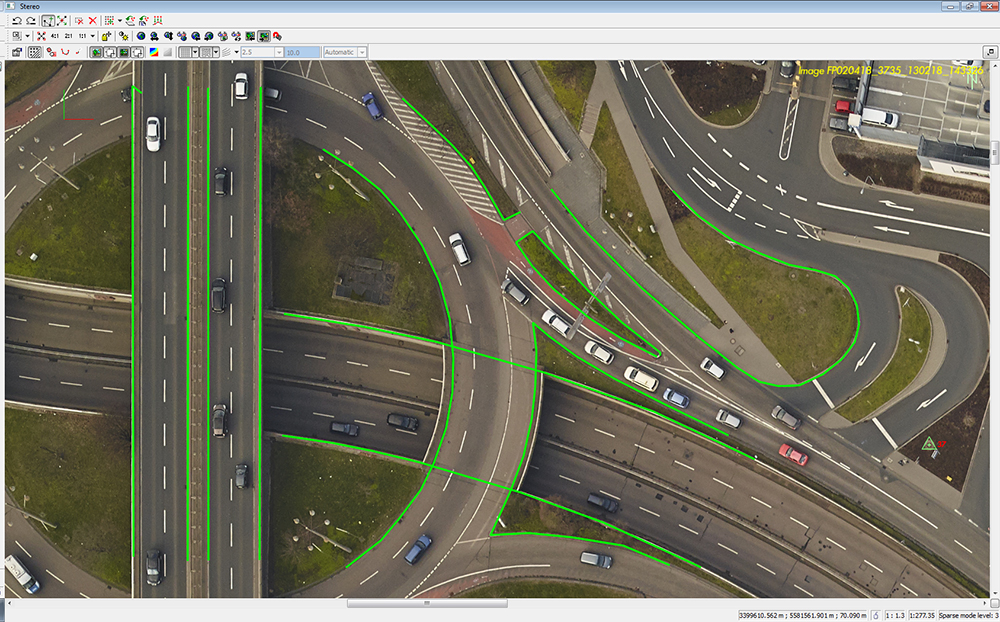
Trimble has added enhancements to its Trimble Access Aerial Imaging 2.0 application to make it more robust, intuitive and easier to use. Part of the Trimble Access field software suite of applications, the Aerial Imaging application is a software tool used with the Trimble Tablet Rugged PC for planning aerial missions, performing pre-flight checks, and monitoring flights for the Trimble UX5 Aerial Imaging Rover.
The software enhancements include a full redesign of the user interface for a streamlined workflow, and major upgrades to flight design and control. These improvements provide greater flight planning flexibility in applications such as boundary and topographic surveying, mining assessment and exploration, heavy construction modeling and much more.
Trimble Access Aerial Imaging 2.0 enhanced user interface enables Trimble UX5 pilots to prepare a flight in minutes and quickly begin collecting data, such as orthophotos, point clouds or surface models. The full interface redesign simplifies the user experience for flight planning by using a step-by-step, tabular navigation to guide the user through the flight process from planning to completion.
Project management is also easier with new project overview thumbnails and detailed project properties. These interface enhancements are designed to save time in the field, and provide users with an optimal flight planning and monitoring experience.
The new Trimble Access Aerial Imaging 2.0 functionality optimizes flight times and enables corridor mapping along rivers, roads, and railways that have areas not connected to each other. Pilots can now import multiple map layers, such as georeferenced background maps, ground control point locations, and areas of interest. The software also enables users to fly irregular shaped areas, cover multiple areas and heights in a single flight, and plan multiple takeoff and landing locations. Once a plan has been established, users can perform flight simulations to confirm the flight plan, give a demonstration to clients and aviation authorities, and export the flight plan to a KML file to check terrain clearances. These new enhancements benefit pilots by saving time in flight planning, increasing safety, and meeting requirements of their mission through customized planning before takeoff, Trimble said.
New features with in flight control build an additional level of viewing options and safety for landing when air traffic or weather conditions suddenly change. Pilots can now check flight settings, view or hide map layers, adjust landing properties, select an alternative landing, and execute pre-programmed interventions while the system is in-flight.
“Delivering the premium UAV experience for trained geospatial professionals means we need to have the most advanced flight planning and inflight control capabilities to offer, and Trimble Access Aerial Imaging 2.0 shows our commitment to doing just that,” said Phil Sawarynski, business area director of Imaging Solutions for Trimble’s Geospatial Division. “Our customers can feel confident that we are committed to providing tools to streamline flight operations and automate capabilities for safe and successful use of their Trimble UAV systems.”
The Trimble Geo 7 series of rugged, high-accuracy GNSS handhelds will have RTX correction. Photo: Trimble
Trimble’s RTX technology-based correction services — Trimble CenterPoint RTX, Trimble RangePoint RTX, and the new Trimble ViewPoint RTX — will be available for Trimble Geo 7X handhelds. Trimble made the announcement at Trimble Dimensions.
Trimble RTX technology provides compatible GNSS receivers with correction services that significantly improve accuracy and reliability in obtaining positions worldwide. Geospatial professionals now have more flexibility to achieve the accuracy required by their highly mobile workflows in real-time, without being tied to a base station or local VRS network, Trimble said.
Available worldwide through an IP connection where cellular communication is available, Trimble RTX offers geospatial professionals flexibility in where and when they are able to work. Operational efficiency and productivity in the field is improved by delivering real-time DGNSS corrections directly to the Trimble Geo 7X handheld. Field challenges, such as obstructed satellites and inaccessible locations, are also minimized with Trimble Floodlight and Trimble Flightwave technology options for the Trimble Geo 7X.
The handheld solution is designed for a variety of industries — such as utility companies, municipalities, and environmental management agencies — in which workers are highly mobile and require a reliable, flexible data-collection and asset management solution.
“We have eliminated the complexities of managing multiple correction sources across a large geographically dispersed project or organization,” said Alain Samaha, business area director of GIS and Software for Trimble’s Geospatial Division. “By offering RTX-based correction services, we simplify their work and deliver the accuracy that our customers require.”
A choice of RTX correction services ranging from 4 centimeters to submeter-level horizontal accuracies is available. Customers can choose the appropriate Geo 7X handheld configuration with the RTX-based correction service that meets the accuracy level and capability required for their job.
Trimble introduced several new products at InterGeo 2014, being held this week in Berlin, with a focus on incorporating data from photographs and imagery into geospatial databases.
Trimble also offered an expanded GNSS portfolio for surveyors that includes the Trimble NetR9 Geospatial receiver; the Trimble Geo7X with Trimble Access field software onboard; and enhanced Trimble xFill functionality that provides continuous RTK level accuracy when paired with a Trimble CenterPoint RTX subscription. The new additions offer surveyors more flexibility in the field to meet a variety of work requirements. Learn more here.
Photo: Trimble
Inpho version 6.0. Trimble announced a new version of its photogrammetric software suite, which provides highly automated workflows for photogrammetry and remote sensing professionals so they can process thousands of airborne images with high precision. Inpho version 6.0 increases efficiency by reducing project turnaround times and improves the quality of deliverables via new automated and interactive tools and satellite triangulation functionality.
A new satellite triangulation function in Inpho version 6.0 allows professionals to quickly generate deliverables from satellite imagery data and expand their capabilities, addressing the needs of industries such as environmental, forestry, agriculture and land management. Automatic tie point extraction and bundle block adjustment provides improved orientation of satellite images. The highly automated process results in a significant reduction in office processing time so projects can be delivered with quality precision in a shorter turnaround time.
Photo: Trimble
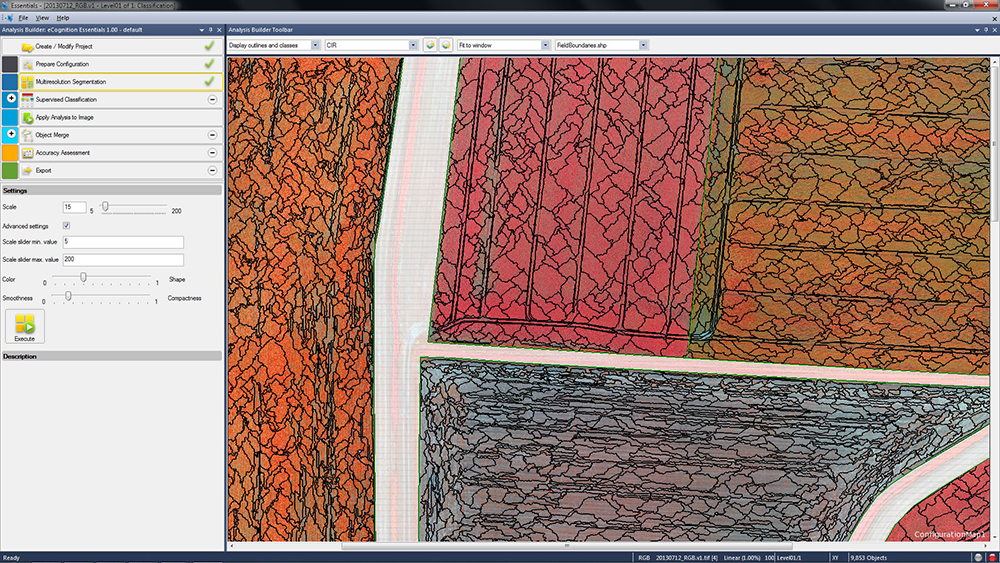
eCognition Essentials. eCognition Essentials is a new software solution for geospatial and remote sensing professionals performing land-cover mapping tasks using satellite imagery. eCognition Essentials offers an intuitive image analysis solution that allows users of all levels to quickly produce high-quality, Geographic Information System (GIS)-ready deliverables.
Leveraging core eCognition software technology, eCognition Essentials is easy to use with its simplified and intuitive interface. eCognition Essentials reduces analysis error as it applies predefined and structured rules to analyze and transform imagery data into relevant geospatial information. The new automated image analysis functions — such as image segmentation or sample-based classification — combined with a set of interactive tools for quality control offer users a streamlined workflow for quicker project turnaround times.
Trident version 7.0 is a new version of the mobile data analysis software designed to efficiently manage, interpret and extract features from digital images and point cloud data collected via land mobile systems. Enhancements in the new version significantly reduce the time required for geospatial professionals to transform land mobile sensor data into relevant geospatial information used in civil engineering, transportation and GIS mapping. In these applications, Trimble Trident can be used for surface modeling, roadway sign and pole detection, lane marking detection, edge and breakline detection, road geometry and clearance measurements.
Trident version 7.0 offers increased automation functionality to deliver results more quickly. Updated feature extraction tools within the software provide greater reliability and minimize manual editing and verification. Trident version 7.0 breakline detection routines now include a cross-sectional workflow for rapid and progressive development of supervised roadway breakline models.
Photo: Trimble
Trimble V10 Imaging Rover. The Trimble V10 is an integrated camera system that precisely captures 360-degree digital panoramic images for visual documentation and measurement of the surrounding environment. Enhancements include additional integration options and high-dynamic range (HDR) imagery. The Trimble V10 offers an accessible and efficient means of visually documenting site conditions to perform measurements in the office, produce more powerful deliverables and speed up decision making for managers on or off the site.
In addition to the R10 GNSS receiver, the Trimble V10 Imaging Rover now seamlessly integrates with Trimble’s R-Series GNSS receivers — the Trimble R8, R6 and R4 — and TSC3 controller. Through this seamless integration, geospatial professionals can easily capture high-quality, geo-referenced panoramic images to document the surroundings. Now more Trimble customers can take advantage of the Trimble V10’s powerful capabilities. In addition, a new two-piece power rod option enables easy transportation of the Trimble V10.
Trimble announced today an addition to its Trimble Access family of field software applications: Trimble Access Pipelines. Designed for surveyors involved in oil and gas pipeline installation, Trimble Access Pipelines addresses challenges encountered by pipeline surveyors by automating common pipeline survey tasks. The software solution saves time by simplifying attribute and inventory collection and integrating all the data into one easy-to-use data collection workflow.
The announcement was made today at InterGeo 2014, the world’s largest conference on geodesy, geoinformatics and land management.
Trimble Access Pipelines, a new addition to the ever-increasing suite of applications available for Trimble Access field software, offers a streamlined workflow for pipe inventory collection and validation, weld mapping and as-built measurements. The software significantly reduces project time and redundancies by collecting pipe attribute data, recording the relationship between welds and pipes, and electronically linking the joint attributes to measured welds. Using the application, pipeline surveyors can capture the necessary data so construction can proceed without costly delays.
The complete end-to-end solution is enabled when combining the power of Trimble Access Pipelines and Trimble Business Center. Trimble Access Pipelines can quickly generate customized reports for the tally and weld map data or the surveyed pipeline directly on the controller. All field data can be seamlessly transferred into Trimble Business Center to produce rich, complete deliverables including as-built plots using the Trimble Business Center Advanced Drafting module.
“One of the most time consuming challenges pipeline surveyors face is the collection of pipe attribution detail and recording the information with weld positions,” said Benoit Mallen, business area manager of Oil and Gas for Trimble’s Geospatial Division.”With Trimble Access Pipelines, we have leveraged Trimble’s strength in positioning technology and combined it with a workflow-specific application to create a streamlined solution that can meet the needs of geospatial professionals working in the oil and gas industry.”
Trimble Access Pipelines and Trimble Business Center Software version 3.30 are available now through Trimble’s Geospatial Distribution Channel.
A free trial of the Trimble Access Pipelines application as well as other available modules for Trimble Access are available to all existing Trimble Access users, and can be activated and installed using the Trimble Access Installation Manager. For more information on Trimble Field software, visit www.trimble.com/Survey/Field-Software.
Trimble has introduced additions to its GNSS portfolio — the Trimble NetR9 Geospatial receiver; the Trimble Geo7X with Trimble Access field software onboard; and enhanced Trimble xFill functionality that provides continuous RTK level accuracy when paired with a Trimble CenterPoint RTX subscription. The new additions offer surveyors more flexibility in the field to meet a variety of work requirements.
The announcement was made today at InterGeo 2014, the world’s largest conference on geodesy, geoinformatics and land management.
The Trimble NetR9 Geospatial GNSS Receiver. Photo: Trimble
Trimble NetR9 Geospatial GNSS Receiver. The Trimble NetR9 Geospatial has been configured as a comprehensive modular GNSS receiver for the professional survey market. The lightweight form factor of the NetR9 comes fully loaded with performance enhancements including: Trimble HD-GNSS technology, Trimble 360 technology, Trimble CenterPoint RTX correction service support and Trimble xFill technology. The combination of these capabilities provide a powerful solution that delivers accurate positioning and support for all existing and currently planned GNSS constellations, and continuous RTK-level precision during interruptions of the primary correction source, Trimble said.
Serving as either a rover or mobile base station, the NetR9 Geospatial offers the flexibility to choose a GNSS antenna and radio solution that matches the surveyor’s specific workflow needs. “Trimble’s GNSS solutions are designed to meet the unique requirements of surveyors,” said Elmar Lenz, business area director of GNSS Solutions for Trimble’s Geospatial GNSS Division. “These solutions provide professionals in the survey and engineering industry with flexible tools to stay productive and competitive, delivering the appropriate solution for any survey project that’s being completed, no matter where our customers work and survey.”
Trimble Geo 7X with Trimble Access. Designed for surveyors facing a variety of workflow requirements to accomplish both high-accuracy surveying and handheld point measurement, the Geo7X is now available with Trimble Access field software onboard. With Trimble Access onboard the Geo7X, surveyors benefit from a familiar, easy-to-use software interface that provides common survey workflows directly on their GNSS handheld, resulting in increased data collection efficiency.
The Geo7X is a dedicated network rover that can be used on a survey rod with an external antenna for survey-grade accuracy. If the surveyor prefers the convenience of a highly mobile handheld solution, they can snap if off the rod and switch to the internal antenna. In this mode, they also have easier access to other features such as the integrated camera for collecting attribute data.
Trimble xFill in use. Photo: Trimble
Expanded Trimble xFill Functionality. Expanded xFill functionality, available in the Trimble R10 GNSS receiver and NetR9 Geospatial receiver, allows surveyors to continue collecting data with centimeter accuracy indefinitely throughout their workday when the connection to the base station or VRS network is lost. The expanded xFill functionality is enabled via a CenterPoint RTX subscription.
Without a Trimble CenterPoint RTX subscription, xFill maintains RTK level accuracy for up to five minutes during interruptions in the primary terrestrial correction stream. This basic xFill functionality is included with the Timble R10 GNSS system and is now included with the NetR9 Geospatial GNSS receiver.
“With expanded accuracy levels and seamless RTK/RTX transition, the Trimble R10 continues to offer unprecedented capability to the survey professional,” said Lenz. “Connectivity problems are traditionally one of the biggest GNSS-related challenges a surveyor will face while in the field and expanded Trimble xFill functionality significantly helps solve that problem, saving time and money.”
The Trimble InSphere Data Manager provides efficient geospatial data management for an entire organization.
Trimble has introduced a new Data Marketplace service for the Trimble InSphere geospatial information management platform. The InSphere Data Marketplace allows geospatial professionals to quickly search, locate and obtain spatial data on demand. InSphere users can now find and use additional free and premium spatial data layers, including aerial and satellite imagery, terrain, elevation and topographic maps, building footprints and other third-party data. In addition, new capabilities have been added to a variety of InSphere applications to streamline geospatial data access.
“As the latest addition to the InSphere platform of applications, the Data Marketplace service plays an important role in our cloud-based geospatial information management platform. InSphere’s Data Marketplace is designed to help our customers find, manage and use spatial data critical to their business,” said Alain Samaha, business area director of software for Trimble’s Geospatial Division. “Giving our customers access to multiple layers of spatial information makes end deliverables more robust for their clients.”
The Trimble InSphere Data Marketplace is a new application that is part of Trimble InSphere, a cloud-based platform of software, data, and services focused on the needs of geospatial professionals including surveyors, engineers and GIS professionals. InSphere’s web interface provides access to other productivity-enhancing applications such as Trimble InSphere Data Manager, Trimble InSphere Equipment Manager, Trimble TerraFlex and Trimble Access Services.
The latest release also adds capabilities and enhancements to the applications within the InSphere platform:
Trimble TerraFlex — Unified Geospatial Data Collection and Simplified Digital Forms
The TerraFlex application includes productivity enhancement features that enable a tighter integration for Esri’s ArcMap plugin and allow GIS users to bring in data directly from TerraFlex into an ArcMap project. The module includes Esri basemap support for access to a range of freely available Esri basemap layers, new export options for more flexibility for portable data formats, exchange, and full Windows 7 and 8 support on TerraFlex Mobile. This enables users a broader range of devices to select and use in the field for collecting asset information data. In addition, the TerraFlex user interface is now integrated into the Trimble InSphere platform, giving users a seamless experience between TerraFlex and other InSphere modules. A 30-day free trial is available online.
InSphere Data Manager — Geospatial Information in One Place
Data Manager now supports Trimble Business center version 3.2 files, increasing support for more data file formats that a user is able to upload and view within the module. A 90-day free trial is available online.
The release expands the compatibility to add and manage more devices faster and easier. Users can now import a list of devices from an Excel spreadsheet to immediately begin managing devices in the module. In addition, Equipment Manager now supports Trimble Access Software version 2013.40 (and higher), increasing the number of devices that a user can manage. A 90-day free trial is available online.
Trimble has introduced the latest version of its smart water infrastructure mapping and work management software — Trimble Connect version 1.8. The latest release of the cloud-based, geographic information system (GIS)-centric software includes a suite of applications that allow water, wastewater and stormwater utilities to visualize and efficiently manage their network maintenance and data collection activities.
Trimble Connect software leverages Trimble’s GNSS rugged mobile devices and Esri’s GIS technologies to accurately map, locate and assess the condition of critical infrastructure assets, allowing utilities to keep their field infrastructure data up-to-date and accurate. Offered as a software-as-a-service (SaaS) subscription, the solution allows users to monitor asset operating conditions, manage leak repairs, reduce non-revenue water, deploy and inspect smart meters, lower potential threats to safety and health due to contamination and adhere to regulators’ reporting guidelines and requirements. Trimble Connect version 1.8 can be configured and deployed quickly on a variety of Trimble and non-Trimble mobile devices, laptops, tablets and smartphones, including Apple iPads, iPhones, Android, Windows and Windows Mobile devices to automate field workflows and eliminate paper-based maps.
Trimble Connect utilizes the latest Esri ArcGIS 10.2.2 for Server, Mobile and ArcGIS Online basemap services. The software is designed to automate a variety of specific water and wastewater industry workflows through individual “apps” offered within the product and as part of a subscription. The new version provides standard core apps including Map Book, Manhole Inspector, Leak Repair, Hydrant Inspector, Valve Inspector, Meter Changeout, Incident Repair, Water Mapper, Wastewater Mapper and Stormwater Mapper. In addition, an optional partner app developed for American Flow Control (AFC) hydrant and valve data collection, “AFC Mapper,” can be purchased from AFC and their distributors for use with Trimble rugged handhelds.
In addition to the standard core apps, Trimble Connect version 1.8 includes:
Full offline mobile support including GIS data for Android, iOS, Windows Mobile and Windows 7/8 platforms
Esri ArcGIS Online (AGOL) support to create and share Web Maps using data collected in Trimble Connect
Work management support for single and multi-asset work orders on all supported platforms
Enhanced workflows for asset inspection and condition assessment
Embedded business rules to define failed inspections or ones that need review
Enhanced workflows for asset mapping and data collection
Support for the Trimble Geo 7 series rugged mapping handheld and integrated Laser Rangefinder
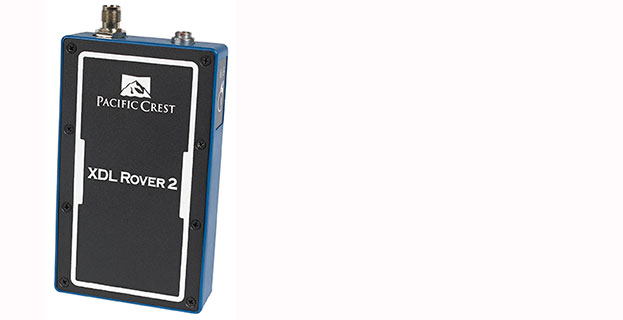
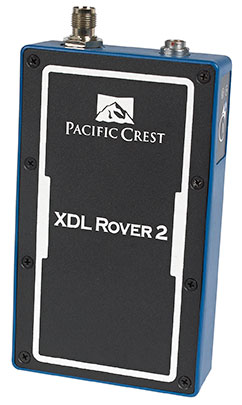
Trimble has introduced the Pacific Crest XDL Rover 2, an advanced, high-speed, wireless data link built to withstand the rigors of GNSS/RTK surveying and precise positioning.
The XDL Rover 2 is equipped with Bluetooth wireless communication for ease in configuration and operation. It can be quickly configured with an Android device in the field and UHF data can be transmitted via Bluetooth to a paired host device for operational efficiency.
The XDL Rover 2 is a lightweight, ruggedized UHF receiver designed for digital radio communications between 403 and 473 MHz in either 12.5 or 25 kHz channels. It is designed for high performance over the entire band. The XDL Rover 2 is pocket sized and provides for cableless operations. It features an internal, rechargeable battery for ease of use and portability that allows long operational hours.
“The XDL Rover 2 is an ideal, high-speed radio receiver for field operations that require a one-way communications link,” said Jess Cobb, business area director for Trimble’s Radio Communications Group. “Its interoperability with existing equipment and greater functionality allow customers to rapidly deploy the XDL Rover 2 for maximum productivity.”
This sophisticated radio leverages the latest generation XDL modem technology while remaining backward compatible with existing Pacific Crest and other products. By deploying the technology, users can instantly communicate with GNSS precise positioning receivers that share the same protocols throughout the world.
The XDL Rover 2 joins the line of XDL products that includes the XDL Micro, a transceiver OEM module. The XDL Micro is a 0.5-2.0 Watt UHF transceiver designed for integration into products that require either a one- or two-way radio communication link. The XDL radio line is based on the successful Pacific Crest ADL products.